
LeadPages Vs Instapage (Choosing The Best Landing Page Builder)
You’re looking for a solid LeadPages vs Instapage comparison post.
I get it.
It’s not easy deciding between two popular landing page builders.
So here is exactly what I’m going to do in this blog post to help you out:
- Compare both of the Instapage and LeadPages tools.
- Walk you through the process to build landing pages with each.
- Compare and contrast how much you’d be looking to spend on each.
And then MOST importantly:
- Give you clarity so that you can pick the best landing page tool for you and your business.
Let’s get this LeadPages vs Instapage show on the road.
Note: Feel free to use the Table of Contents below to jump to any section that you like.
LeadPages Vs Instapage: Two Tools Completely Compared

Before we begin?
I also went ahead and created a quick video in case you’d like the cliff notes.
I recommend reading this post as well as that’s where all of the details can be found…
But the video will give you a video quick idea of the differences between the two tools:
So now that you know slightly how Instapage is like LeadPages?
Here are some more details about both of the LeadPages and Instapage tools.
LeadPages Key Features
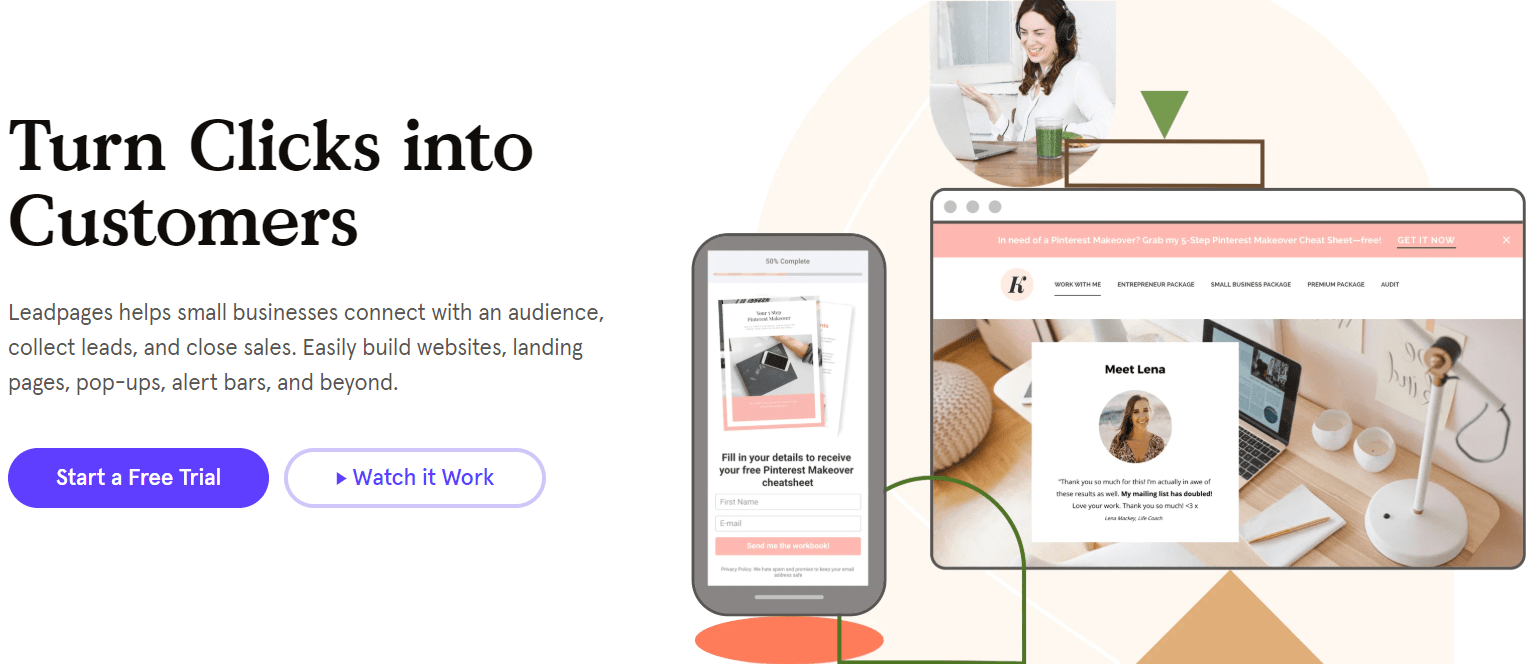
Here is what LeadPages can help small businesses with:
- Connect with an audience.
- Collect leads.
- Close sales.
Here are a few more specific features that come with this landing page builder.
- You can create many landing pages (an unlimited amount).
- There’s the option to build websites.
- Plus pop-ups, alert bars, and more.
So all in all?
LeadPages is primarily a landing page tool…
And they also have more features that I didn’t mention above (I’ll expand upon those later).
The great thing about this landing page software is that it comes with a free trial.
I’ll put a link down below in case LeadPages has already piqued your interest:
So that’s the mini-introduction of what LeadPages is all about.
Now onto the other software that is currently going up against LeadPages.
Instapage Key Features
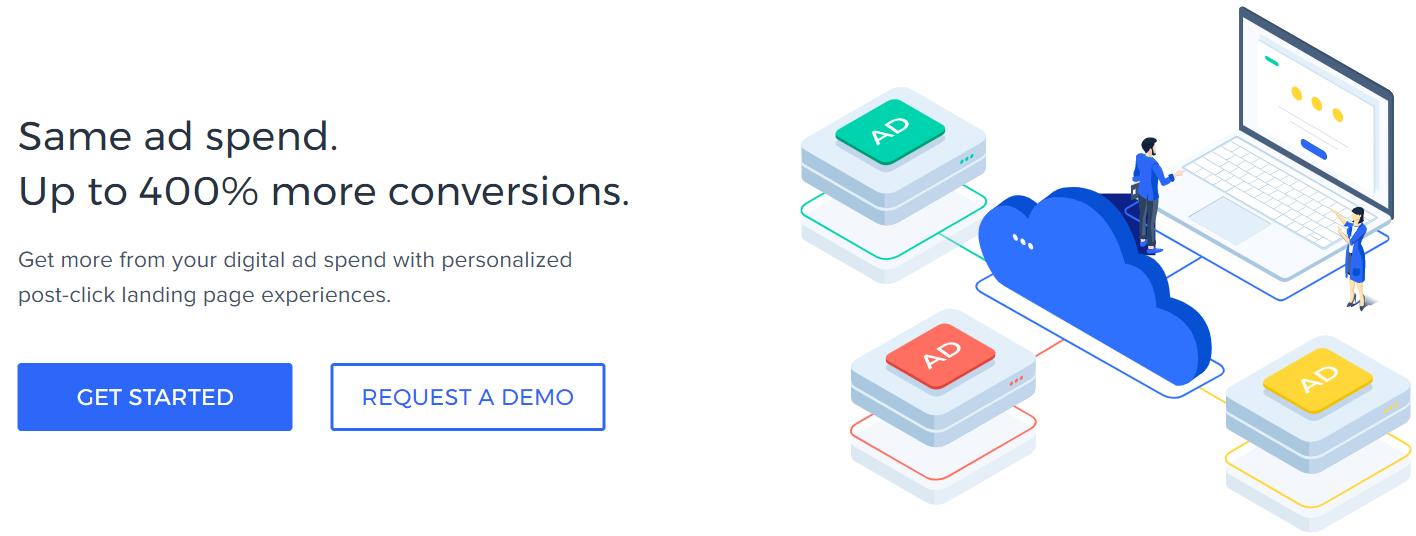
Instapage can help you get up to 400% more conversions with the same ad spend.
At least, that’s what their tagline is all about as you can see in the picture above.
But all in all?
Instapage can help you build personalized and relevant post-click landing pages.
They are ALL about creating landing pages (seriously).
They also have other features that come along with creating landing pages (more on that soon).
So now that you know slightly more about these two landing page software tools?
Let’s get into one of the best sections when it comes to LeadPages and Instapage.
Creating Your High-Converting Landing Pages With LeadPages And Instapage
So here is what I’m going to do in this specific section (along with the other feature comparisons):
- Show you the process of using a feature.
- Talk about some of the best perks and benefits.
- Compare both of these tools to see who is better (if they’re easy to use or not).
Not only do I want to share with you what it’s like to use either one of these tools?
But you can also use this post as a tutorial (if needed) for once you get started.
Let’s start with what Instapage offers first.
Spoiler Alert: They are certainly easy to use.
Instapage Landing Pages And Editor

So Instapage allows you to kick off the landing page process by being able to pick from 3 choices:
- Standard Landing Page: Pretty self-explanatory page.
- AMP Landing Page: A faster mobile landing page (Enterprise plan only).
- Upload Instapage File: For if you have any previously saved Instapage files.
I’m going to go with a standard landing page since I didn’t get the Enterprise plan.
You now get to choose from a variety of landing page templates.
Helpful Note: Instapage also has around 90 of them (Instapage counted).
Here is an example of what it looks like when going to pick out a template:

The Filter section on the left is helpful for finding your perfect template much faster.
I’m not sure if you’ve noticed this already when it comes to creating new landing pages?
Instapage really focuses on professional ad-compliant pages…
And I do have to say that is quite a difference when you compare Instapage and LeadPages:
- Instapage seems targeted at more advanced marketers (those that do PPC).
- LeadPages seems to be catered to marketers who have a wide variety of experiences.
At least that’s how I feel, though.
Allow me to give you one more example of an Instapage lead capture landing page template.
This is the type of lead generation page that works perfectly with email marketing:

In fact, I really like the simplicity of this page template so let’s use it for our demo walkthrough.
So all I had to do was:
- Hover over the template that I wanted and click on Select.
- Give the page a new name and then Create.
Now I can actually build landing pages, but before I do?
Here is what else comes along with the new landing page that I’ve just created:

It’s helpful to know that there are a few Instapage integrations in this section which include:
- Analytics integrations (yup, they connect with Google Analytics).
- Form integrations.
- Leads integrations.
So in order to get to the landing page builder, simply click on EDIT DESIGN at the top right.
I’ve said it before and I’ll say it again.
I certainly dig the landing page builder that comes with Instapage as it’s very simple to use.
Here is generally what you’ll have to do when it comes to tweaking your new landing pages:
- Simply click on the icon that you’ll use (on the left side as shown below).
- What you wanted to add will appear on your landing page.
- Just drag/move it anywhere that you like.
- Make edits and repeat the process.
I think that you’ll really enjoy using the editor that comes along with Instapage.
My Initial Reaction: Their drag and drop editor is definitely simple and easy to use.
You can get a good idea of what the drag and drop page builder looks like down below:

If you’ll look at the screenshot above you’ll also notice that your pages can be edited for:
- Mobile version (or).
- Desktop.
This is helpful so that your great landing pages are always optimized to convert.
After all, the last thing you want to do is lose visitors because your pages aren’t mobile optimized.
Anywho.
Even though we haven’t gotten to the LeadPages landing page section yet?
I’d have to say that Instapage is definitely simple and easy to use.
While this might differ from person to person, that’s just my personal opinion after using both.
If you’d like to see a little more about Instapage and its tools?
Check out the post down below.
Highly Related: Read my Instapage review here for the pros and cons.
Let’s move on to the LeadPages section now.
LeadPages Landing Pages And Editor
The process of setting up the landing page process is both easy and straightforward.
But the flexibility when it comes to creating landing pages?
Not so much (as in it’s not as easy to use compared to Instapage).
Here is how you get started with LeadPages (as you can see down below):
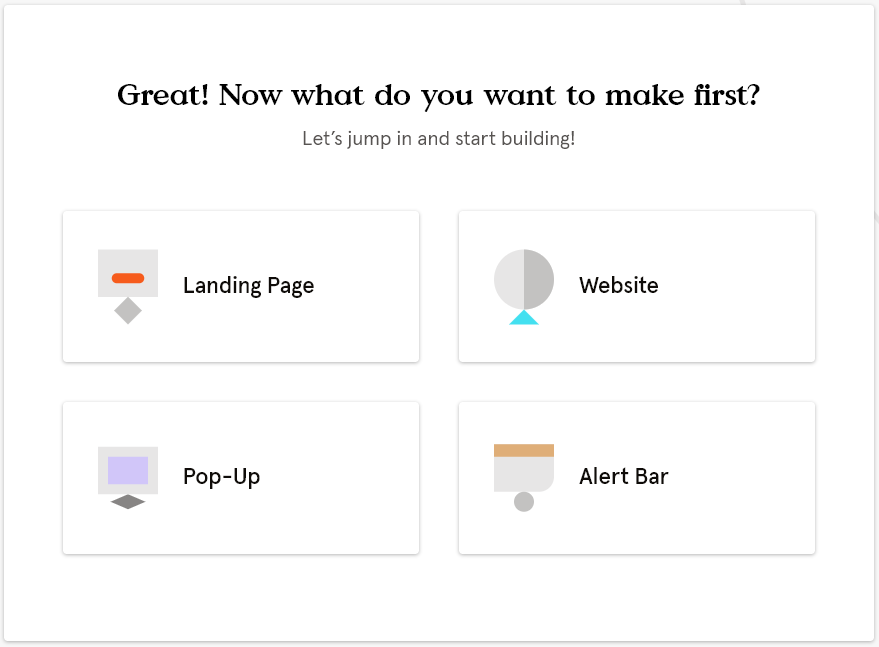
Your choices include creating a:
- Landing page.
- Alert bar.
- Website.
- Pop-up.
I’ll be choosing a landing page in this example, which then asks you what you need it for:
- Make sales.
- Something else.
- Lead generation (for building your email list).
Helpful Note: Making sales is something that only LeadPages has in this overall comparison.
After selecting generate leads, you get to pick from many of the templates that they have.
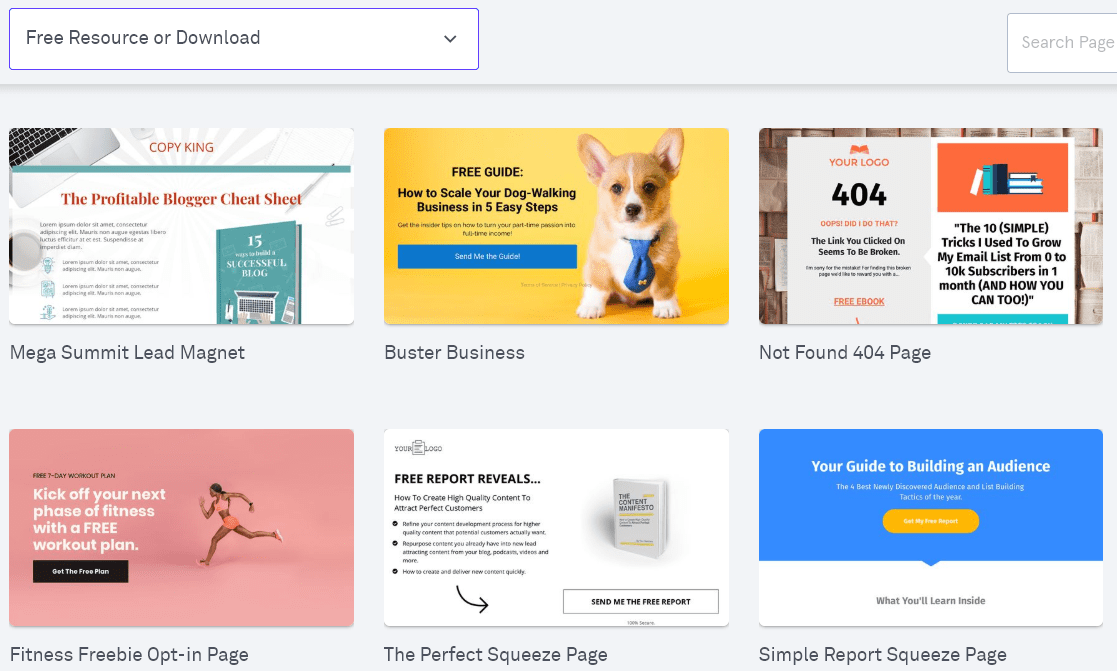
Above is a picture of 6/49 templates to use when it comes to a Free Resource or Download.
These are also perfect for connecting with your email marketing tool.
Big Regret: I should have used the Buster Business template (but didn’t).
I mean, just look at how cute that little pup looks 🙂
The template that I ended up using was: Simple Report Squeeze Page.
You give it a name, and then get taken to the drag and drop landing page builder (below):
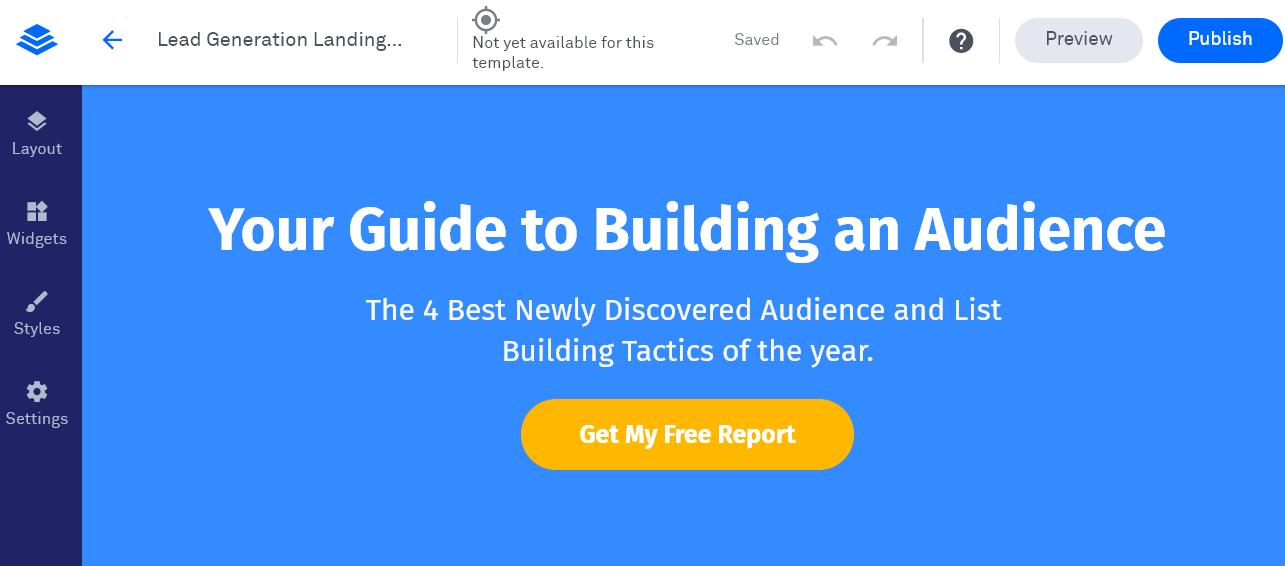
So that’s how you get to the process of setting up your landing page to be edited.
That part is very easy.
However, I do have to say that their editor has always felt slightly clunky.
And as I’ve said before: In this battle vs Unbounce:
Sometimes it feels a little limiting.
As you can’t drag and drop something anywhere you want.
On the other hand, the presentation of the builder is very simple and easy to navigate.
All of your main actions are going to be on the left side which includes:
- Layout (main content, header, footer, etc).
- Widgets (text, video, image, forms, buttons, space, etc).
- Styles (font, backgrounds, page width, favicon, custom CSS).
- Lastly is Settings (for social, SEO, and don’t forget Google Analytics and more).
Nevertheless, here are my final thoughts when it comes to their landing page editor:
- It’s easy to get to the editing process as well as navigate around the editor.
- However, the editor seems a little clunky by not allowing full control and movement.
That’s just my personal opinion though.
However, my personal opinion about LeadPages has recently changed for the better.
You also might think it’s one of the easiest landing page editors to use around.
That’s why no-cost trials are so important:
If you’re curious to hear more of my thoughts about this software?
Check out the related post down below.
Highly Related: Read my LeadPages review here for the pros and cons.
Let’s move on to a topic that I’ve mentioned a few times already.
Comparing LeadPages And Instapage Landing Page Templates
Here is the up-front difference when it comes to this section for LeadPages Unbounce:
- Unbounce offers 100+ high-converting landing page templates.
- LeadPages offers 130+ high-converting landing page templates.
So not only do LeadPages also come along with more?
I personally happen to like theirs slightly more than what Unbounce offers.
It’s understandable that templates aren’t usually the ultimate decision-maker.
However, they are certainly helpful when it comes to quickly create your landing pages.
Let’s take a look at a few more examples.
Choosing Your Landing Page Templates
So here’s the deal when it comes to templates:
- LeadPages comes with over 175 templates (including checkout pages).
- Instapage also comes with 90 templates.
LeadPages also comes with more templates that are geared towards websites.
So all in all?
LeadPages has not only more templates but also a wider variety.
They should, given the fact you can create websites and checkout pages.
Just keep in mind that templates aren’t going to be a defining factor between these two tools.
I just wanted to let you know what each software has in store (template-wise).
Let’s look at a few template examples.
Instapage Templates

Do you have any type of product, offer, or service to sell?
Then one of the product sales templates (shown above) can certainly help you out.
Here is what comes to mind when I see a lot of the Instapage landing page templates:
- Basic.
- Simple.
This doesn’t make them bad (not at all).
In fact, simplicity is usually the best when it comes to converting higher.
Just letting you know what to expect when it comes to most of the Instapage templates.
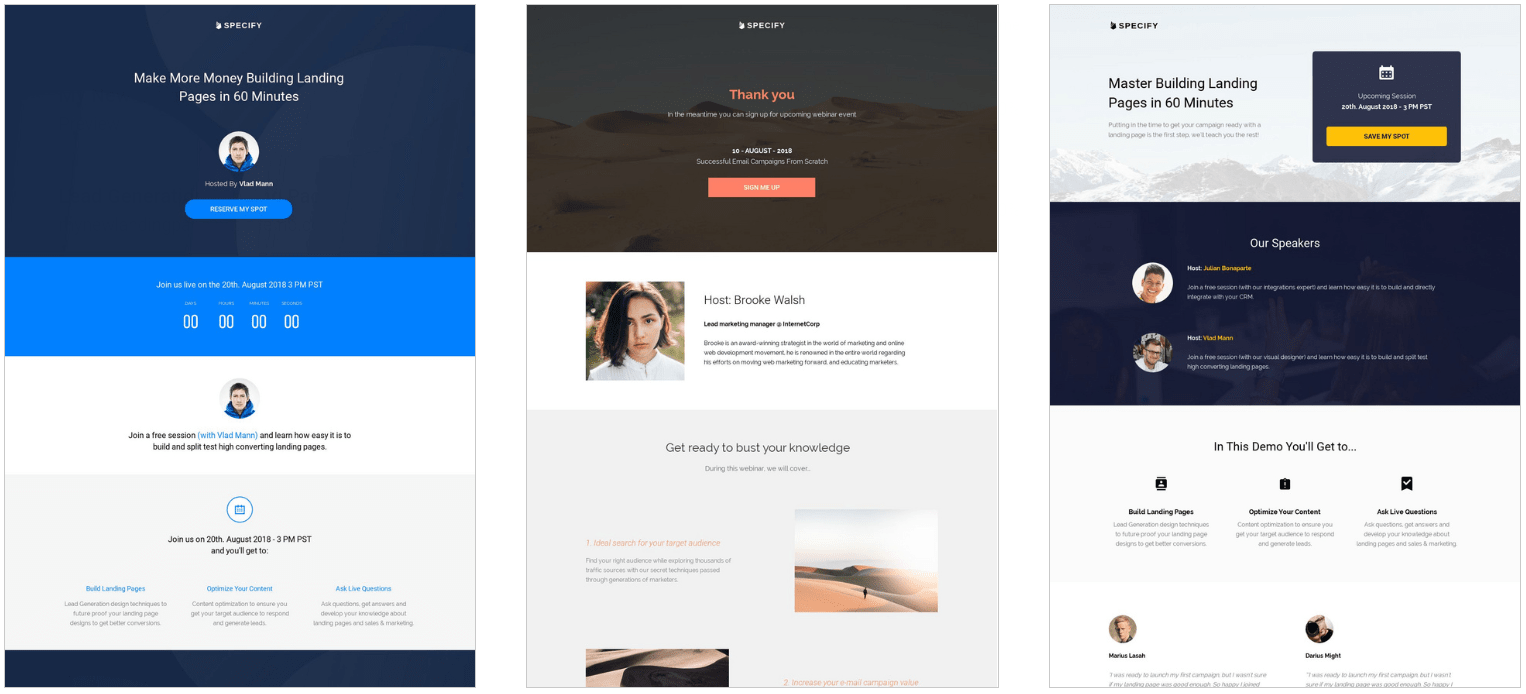
Another example of the simplicity that comes along with the Instapage templates.
At the end of the day?
Templates are just a starting point for getting your landing pages off of the ground.
You are always free to edit them to your liking.
Here is what the Instapage competitor has to offer in terms of landing page templates.
LeadPages Templates

You’ve seen a couple of LeadPages landing page templates before, but above are a few more.
Above are examples of templates that you can use for:
- Lead capture pages that are perfect for building your email list.
- Not found 404 pages.
There are also templates (tools) for:
- About pages (even for authors).
- Contests or giveaways.
- Checkout pages.
- Sales pages.
And a bunch more, just don’t forget about webinars and websites too.
In fact, here are a few of the LeadPages webinar templates for you to check out:

When it comes to the LeadPages templates, you certainly won’t run out of:
- Creativity (and/or).
- Inspiration.
That’s for sure.
Next up when it comes to comparing the tools and features of LeadPages vs Instapage.
Split-Testing Your Landing Pages
This feature is all about increasing the conversion rate of your landing pages.
Here is my opinion when it comes to this feature that both tools have:
Both Instapage and LeadPages have the A B testing feature.
However.
I’ve noticed that the Instapage split-test feature was much easier to get up and running.
Once again, it’s easy to use.
Here’s what Instapage offers when it comes to this conversion rate booster.
Instapage A B Testing
Instapage refers to their split testing as Experiments on the inside.
Here are the specific steps when it comes to setting up A B split testing:
- Create your new Experiment (give it a name and add a hypothesis).
- Choose the landing page that you’d like to run a split test with.
- Make a copy of the control (this is your main landing page).
- Set Split Evenly so traffic gets sent 50-50.
I figured it out on my first try (without needing any tutorials)
Check out the screenshot below to see what the A B testing section looks like:
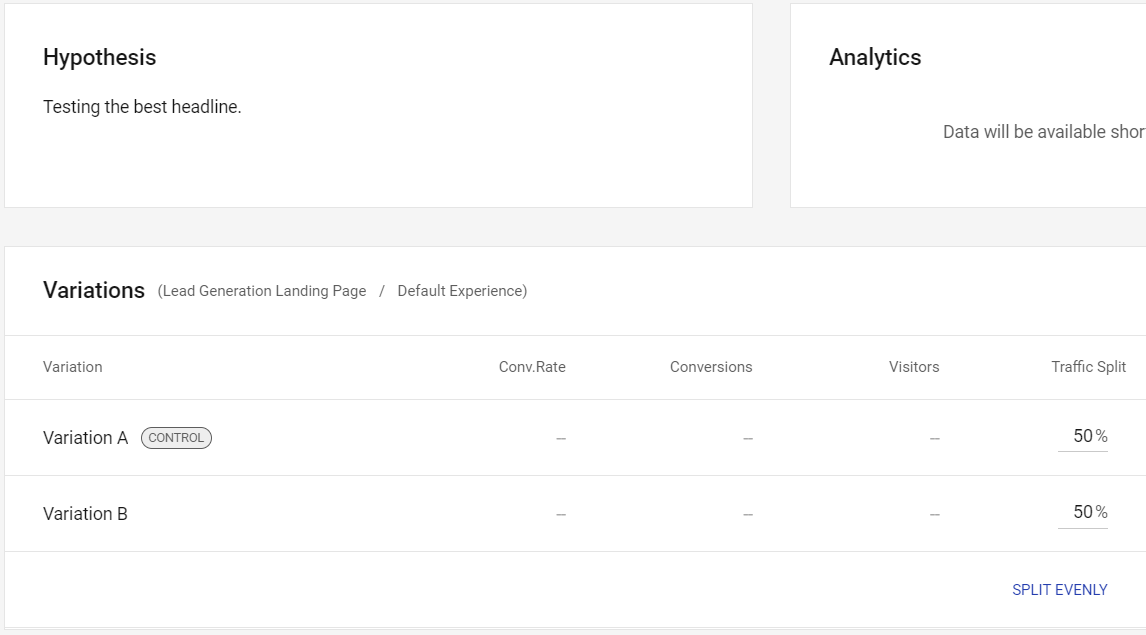
There are also sections for:
- Conversion rate.
- Conversions.
- Visitors.
Eventually, you will easily be able to see which variation is converting the best.
Pro Tip: Make sure you send an efficient amount of traffic to get more accurate data.
Now onto LeadPages.
LeadPages A B Testing

Similar to creating landing pages, the split test feature isn’t the smoothest in the world.
This was something that took me a few attempts to figure out before getting tutorial help.
All in all.
I wasn’t too impressed with the process of putting together a split test for your landing pages.
Instapage was much easier.
Here are the steps that came long with setting up a LeadPages split test as well:
- Adding a variation and then editing it.
- Distributing the traffic (which I prefer doing 50/50).
- Lastly is finalizing your split test.
The steps are similar to Instapage, just not as smooth in my personal opinion.
So those are the details when it comes to the conversion rate booster feature.
Here are a few more features that come along with each landing page tool.
Other Helpful LeadPages And Instapage Features
In the beginning, I mentioned that each of these tools has quite a few features.
Here’s a quick bullet list of other features that I might not have mentioned previously.
More Instapage Features Like:
- AdMap: This allows you to connect ads to your landing pages.
- Heatmaps: See how visitors interact with your landing pages.
- Conversions Analytics: Connects with Google Adwords and Analytics.
- Collaboration: Allowing your team to speed up the landing page launch process.
And a ton more (seriously).
As I talked about previously, a lot of what Instapage offers will cater to more advanced marketers.
And now LeadPages.
More LeadPages Features Like:
- Pop-ups and alert bars.
- Website Builder: In case that’s something you want.
- Built-in conversion guide for all of your landing pages.
And I want to specifically mention one REALLY beneficial perk of LeadPages:
Unlimited pages, traffic, and lead collection (BIG perk).
This is usually something that you’d have to pay for when it comes to software…
But not with LeadPages.
You can also see more of their features after clicking the link down below:
Now onto one of the most popular questions when it comes to these tools.
LeadPages Vs Instapage Investment
Each of these tools comes with different price tags and perks.
However.
LeadPages is the overall most cost-effective landing page tool.
I understand that price isn’t always the biggest influence when it comes to using software…
So here are a few more details for you.
What’s The Investment For Instapage?
- Instapage Business costs $199 per month (this is their core plan).
- Instapage Business costs $149 per month (if paid annually).
- The Instapage Enterprise plan is customizable.
Here is what comes along with the Instapage Business plan:
- 5 workspaces (this is their A B test feature).
- 30,000 unique visitors per month.
- 30 published landing pages.
- 5 team members.
I will put a related article below if you’d like more info about their costs:
Highly Related: Full Instapage pricing plans, perks, and costs.
Keep in mind that you will need a credit card in order to use their no-cost trial.
LeadPages is up next.
What’s The Investment For LeadPages?
- LeadPages Standard plan is $37 per month.
- LeadPages Pro plan is $79 per month.
- LeadPages Advanced plan is $321 per month.
There is also a Website plan which is only $19 a month (I don’t recommend).
Note: I don’t recommend the Website plan because of its limitations.
I personally wouldn’t use a landing page builder for creating websites.
Here are some of the perks that come along with the Standard plan:
- Unlimited landing pages, leads, and traffic.
- Lead notifications.
- Free hosting.
- 1 site.
You get those features above (and more) in the Pro plan along with:
- Unlimited A B testing (also known as split testing).
- Online sales and payments.
- Email trigger links.
- 3 sites.
So the features that you want are going to depend on the plan that you get.
I will put another related article below if you’d like more info about their costs:
Highly Related: Full LeadPages pricing plans, perks, and costs.
You’ll also need your name email and credit card (or PayPal) in order to use their free trial.
So now that we’ve gone over the features, perks, and prices of these tools?
Let’s finally get the epic conclusion of the Instapage LeadPages comparison.
The Epic LeadPages Vs Instapage Conclusion
Here are the BIG differences when it comes to LeadPages vs Instapage.
LeadPages is much simpler and focuses on getting leads as well as making sales.
Instapage is much more advanced, perfect for more advanced marketers too, and they put a big emphasis on putting together landing pages that convert (even with Google ads).
So here is actually the most important part when it comes to picking from these tools.
Here is what I recommend that you should use (based upon your needs and wants).
Use Instapage If
- You want advanced landing page features.
- Paying slightly more isn’t that big of a deal for you.
- You run pay per click (PPC) ads (or will in the future).
- You aren’t a beginner marketer and have a good amount of experience.
- You just want landing pages and don’t want or need to create a website.
And now we have LeadPages.
Choose LeadPages If
- Unlimited pages and traffic is a big deal for you.
- You want something simpler (and not as advanced).
- You prefer getting a landing page builder at a lower price.
- There’s some interest when it comes to creating a website.
And if any of those benefits above sound like music to your ears?
Then I would highly recommend that you use LeadPages as your landing page builder:
I’ll also put a link down below in case you need help signing up with LeadPages.
Related Tutorial: Getting your free trial for LeadPages.
And that’s all there is when it comes to LeadPages vs Instapage.
Thank you for taking the time to read this post about these landing page builders.
I truly hope that I helped you make the best possible decision for you and your online business.
If you have any further questions about each of the tools?
Feel free to get in touch with their customer support.
Happy (high-converting) landing page building (easy does it)!
About the Author James Canzanella
A former personal trainer who went from unemployment to online business success. He's been marketing since 2012 and (still) enjoys lifting weights, listening to rock music, and relentlessly quoting movie lines.
