
Instapage Review: Software Features & Biggest Benefits
You’d like to see a solid Instapage review before getting started.
I totally get it.
After all, it’s always good to know what’s going to be on the inside of a software…
So here is what I’ll be covering in this post for you:
- Some of the best Instapage features and perks.
- A walkthrough of actually creating an Instapage landing page.
- Lastly, recommendations when it comes to using this landing page software.
Are you ready to begin?
Perfect, then let’s continue on.
Note: Feel free to use the Table of Contents below to jump to a specific section.
What Is Instapage (What You Might Not Know)?
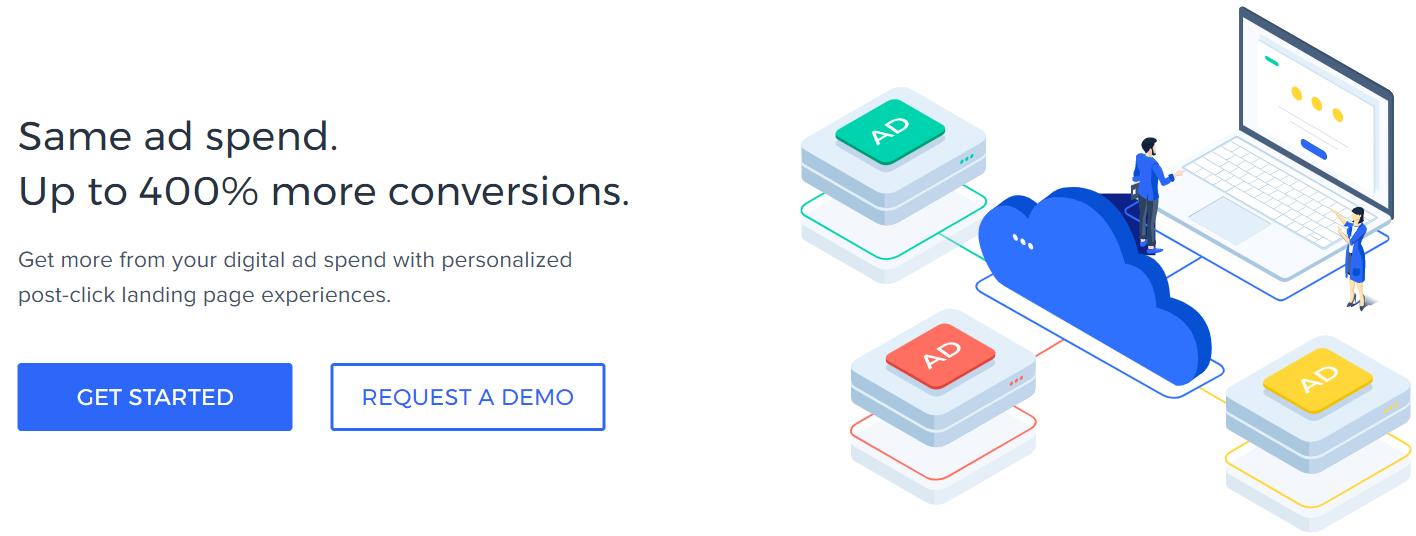
Instapage is a high-powered landing page builder that comes with many advanced features.
As you can see from the above picture, it states:
Same ad spend. Up to 400% more conversions.
Here is what that means for Instapage: It’s an awesome fit for those who run paid ads.
I’ll talk more about this as I continue on with the Instapage features.
In the meantime?
Here is a review video I did of Instapage in case you’d like to get a very nice demo:
Let’s move on to some of their most powerful features, perks, and benefits.
Instapage Features, Perks, & Overview

Instapage comes with quite a few beneficial features.
So what I’m going to do in the following sections is talk about some of the best features…
While also mentioning other helpful aspects of Instapage.
Let’s start with the most important feature that comes along with this software.
Instapage Landing Pages & Editor
Right off of the bat, I do have to say this about the landing page process:
You’ll most likely love the simplicity of the Instapage drag and drop editor.
In fact.
Allow me to show you what the process looks like when it comes to creating a landing page.

As you can see from the screenshot above, there are three ways to do this:
- Create your Standard Landing Page (standard procedure).
- Create an AMP Landing Page (this is only for the Enterprise plan).
- Upload Instapage file which is helpful if you saved a page in the past.
Now we get to the fun part when it comes to picking an appropriate landing template:
Note: I’ll do a section specific to the Instapage landing page templates.
Here is an example of two Instapage landing pages templates for asset downloads:
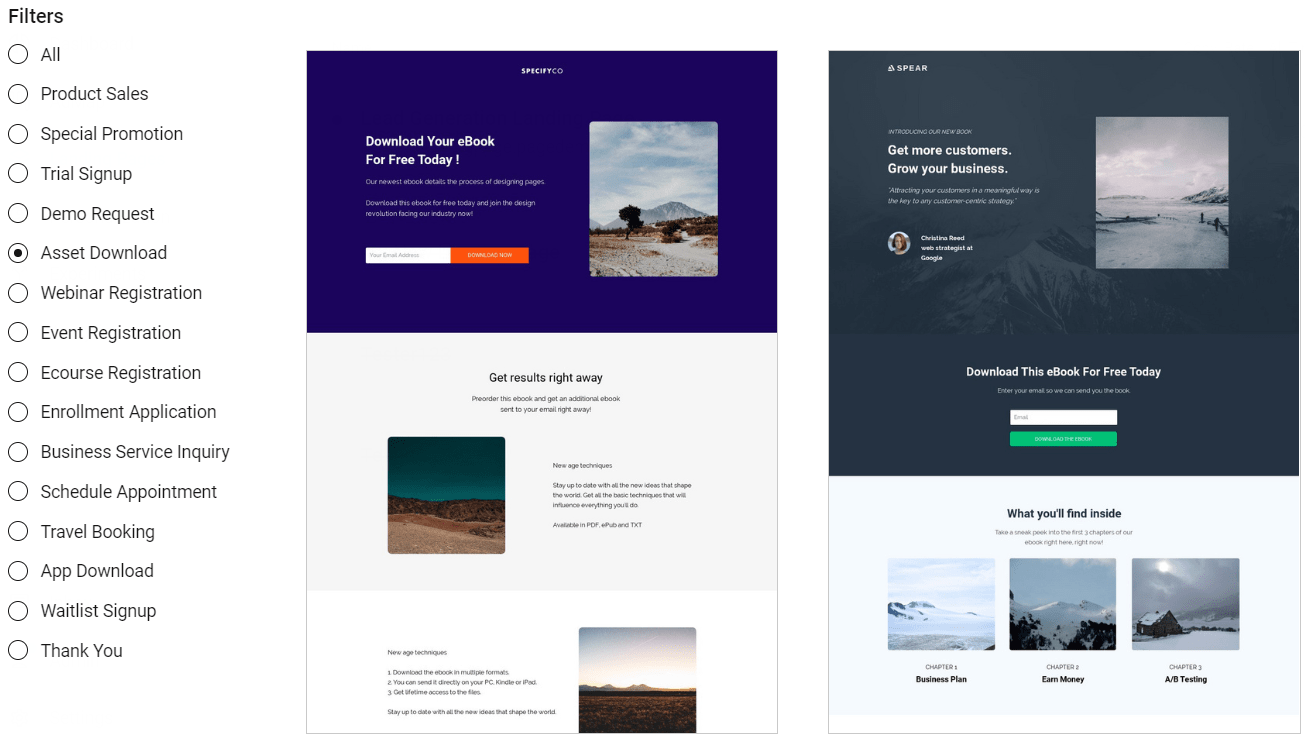
There are also many other Instapage templates when it comes to:
- Trial signups.
- Product sales.
- Special promotions.
- Webinar registrations.
And many more (which you can see in the screenshot above).
For this example, I’m going to use the template with blue in it that says:
Download Your eBook For Free Today !
Upon creating it, you’ll simply be asked to give your new landing page a name.
There are also a few more things that you can do before moving to EDIT DESIGN:
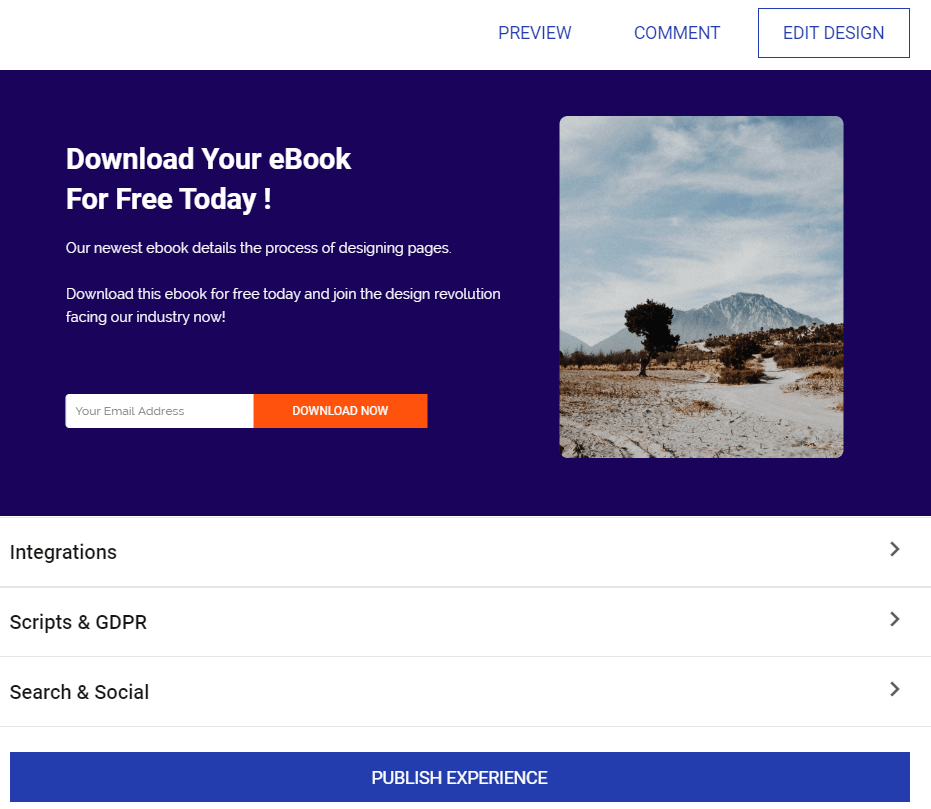
So for this specific integrations section, you have three different types:
- Analytics integrations such as the Facebook pixel or Google Tag Manager.
- Leads notifications.
- Form integrations.
You can also enable Instapage GDPR compliance as well (in case you wanted to know).
Lastly, you can edit all of the social media settings which include:
- URL.
- Title.
- Keywords.
- Meta description.
- And even the image as well.
So that’s the majority of what you can do before hitting the EDIT DESIGN button.
Let’s now talk a walk around when using the Instapage drag and drop builder.
Here is what it looks like:
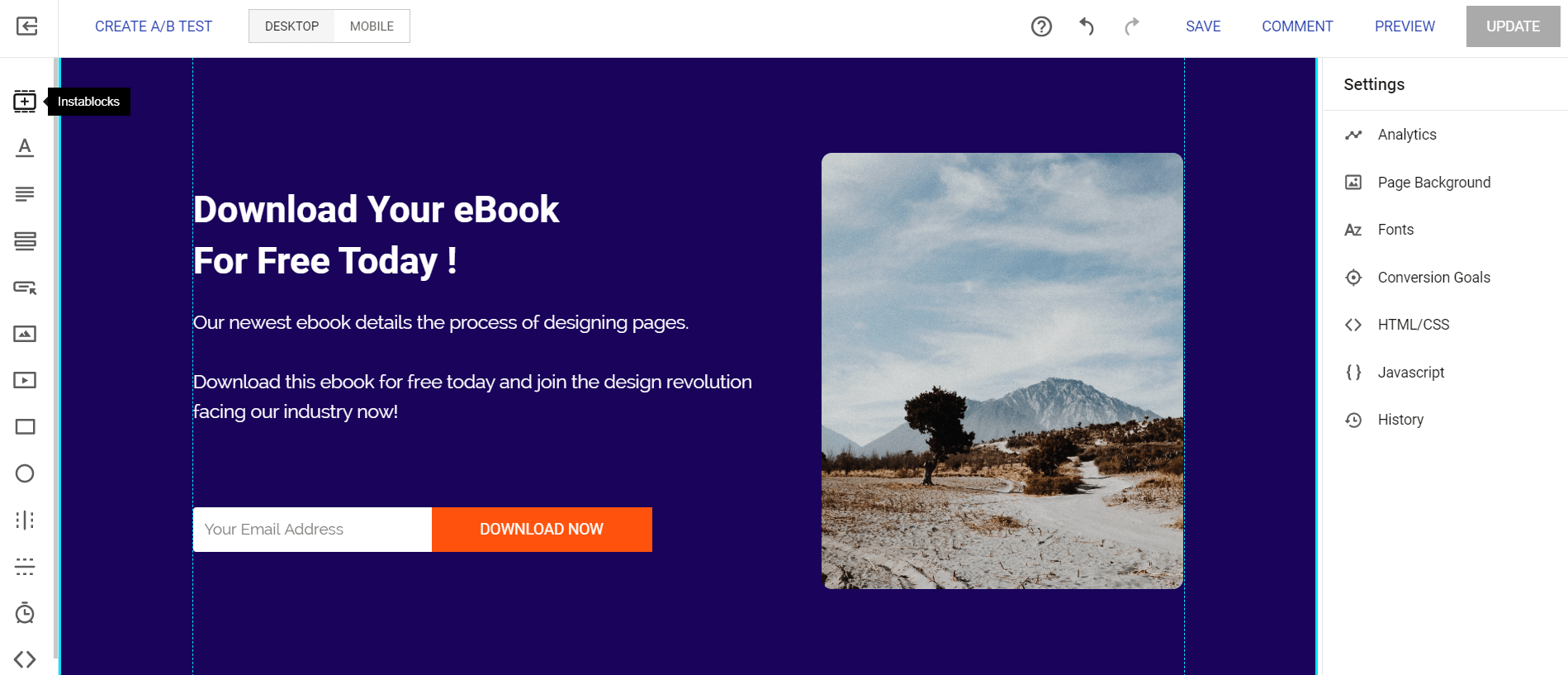
I personally like that the Instapage editor is both simple to navigate and use.
Here are the steps that you’ll most likely use when editing your landing page:
- Click on what you need (the icons on the left side).
- Drag where you want that specific section to go.
- Add text, change colors, and so on and so forth.
And that’s pretty much the process when it comes to using their editor.
You would just repeat the process when it comes to making more changes.
Plus, there’s also something that’s referred to as the Instapage Instablocks.
These are pretty helpful, and something that you’d normally pay extra for.
Here is what it looks like to pick an Instablock:
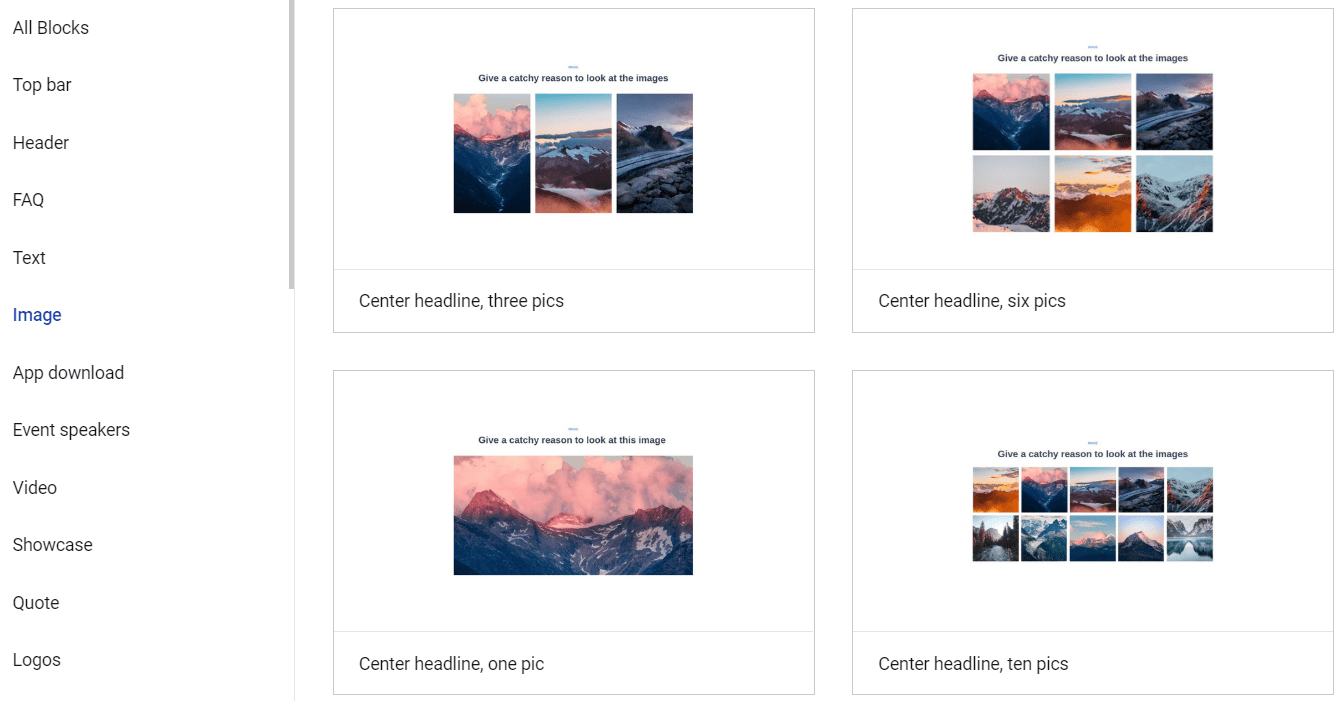
There’s plenty of templates that come along with Instablocks as well.
As you can see in the picture above, a few of them happen to include:
- FAQ.
- Text.
- Video.
- Quotes.
- Headers.
- Top bars.
- And a bunch more.
This is yet another way to make the process simpler for creating your landing pages.
All in all?
Creating landing pages with Instapage is an overall breeze and I think you’ll agree.
I did mention that I’d showcase a few more templates…
So allow me to do that now.
Instapage Templates Examples

Above is an example of another lead generation landing page.
It’s simple as can be and that’s why I really like it.
Just remember though.
These are all templates and they can be personally customized to your liking.
Here is one more lead generation landing page template:
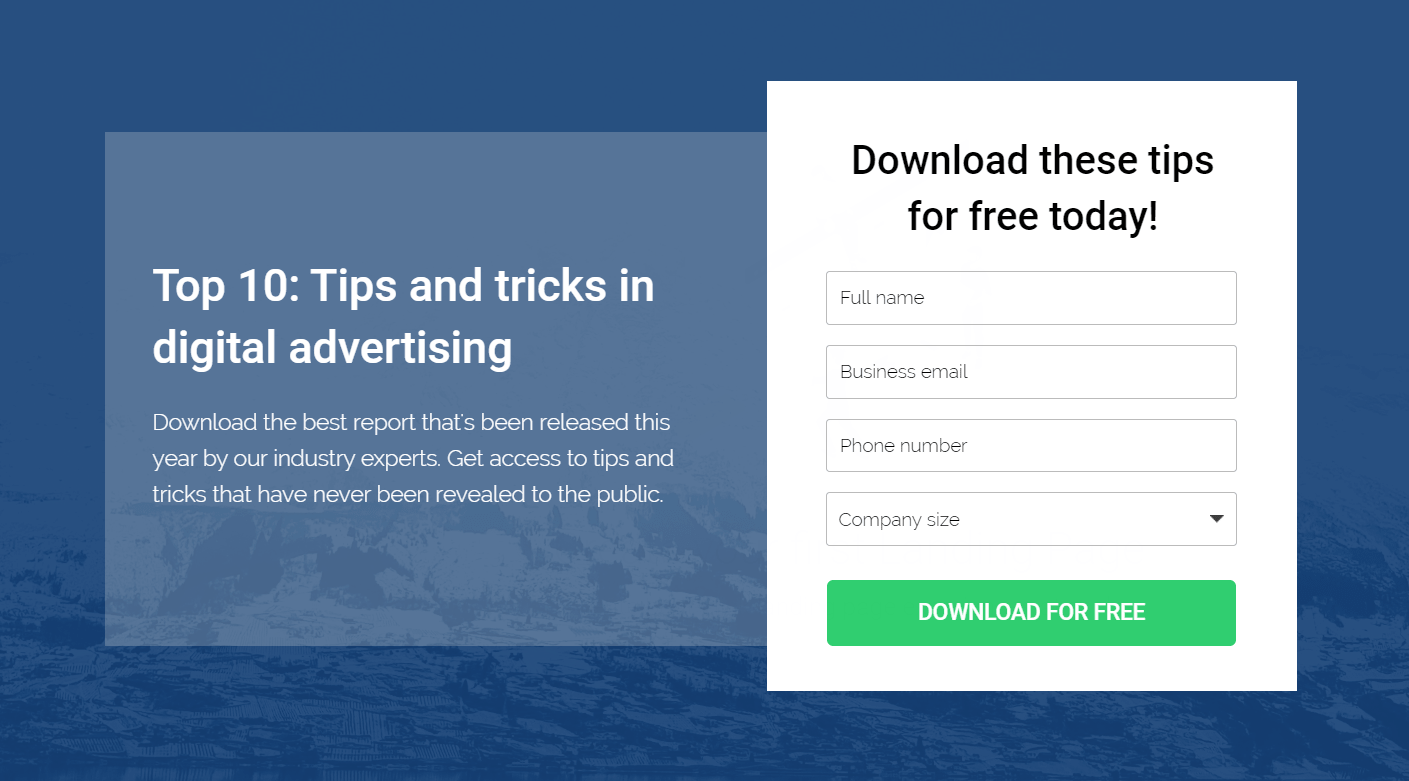
I think you get the idea by now (when it comes to lead generation templates).
Let’s switch things up now.
Here are a couple of examples when it comes to product sales templates.
(I personally like the colors of these two)
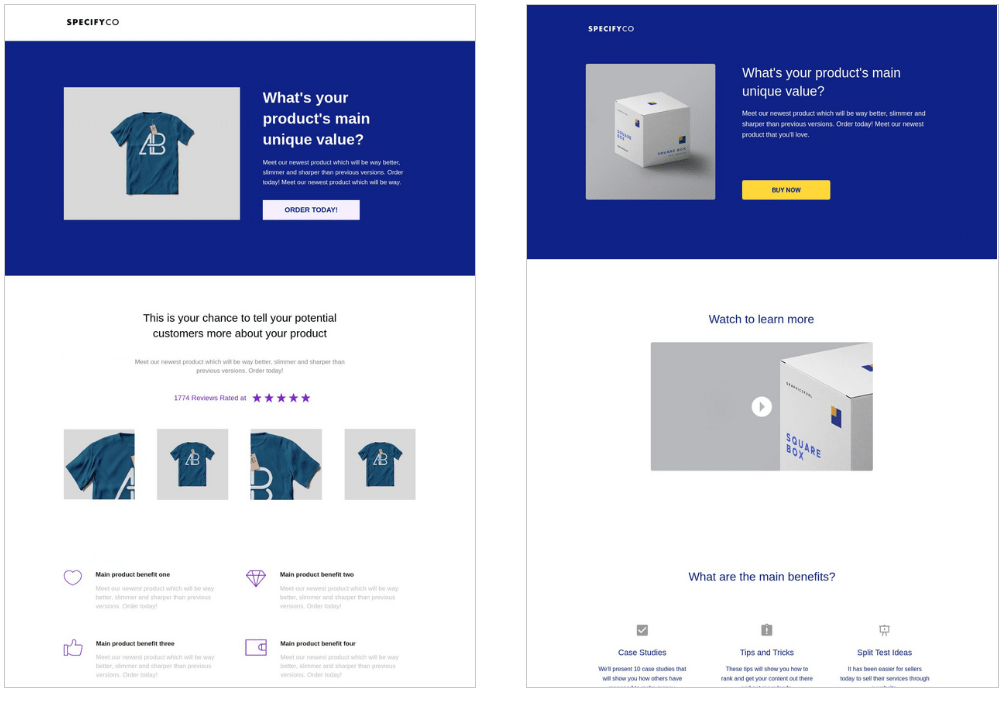
Simple as always.
Instapage also comes with a few webinar registration templates (as well as thank you pages too).
Yup, I’ve got some examples of those for you as well.
Here’s what the Instapage webinar registration templates look like:
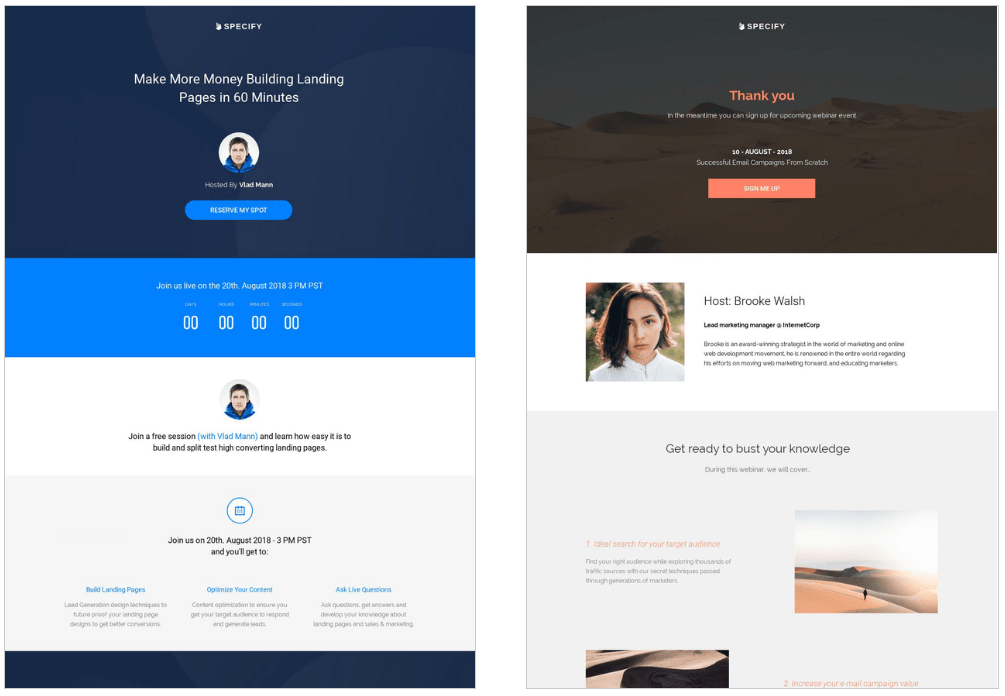
That should be plenty of Instapage examples for you.
Let’s take a look at another hot feature that Instapage comes along with.
What Is Instapage Experiments Anyway?
Instapage Experiments is their fancy way of saying A B split testing…
The ability to test out more than one landing page and find the highest converter.
As you might have already guessed…
Setting up Instapage Experiments (split testing) is also a pretty easy process.
Check out the screenshot below:
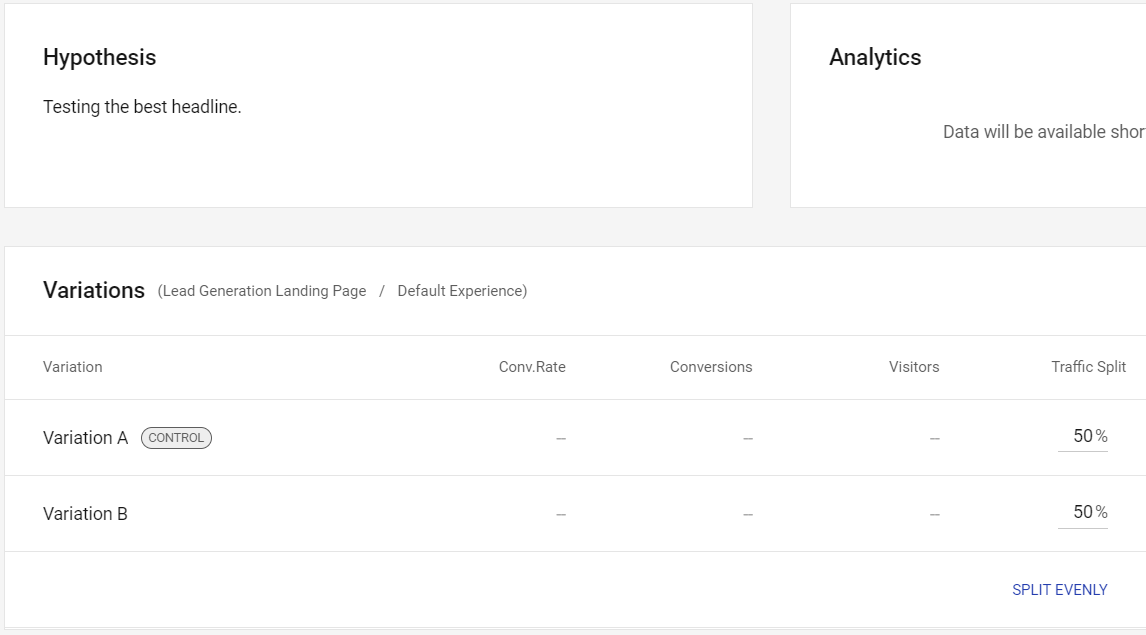
So here is all that I needed to do in order to set up my A B split testing campaign:
- Create a new Experiment (add a name and hypothesis as well).
- Choose one of your landing pages that you’d like to improve.
- Make a copy of the control (which is your main page).
- Click the Split Evenly text so traffic is 50-50.
This was so simple to set up that I personally didn’t need any type of tutorial.
That was my experience though.
Consider this a helpful feature if you want to get the absolute best converting landing pages.
Now onto one of the biggest questions when it comes to using this landing page software.
What’s The Investment For Instapage?
The Instapage investment is pretty simple (like many of their other aspects):
- Instapage Business is $199 per month (or $149 per month if paid annually).
- Instapage Enterprise plan which is customizable (so there’s no set price).
Keep in mind that there will be different perks for each plan…
But here are the important perks when it comes to the basic Business plan:
- 30,000 unique visitors per month.
- 30 published landing pages.
- 5 team members.
- 5 workspaces.
I did a separate post that talks about all of the plans, perks, and costs.
Highly Related: Instapage pricing post.
Let’s finish things up now.
Instapage Review Conclusion

So here are my final thoughts for wrapping up this Instapage overview post.
Pros
- Their drag and drop editor is very simple to use.
- Focuses 100% on landing pages (and does it well).
- Instapage works very well with pay-per-click advertising.
Cons
- Not the best option for super-newbies.
- It’s also not the cheapest option on the market (not always the biggest factor).
However.
If you want to create high-convert landing pages and even run PPC ads to them?
Then there’s a good chance that the price tag won’t even be that big of a deal.
Nevertheless.
Instapage is a solid pick for building and creating high-converting landing pages.
And that’s about it.
Thank you for taking the time to read about Instapage.
I understand that there are quite a few Instapage reviews to choose from…
So I appreciate that you happen to read mine.
Happy landing page building!
Related: Instapage vs its biggest competitor.
Enjoy!
About the Author James Canzanella
A former personal trainer who went from unemployment to online business success. He's been marketing since 2012 and (still) enjoys lifting weights, listening to rock music, and relentlessly quoting movie lines.
