
Moosend Review & Features Demo
I’m glad that you happen to stumble upon this Moosend review.
Consider yourself in the right spot.
I don’t like wasting any time so let’s get this show on the road.
What Is Moosend: Review & Features Introduction

So Moosend is much more than just an email marketing tool.
As described on their front page:
Moosend is the all-in-one platform your business deserves.
This software also comes with quite a few fancy features such as:
- Email marketing.
- Marketing automation.
- And even the ability to create landing pages.
Note: They offer many more features that I’ll be talking about (so be sure to keep reading).
Moosend also allows you to try them out for 100% free:
Now let’s do a quick walkthrough of some of Moosend’s best features.
Moosend Email Campaigns
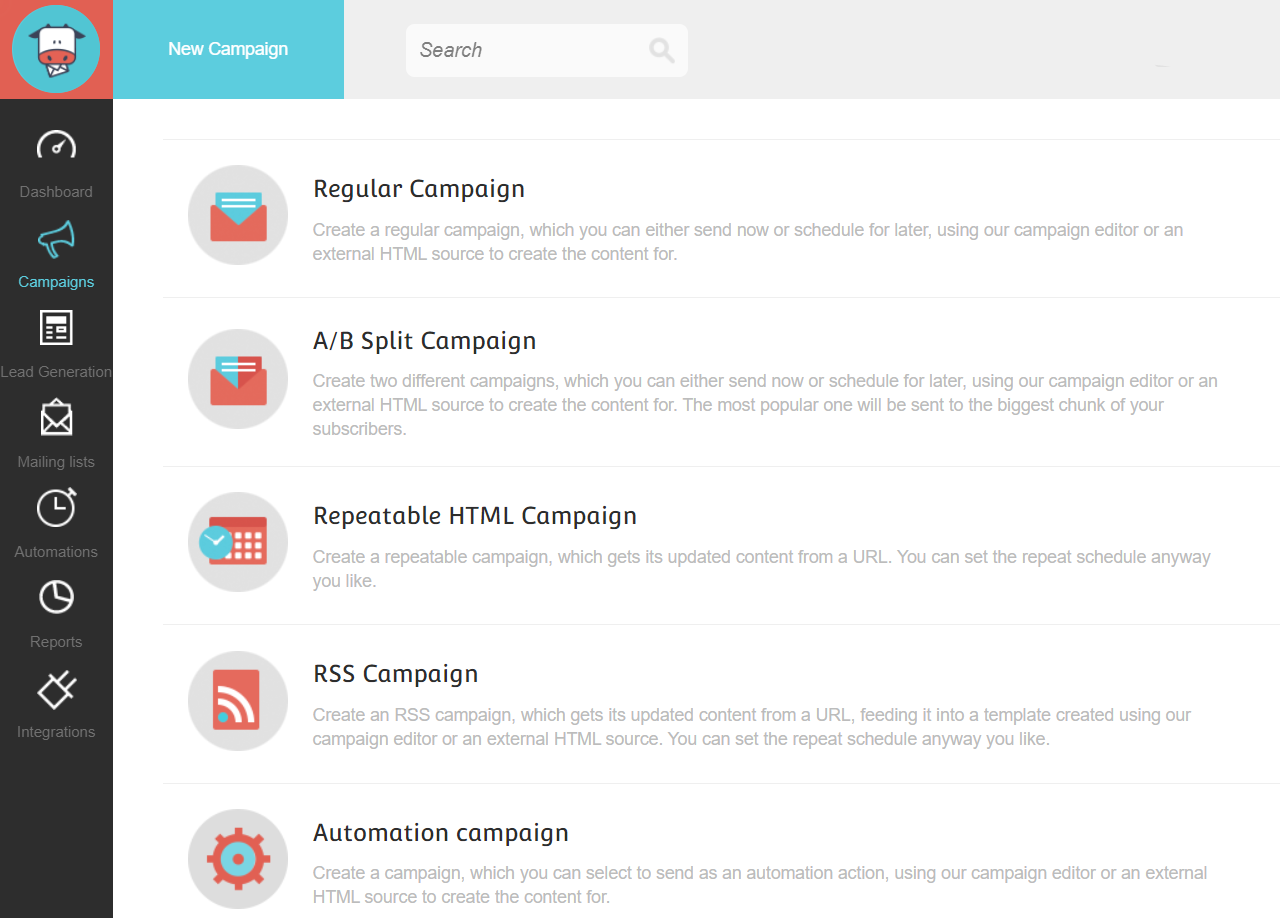
Here’s something that I liked right away:
Moosend comes with the ability to send five different types of email campaigns.
In case you’re on mobile and the picture above is harder to see, these campaigns include:
- RSS campaign.
- AB split campaign.
- Regular campaign.
- Repeatable HTML campaign.
- Lastly, you have an automation campaign.
For this demo example, I’m going to be picking the Regular Campaign option.
Note: This is similar to sending out an email broadcast to your list.
Upon choosing that option, you get to start having fun and choosing the campaign settings:
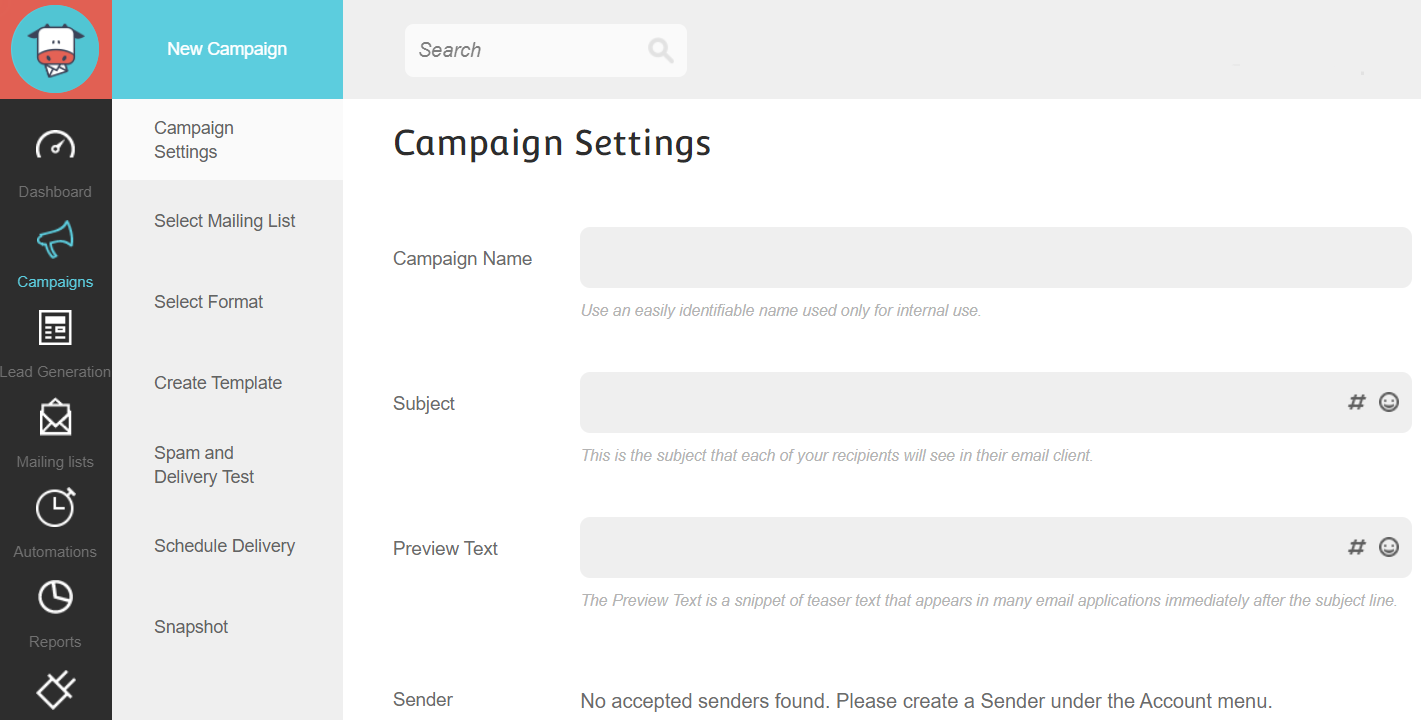
And yes, you can use emojis in your subject lines!
Note: This is something that I like doing to stick out from other emails.
You can even track your campaigns in Google Analytics (that was at the bottom of the page).
But after you set up your initial campaign settings?
You then move onto:
- Selecting your mailing list (which I’m going to skip because it’s self-explanatory).
- Choosing the format of your email campaign.
You have 2 options to pick from, which include:
- HTML and plain text.
- Or you can stick with just plain text online.
Note: Don’t be wary of the HTML aspect, as I prefer HTML and plain text.
It’s pretty simple to do with the editor that comes along with Moosend:
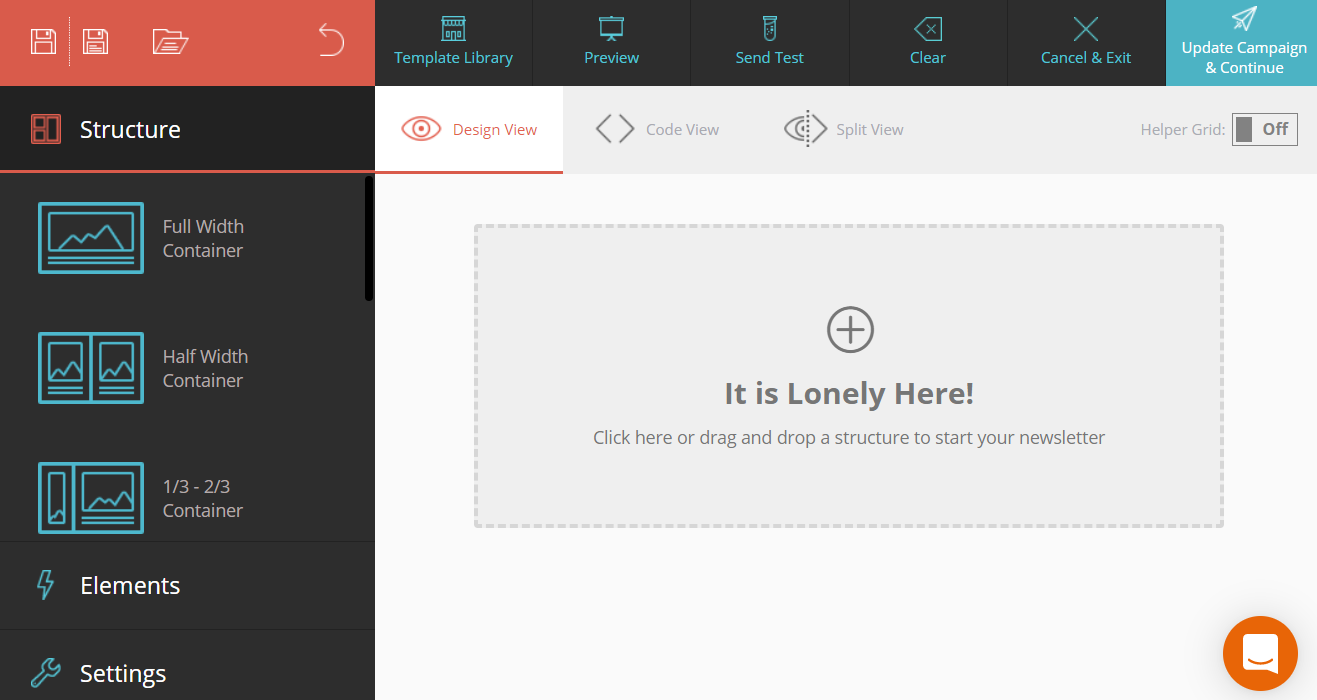
The screenshot above is a great example of what their editor has to offer.
Here is the first big step when it comes to creating one of the simplest email templates possible:
- Drag the Full-Width Container to the middle of the page.
After you do that?
You’ll be able to choose from a good variety of widgets to include (shown below):
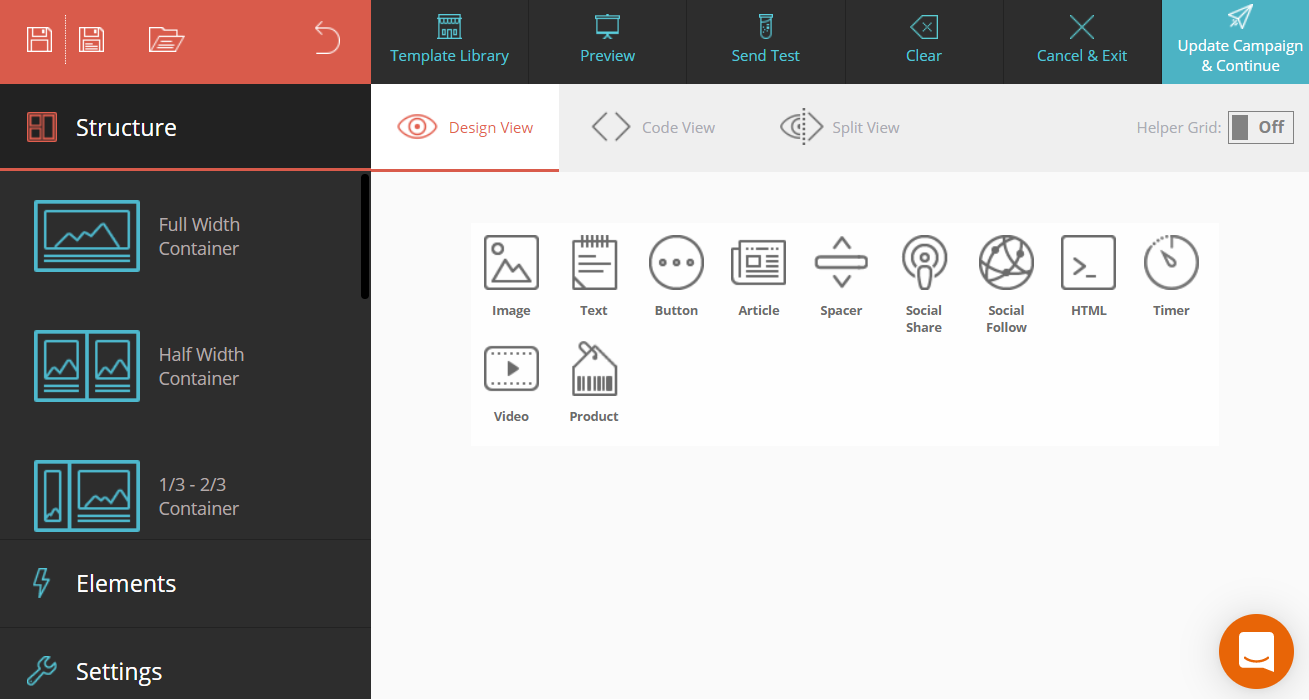
As you can see from the picture above, you can choose from:
- Text, image, button, video, or spacer.
- Social share or social follow.
- Article or product.
- Timer.
And there’s even an HTML option if you happen to be feeling like a tech-wizard.
Note: I’ll also be talking a little bit about their templates after this section.
I went with the text option because that’s how I like sending my emails.
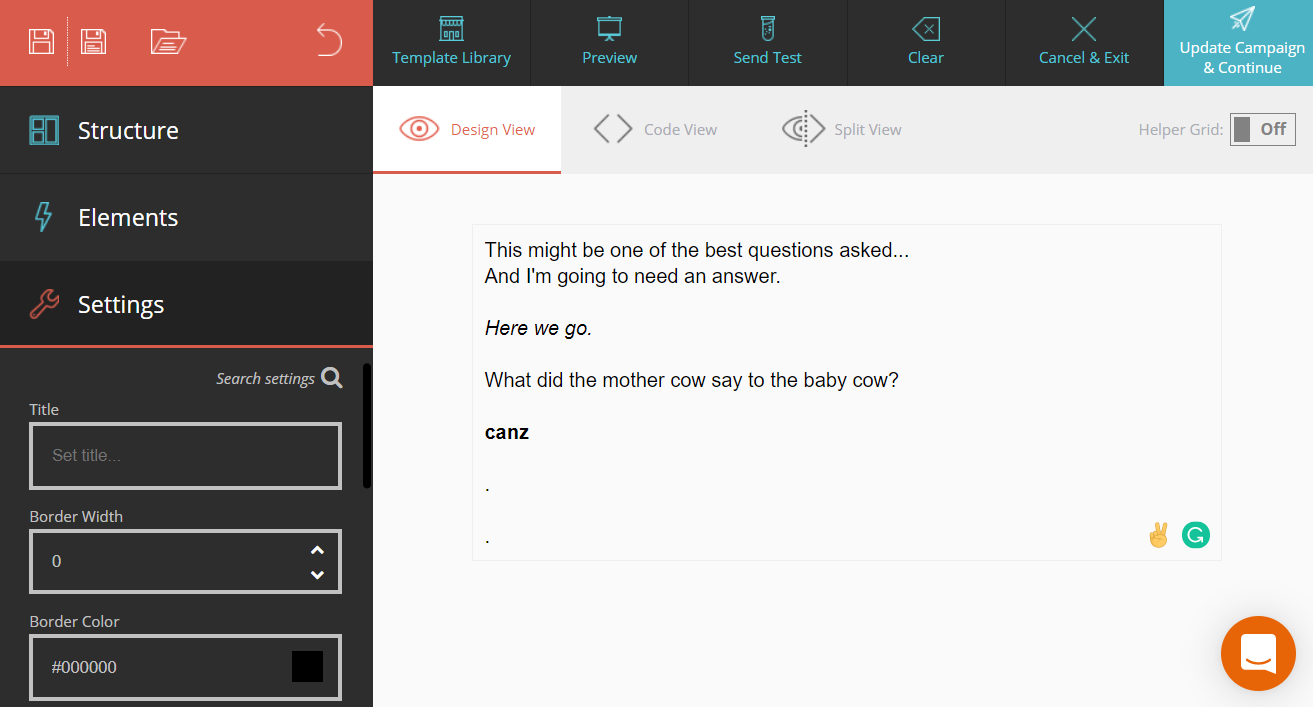
I just put in some text to show you what it would look like.
Nevertheless, that’s where the text for your high-converting email would go.
Note: If you want the answer to the question above? Then you’ll need to read to the end.
You’ll be aMOOsed by the answer 😛
Anywho, the last step of the process would be clicking on Update Campaign & Continue.
The unsubscribe link from Moosend will also be created for you if you hadn’t done it yet.
After that?
You have the ability to leverage another helpful email marketing feature:
- Delivery and content spam test.
Here is a quick screenshot of what the specific section looks like in Moosend:
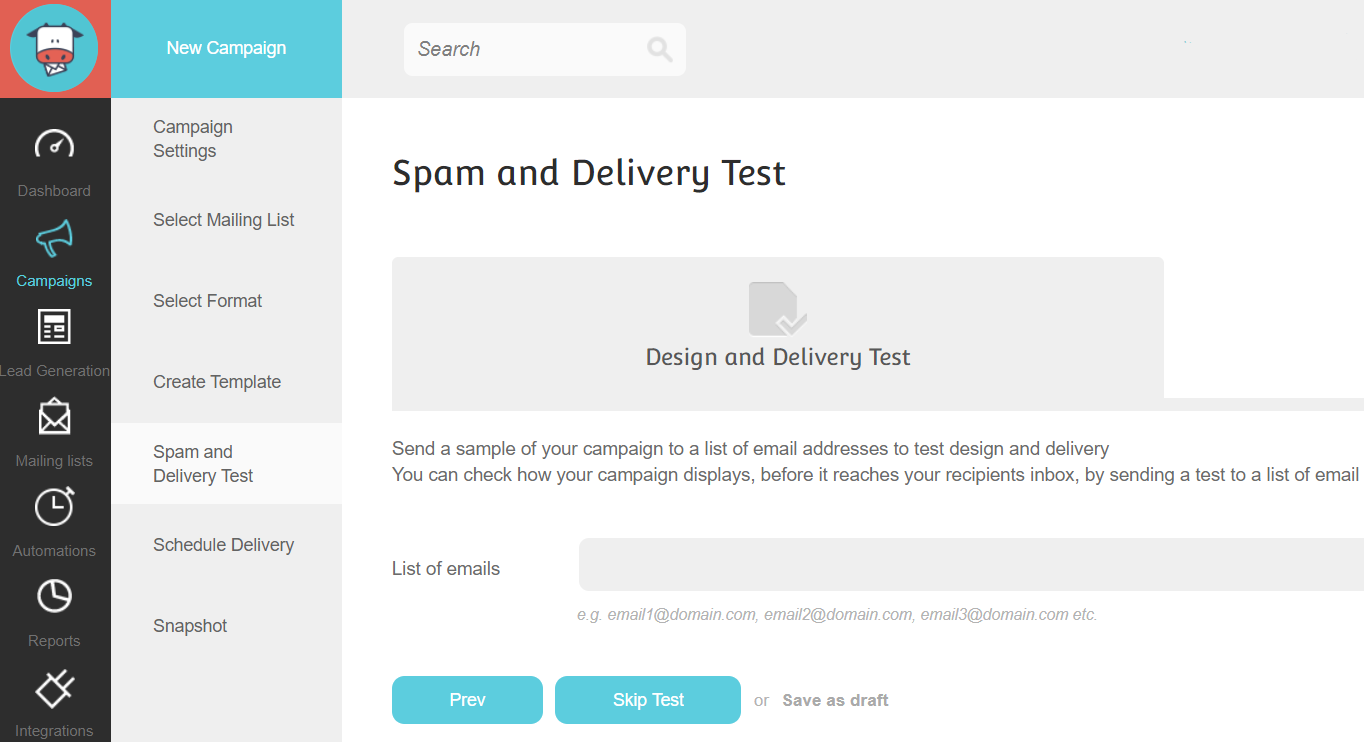
It’s always helpful to send a test email to yourself just to make that it hits your inbox.
Last but not least?
You have your schedule delivery which is based upon:
- Sending the campaign immediately.
- Scheduling the campaign to be sent out at a future date and time.
What I like about their process is that it walks you through everything that you need to do.
Step-by-step (day-by-day)!
You also might be curious to know if Moosend can send out pretty emails too.
Allow me to shine a light on that situation (very quickly).
Moosend Templates
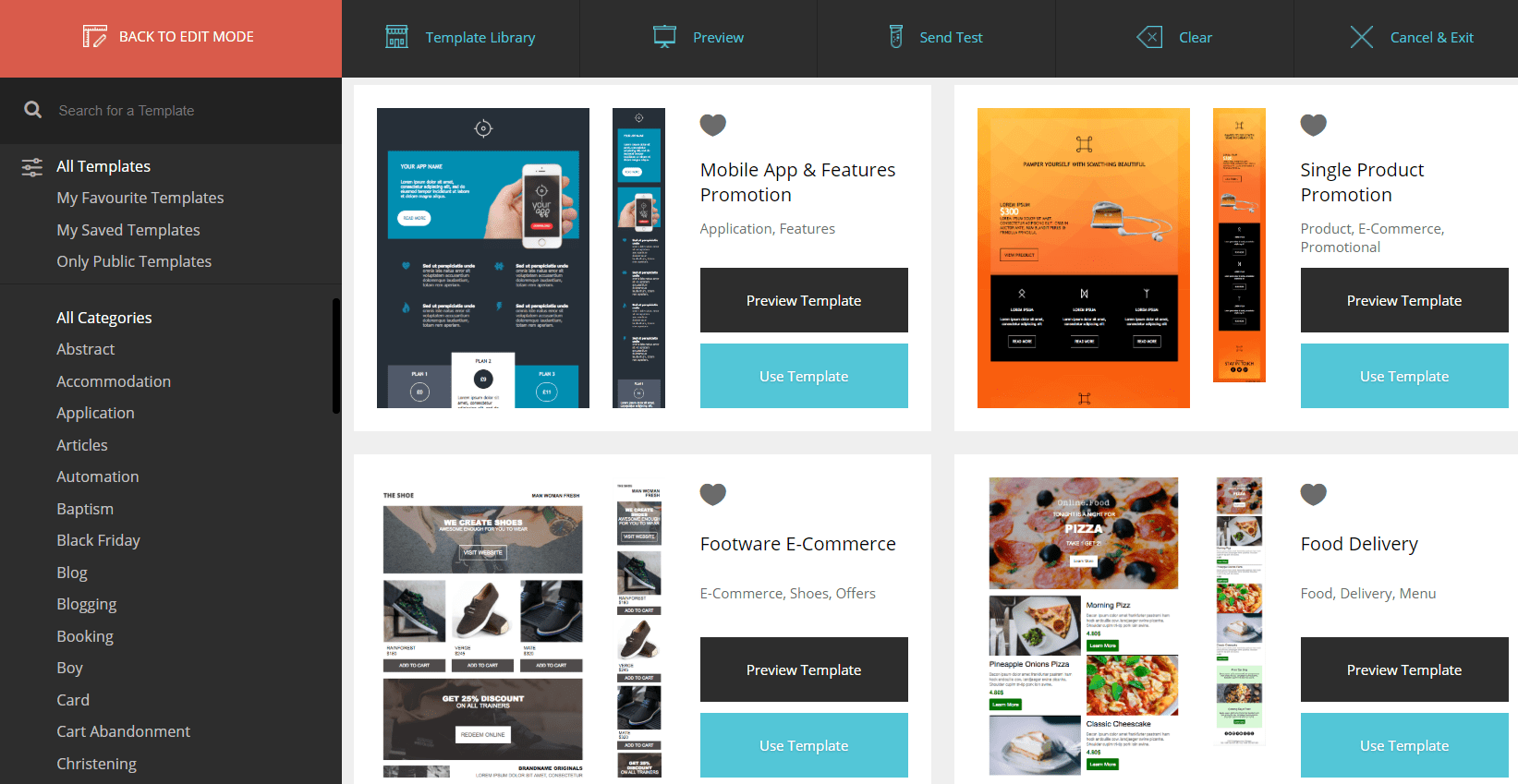
Not everyone in the world wants to keep it as simple as me.
I completely get it.
That’s why you’ll be happy to know that Moosend comes with a lot of elegant templates.
Plus, there are quite a few categories that you can choose from on the left side of the image.
Now let’s move onto the automation magic of Moosend.
Moosend Automations
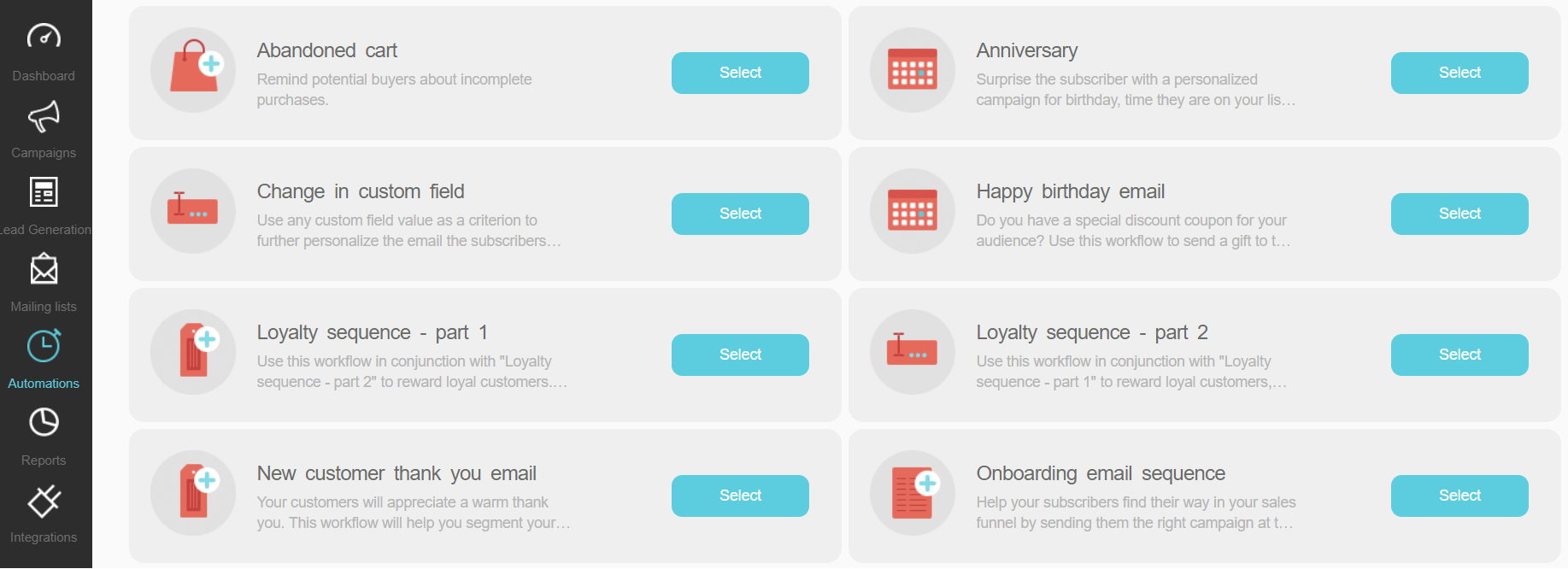
To my delight (again), Moosend comes equipped with quite a few automation options.
Aside from the 8 above, you have 10 more for a grand total of 18 automation options.
So in this particular demo?
I’m going to be testing out the Moosend abandoned cart automation.
Note: This is a great way to increase your sales by sending an email to those who left the cart.
Here is an example of the layout for this automation:
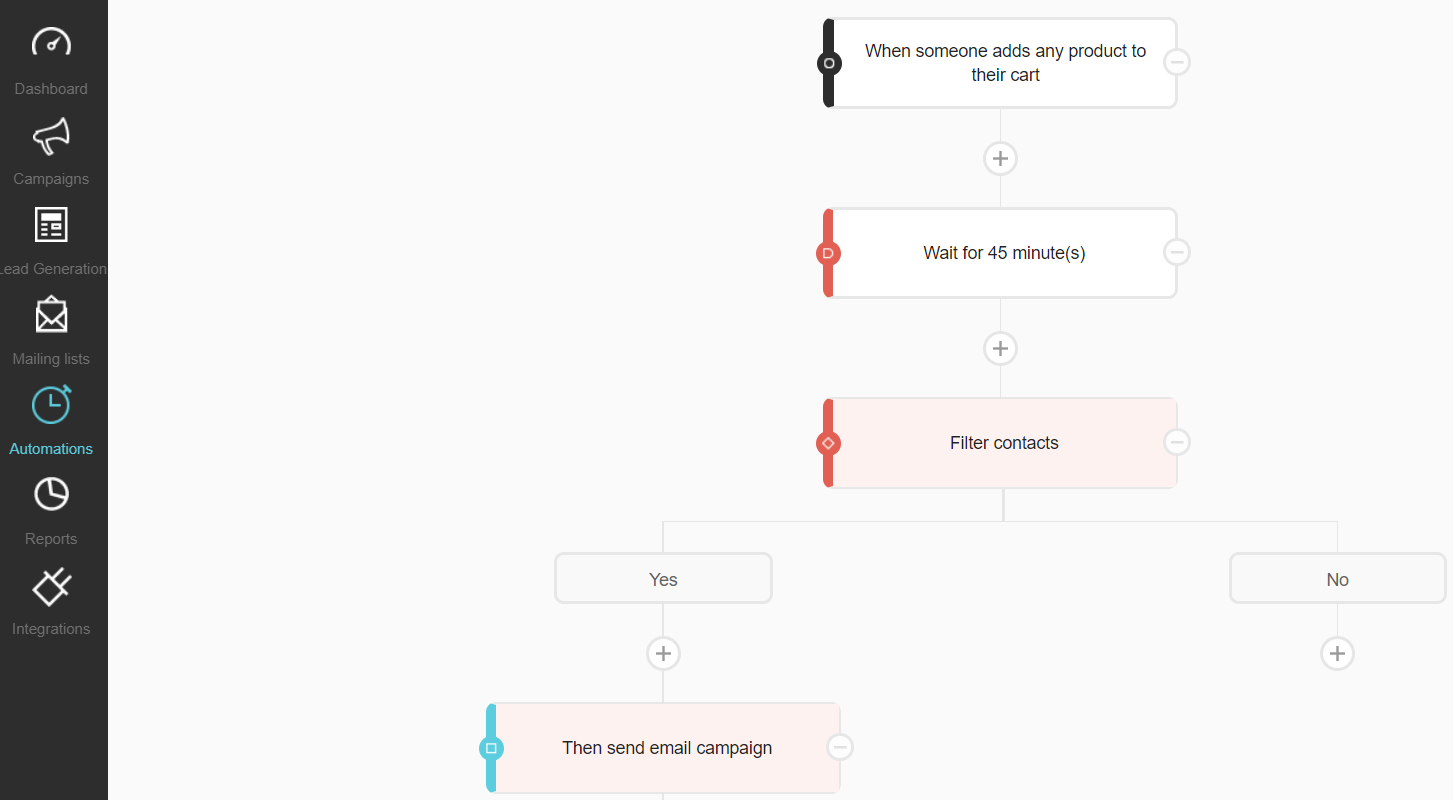
Here are the steps for this automation process:
- Someone adds something to their shopping cart.
- It waits for 45 minutes and then begins to filter contacts.
- If they fall into the yes category (didn’t buy), then they get the email campaign.
As always, we can click on the button that says: Then send email campaign.
That’s how you can add an email that you previously created.
So that’s one thing that you will need to keep in mind:
- You want to create the email that you’ll be using for the automation first.
- Then you can simply add that content to your email campaign.
Automation is something that I like to refer to as:
Simplisticly advanced.
There are both simple and advanced aspects to it so you might not grasp it right off the bat.
Moosend does have a nice tutorial when it comes to putting together your automation though.
I recommend trying it for yourself:
Now onto something that I always love being able to do a demo of.
Moosend Landing Pages
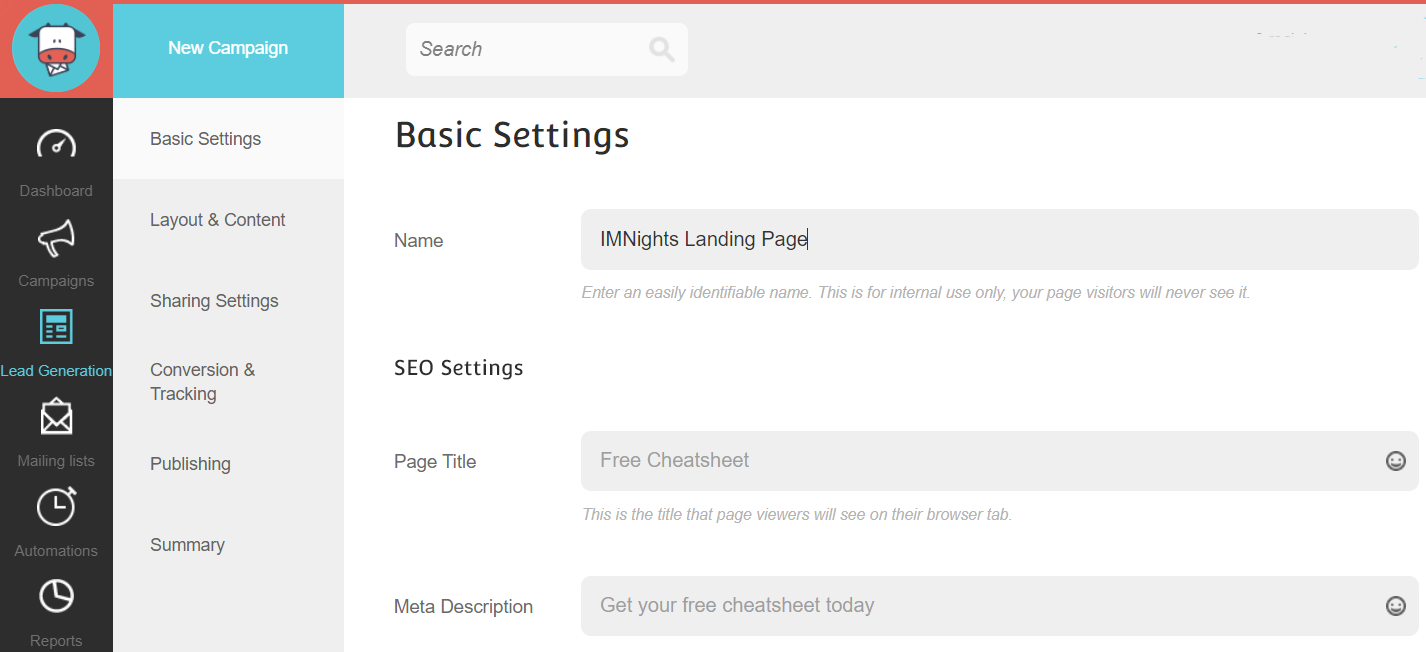
So yes, Moosend can certainly help you when it comes to lead generation.
This email marketing tool also comes with the ability to create:
- Landing pages.
- Subscription forms (which is in BETA as of writing this).
Let’s first focus on landing pages, which you can see the process in the image above.
It’s just like creating an email.
Note: This is good because the process is still simple (like before).
After you set up the basic settings, you get to move onto the fun part which is the layout.
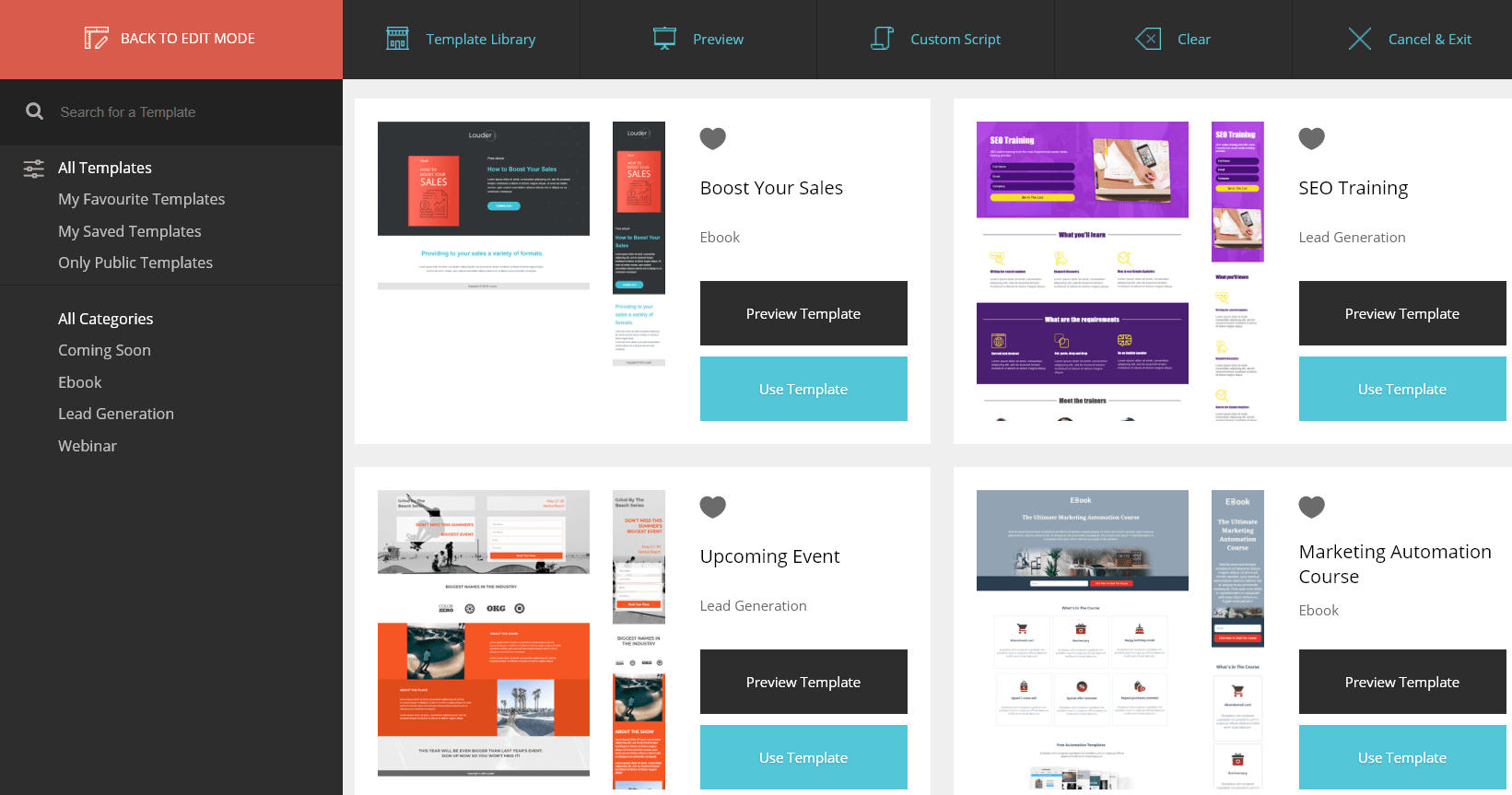
Once again, you have a buffet of templates to choose from for your landing pages.
Note: I counted 38 of them (not including starting from scratch).
I ended up choosing a simple template that’s used for webinar lead generation.
Keep in mind, what you pick is going to be dependant on what you specifically need.
Here is a quick glance at what it looks like inside the editor:
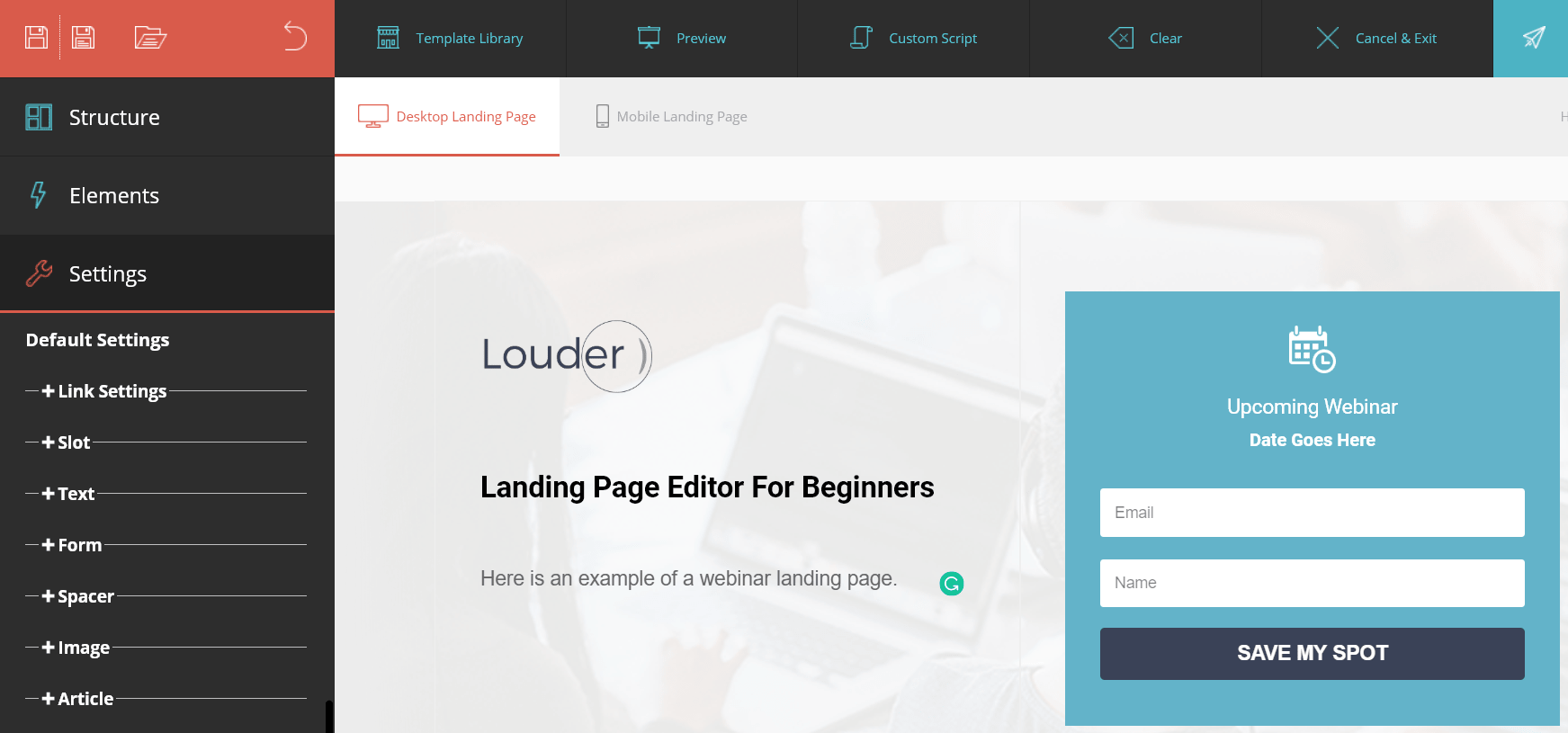
It’s just like you were creating an email.
You also have the ability to edit the Mobile Landing Page as well (tab towards the top).
It’s a pretty standard procedure when it comes to creating landing pages.
I see it as being a nice bonus to go along with being able to fulfill your email marketing needs.
On a side note.
I wasn’t able to complete the last step for finalizing my landing page (a problem on my side).
Customer support was very helpful when it came to helping me out.
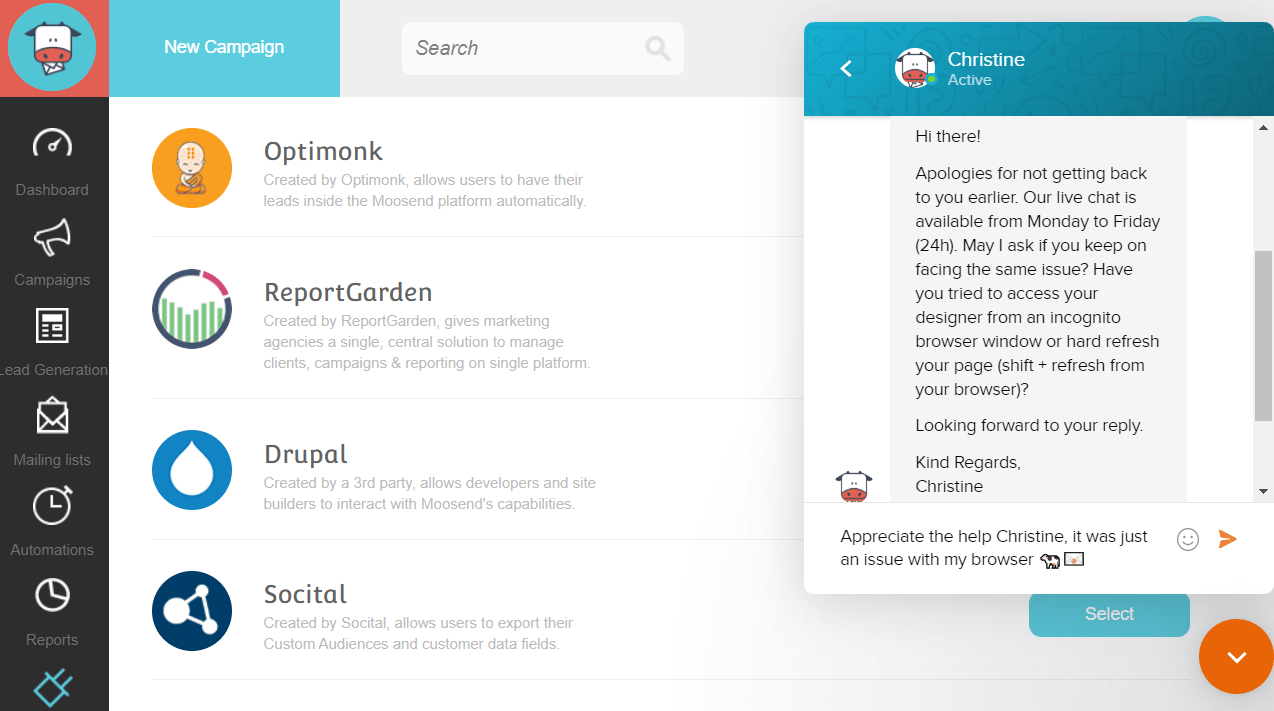
Having solid support is always great to see when it comes to software.
You also get a quick glance (above) at some of the Moosend integrations.
I’ll talk about more of them later.
In the meantime, here is another way to capture those leads with this email marketing tool.
Moosend Subscription Forms
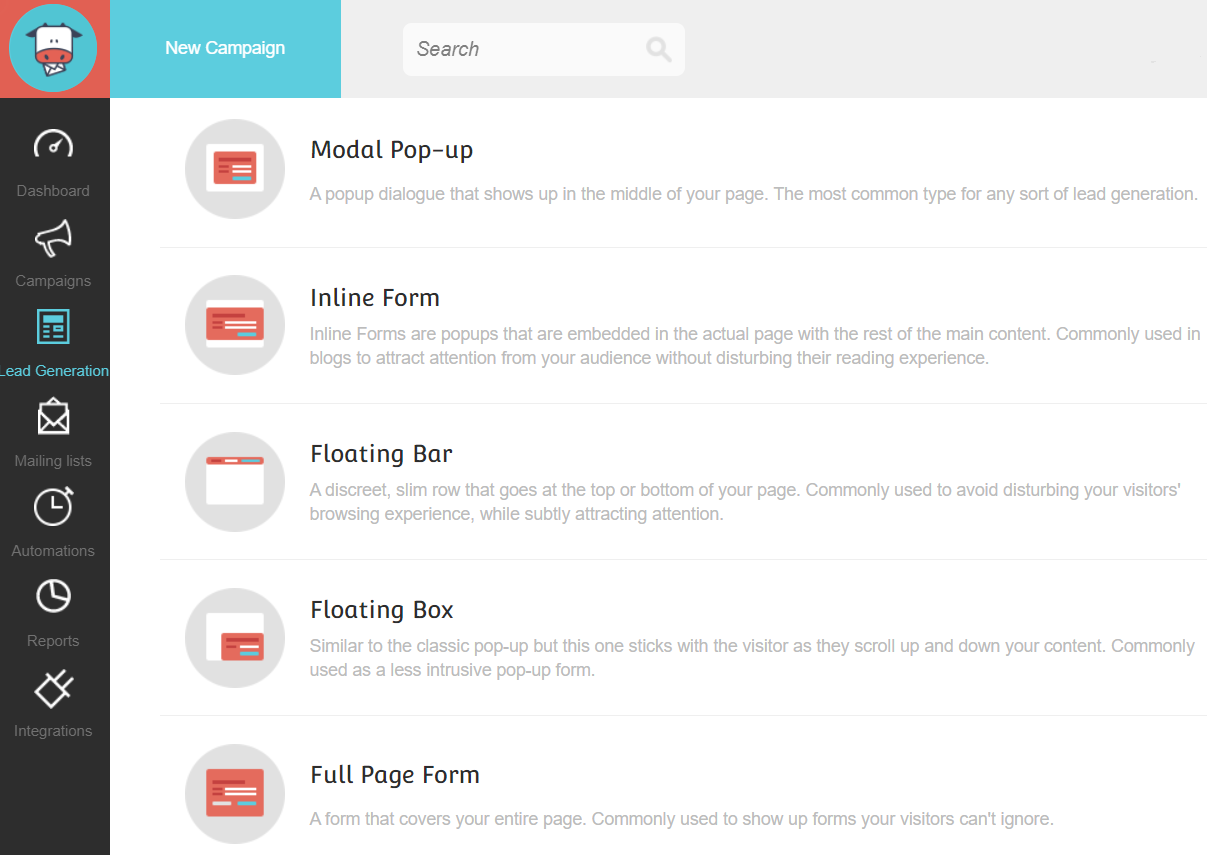
Moosend also allows you to utilize a few different types of form to collect leads:
- Inline form.
- Floating bar.
- Floating box.
- Full page form.
- Modal pop-up.
For this example, I’m going with the Moosend modal pop-up (as it’s the most common).
You get walked through the same process where you:
- Give it a name.
- Get taken to the editor to work the Moosend magic.
There are a few templates to choose from, and here is what I ended up choosing:
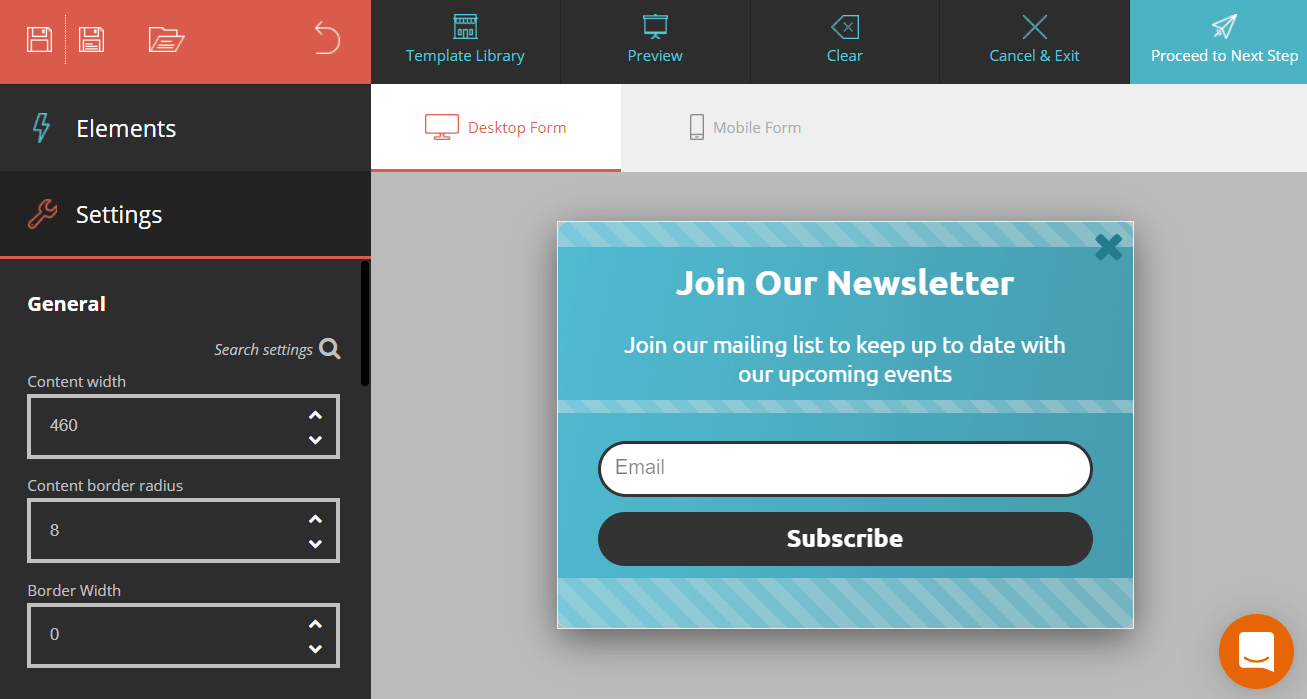
I know it might sound a bit redundant by now (I get it).
But that’s a good thing!
Imagine having to learn a different process for all of these features?
That would be like trying to learn how to use new software for every feature.
So lastly when it comes to pop-ups, we have the ability to edit when they are shown:
- Upon exit.
- Upon visit.
- Or even on a click.
You can also choose if the person sees the pop-up again based on:
- Seconds, minutes, hours, days, weeks, or months.
These types of options are helpful when it comes to really customize its visibility.
While also making sure that you don’t annoy your visitors.
Lastly, you can choose to connect your pop-up to:
- Your website.
- Or you can embed or publish to external platforms.
Whew.
That’s a lot of Moosend features (and there’s actually a few more too).
Let’s talk about them before we get to the price of this marketing software.
More Moosend Features To Milk
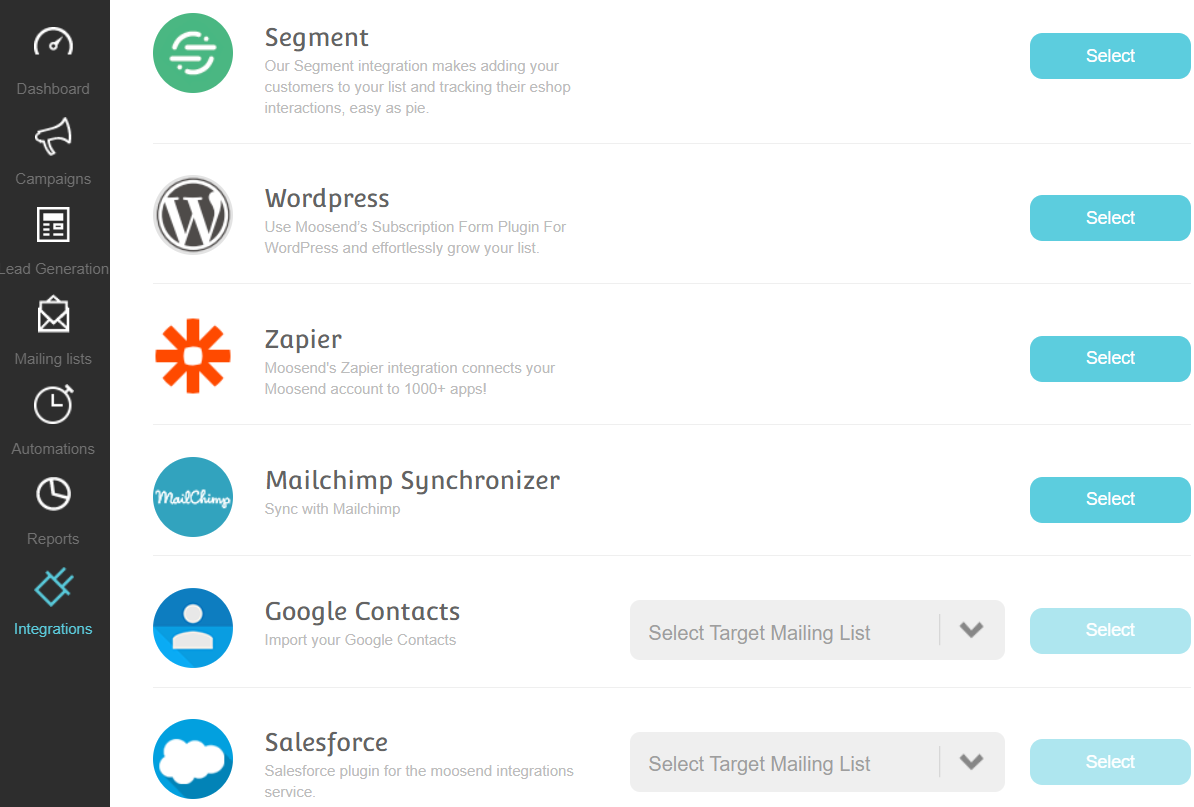
Here are a few more features that I didn’t get to talk about.
Heck, there’s a lot of them, but these might be music to your email-marketing ears:
- Lead scoring.
- Countdown timers.
- Email personalization.
- A serious amount of tracking (email wise).
- Transactional emails (for the Pro plan and higher).
- Various forms of support (depending on the plan that you choose).
Moosend also has plenty of integrations to pick from too (you can see in the picture above).
Nevertheless.
If you’d like to see more of the Moosend integrations as well with their features?
Now here is quite the popular question when it comes to any type of software.
What’s The Moosend Investment?
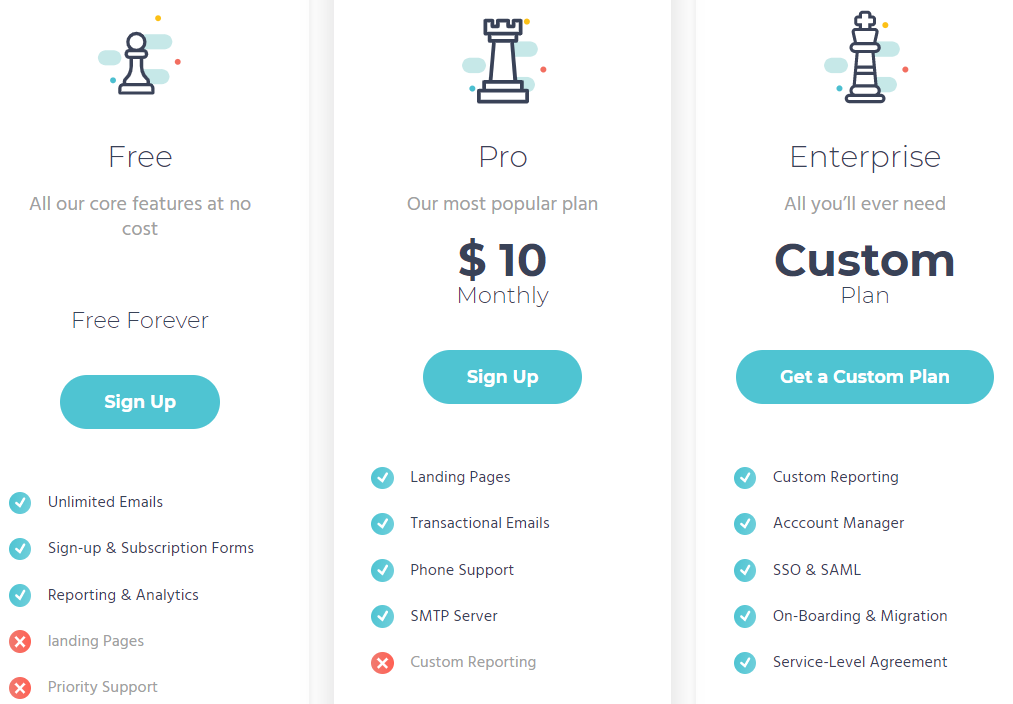
So Moosend comes with three total plans:
- The free plan (is free) and comes with unlimited emails.
- The Pro plan starts at $10 per month and that comes with landing pages.
- Lastly is the Enterprise plan where the price is going to be based on customizations.
Note: You can also see some of the big perks per plan in the image above.
The Pro plan’s price is going to fluctuate based upon how many subscribers you have.
I did an entire post about that in case you want more details.
Highly Related: Get the Moosend pricing based on subscribers.
So now that you have a good idea of what comes along with Moosend?
Let’s MOOve to the very end of this review 🙂
Moosend Review Conclusion: Is It Worth It?
My closing Moosend review thoughts. Not only is this email marketing tool priced right? It also comes with some nice perks like unlimited emails, landing pages, and pop-up forms.
With that being said?
Here are the pros and cons of this all-in-one platform.
Moosend Pros
- Unlimited emails.
- Helpful customer support.
- Priced right and there’s even a free option.
- Easy to use (just follow the steps that they give you).
- You use the same process for most of the key features.
- Having the ability to create landing pages is a nice bonus.
- This tool offers both simplicity and elegance (when it comes to email design).
Moosend Cons
- Automation options have a slight learning curve (which is expected).
- Verifying your email with a TXT record is a minor nuisance (but necessary).
- The landing page editor could use improvements (you’ll need the Pro plan to use).
All in all, the Moosend pros heavily outweigh the cons.
And even the aspects that could be improved aren’t even a significant distraction.
So given the fact that Moosend comes with:
- Unlimited emails.
- The ability to get a free account.
- A straightforward process for using their features.
Allow me to answer the question that might be on your mind:
Is Moosend worth it?
They are certainly worth giving a shot if you have any type of interest in them at all.
I’ll leave the link down below one more time where you can get started:
And that should just about do it.
I want to say thank you for taking the time to read this Moosend review.
Here’s the answer to the question that I asked earlier: It’s pasture bedtime.
Happy marketing!
About the Author James Canzanella
A former personal trainer who went from unemployment to online business success. He's been marketing since 2012 and (still) enjoys lifting weights, listening to rock music, and relentlessly quoting movie lines.
