
GrooveFunnels Hosting: Can They Host A Website And Is It Free?
There’s not a whole lot of information when it comes to GrooveFunnels hosting.
After all, I’m sure that you’ll want to know:
- Can GrooveFunnels host your websites?
- Along with if GrooveFunnels offers free hosting?
I’m going to answer those questions and a whole lot more so keep on reading.
GrooveFunnels Hosting And Bandwidth: The Important Information
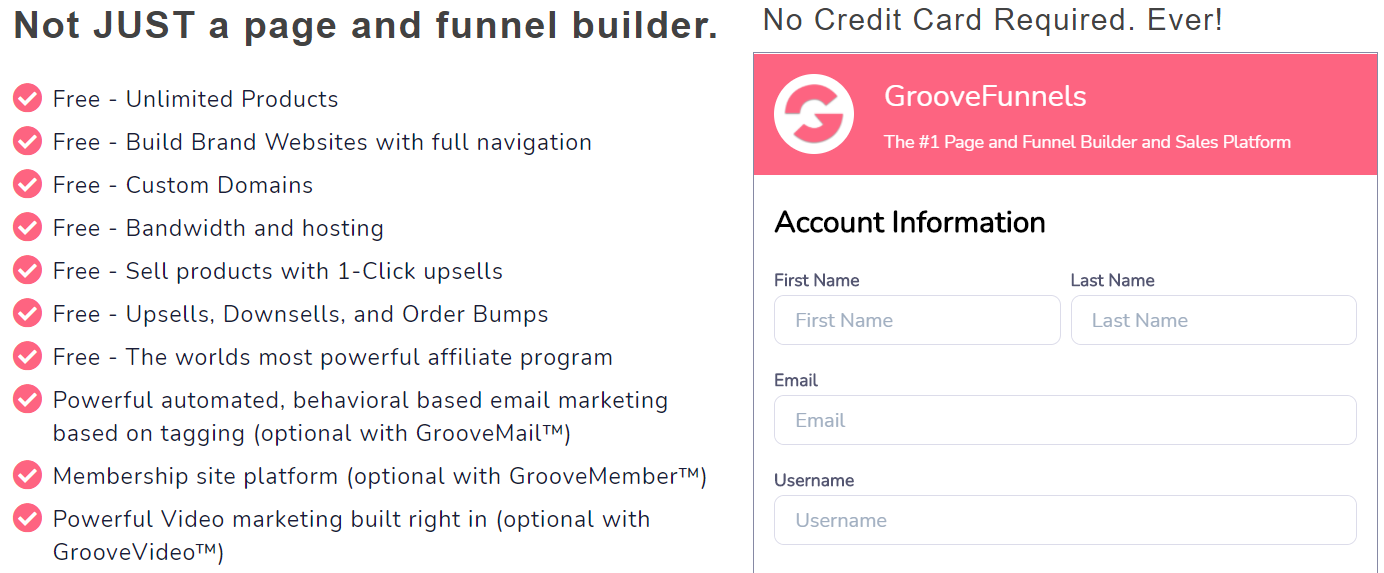
The first thing that I’d like to mention is that GrooveFunnels comes with many free features.
I would also strongly recommend that you grab a free account to see for yourself:
I’ll also add a helpful tutorial down below if you need help with getting started.
Helpful Tutorial: GrooveFunnels free access steps.
Now, I added a screenshot above that shows a few important benefits of GrooveFunnels:
- Free: Custom domains.
- Free: Bandwidth and hosting.
- Free: Build brand websites with full navigation.
All these bullet points are exactly what you want to see when it comes to hosting.
So allow me to answer some of the most popular questions when it comes to this topic.
Can GrooveFunnels Host Your Websites?
Yes, GrooveFunnels can host your websites.
It’s shown in the screenshot that I added earlier after the introduction of the article.
Here is another popular question when it comes to hosting.
Does GrooveFunnels Offer Free Hosting?
Yes, GrooveFunnels does offer free hosting.
This means that you won’t have to pay extra in order for your pages and sites to be live.
GrooveFunnels also offers quite a few features that happen to be free, for example:
I’ll add a related post down below that talks about the free and premium plans.
Related: GrooveFunnels pricing plans and free features.
Now here is a popular question that also comes along with a quick tutorial as well.
After all, you’re going to want to know how to use that hosting with a custom domain.
Does GrooveFunnels Allow You To Use Custom Domains?
Yes, GrooveFunnels also allows you to use custom domains as well.
After all, many people like being able to use their own domain for branding reasons.
You will first need to set up your domain with Cloudflare first.
Helpful Note: You can watch the video above or follow the quick steps down below.
The first step is signing up for Cloudflare (which I will leave to you).
Don’t worry, it’s easy to do and it’s also free to signup for.

I added a screenshot above of what it looks like when adding your site to Cloudflare.
Here are the two steps that you will need to follow in this specific step:
- Enter your website (example.com).
- Click on the Add Site button.
Helpful Note: Make sure that you add a domain that you have already registered.
For example, you might have gotten it from Go Daddy, Ionos, Namecheap, etc.
There is also a section shown where you can add multiple sites if you want.
You can read more about that in the link that Cloudflare has on this specific page.
For the time being, let’s just focus on adding one custom domain at a time.
The next section will ask you to pick a Cloudflare plan that you’d like to use:
- Click on the Free Plan.
- Click on the Confirm Plan button underneath it.
As stated previously, Cloudflare is free to use for what your custom domain needs here.
Cloudflare will then scan your domain for any DNS records as shown down below:
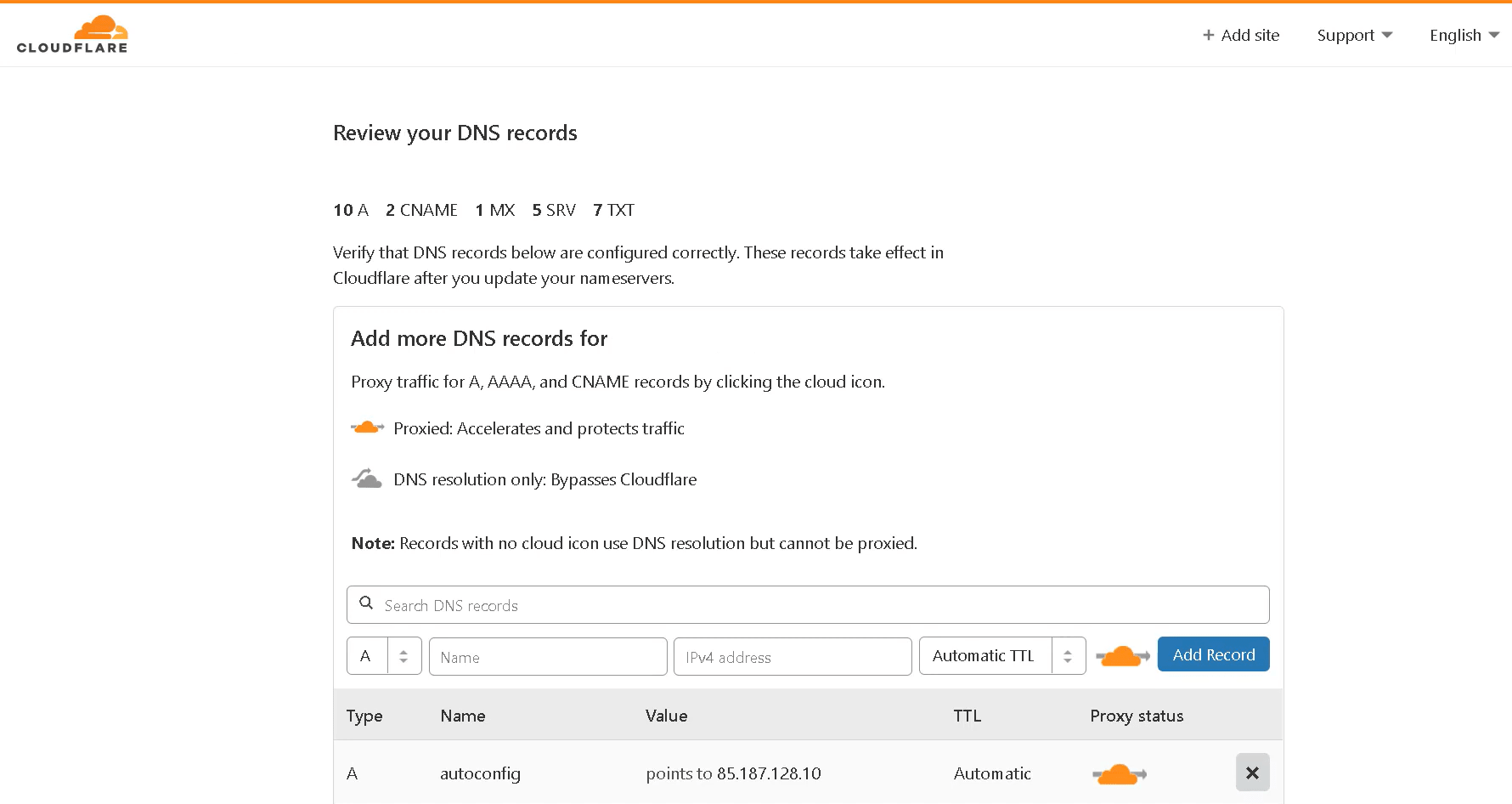
Don’t get too confused by what you see on this page as all of it doesn’t matter.
Here are the easy steps that you need to follow when you finally arrive at the page above:
- Scroll to the bottom of the page.
- Click on the Continue button.
You will then arrive on the last page where you will need to change your nameservers.
This is going to depend on where you originally purchased your domain.
All in all, here are the final steps that you will need to follow:
- Login to your account where you bought your domain.
- Replace with Cloudflare’s nameserver 1 and 2 (they give it to you).
- Click on the button that says “Done, check nameservers” after you complete the step.
And you’re almost there (just one more simple page).
After clicking on the button you’ll arrive on a page that looks similar to down below:

So here are the two things that you’ll need to make sure are accomplished:
- Make sure that the radio button is checked for Full (as shown above).
- For the Always Use HTTPS setting: Turn that to ON.
- Scroll to the bottom and click on Done.
And that’s how you can add your GrooveFunnels custom domain on Cloudflare.
This is going to be super beneficial if you plan on creating:
- Landing pages and sales funnels.
- Small little websites.
After all, I would recommend WordPress if blogging is going to be your main goal.
I’m referring to big authority websites (like this) with hundreds of blog posts.
Related: GrooveFunnels or WordPress?
You also might be wondering how you can attach your domain within GrooveFunnels.
Allow me to show you as well.
How To Publish GrooveFunnels Custom Domain Pages

This process is much easier and I’ll walk you through it myself.
When you’re creating and saving your landing page or website, do this:
- Click on the Publish icon at the top right of the GrooveFunnels editor.
- Check off the ‘Publish on your domain’ box and add your domain.
- Click on the ‘Publish’ button at the bottom.
It’s as simple as that.
Keep in mind that there is also a link for publishing help if you happen to need it.
It has a ton of tutorials when it comes to getting your custom domain up and running.
So those are the quick details when it comes to GrooveFunnels and hosting.
If you’d like to learn more about GrooveFunnels and everything that they offer?
Feel free to check out the in-depth review that I did for this specific sales funnel software.
Related: My review of GrooveFunnels.
Let’s move onto the closing summary now and wrap things up.
GrooveFunnels Video Hosting: Closing Summary
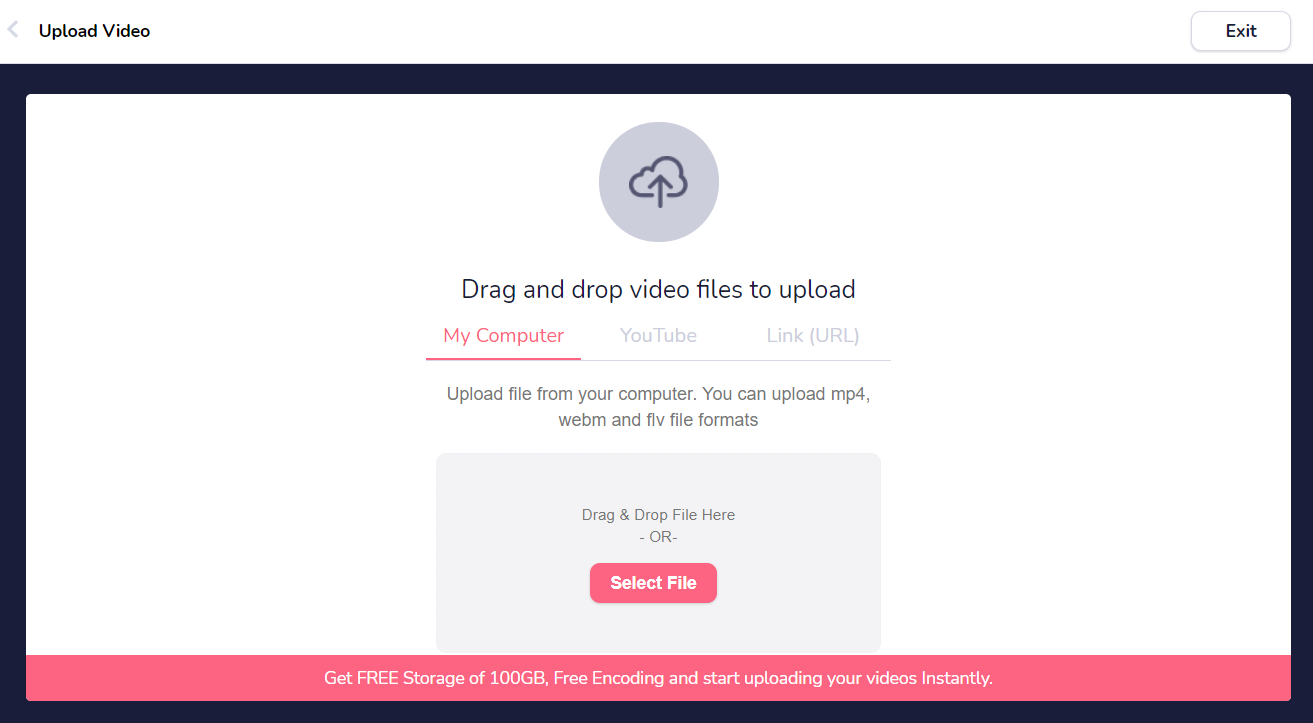
GrooveFunnels hosting. This software comes along with hosting for your landing pages, sales funnels, websites, and even videos.
This is an extra tidbit of information that I wanted to conclude with.
When it comes to GrooveFunnels, they also come with hosting for your videos.
This is thanks to one of their many features called GrooveVideo.
Rather than explaining, I’d leave you to investigate a little bit more on your own.
After all, this is one of the many free features that also comes along with this tool.
You can get started for free using the link down below:
So I hope that this post helped you when it comes to GrooveFunnels and their hosting.
Thanks again for taking the time to read this post and enjoy GrooveFunnels.
About the Author James Canzanella
A former personal trainer who went from unemployment to online business success. He's been marketing since 2012 and (still) enjoys lifting weights, listening to rock music, and relentlessly quoting movie lines.
