
ClickFunnels OTO & One-Click Upsell Tutorial
One of the best ways to increase your sales is through a ClickFunnels OTO.
It’s also referred to as:
- A one-time-offer.
- Or even a ClickFunnel upsell.
An OTO allows you to make another offer after someone purchases your front-end product.
Allow me to show you how it’s done along with answering some of the most popular questions.
Just make sure that you have ClickFunnels or are signed-in if you’re already a user.
Now let’s get right on into it.
How To Use ClickFunnels Upsells And Downsells

So whenever you create a sales funnel, here are the steps that they include:
- Squeeze page.
- Sales page.
- Order form.
- Order confirmation.
- Thank you page.
There isn’t an OTO page there (yet) so we will need to add one.
As shown in the picture above, here are the steps that you need to take:
- Click on + Add New Step (which is highlighted in red above).
- Add the name of the funnel step as well as the path (the path is like the URL).
- Click on Create Funnel Step.
After you do that, you will need to do two more things:
- Choose a template for your OTO page.
- Drag the one-click-upsell page into the right spot.
Here is how you can pick from some of the best templates that they have:
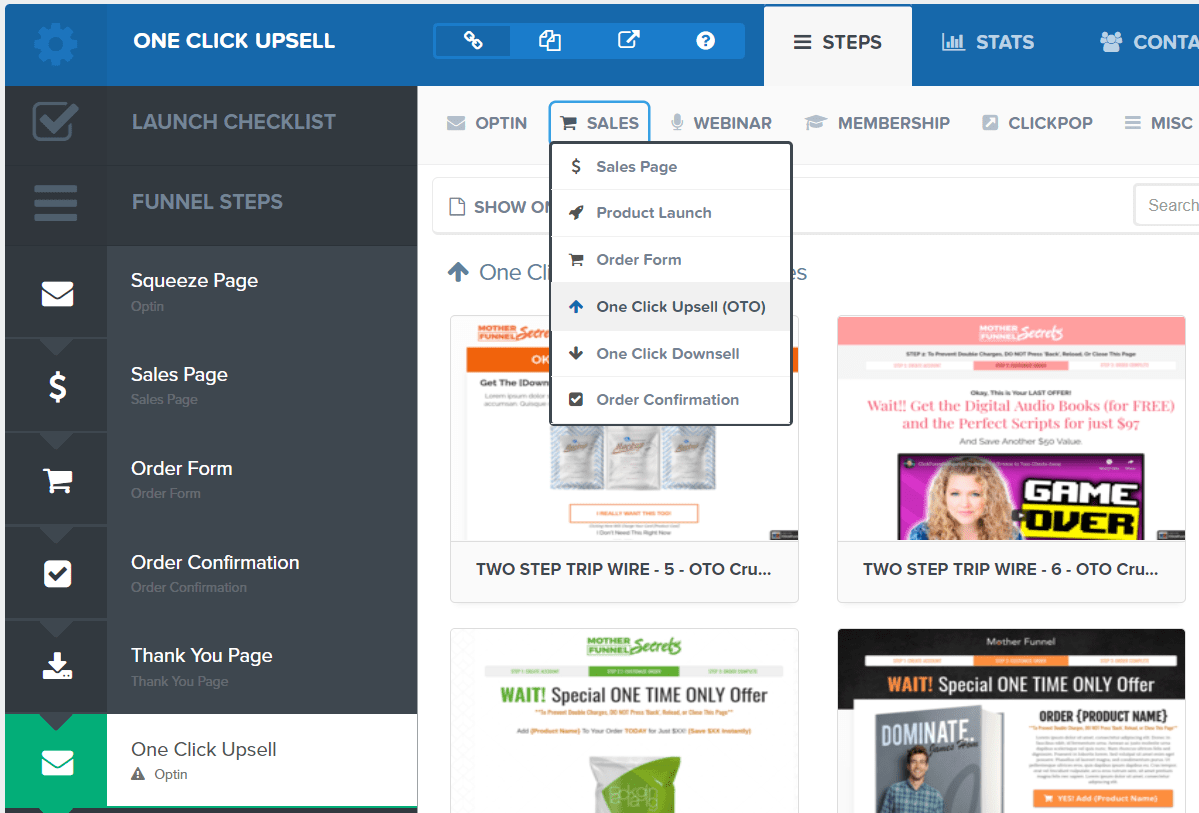
Here is how you select a template of your new page (as shown above):
- Hover over the Sales tab towards the top.
- Click on the One-Click Upsell (OTO) section that comes down (highlighted above).
You are then free to choose any template that you like.
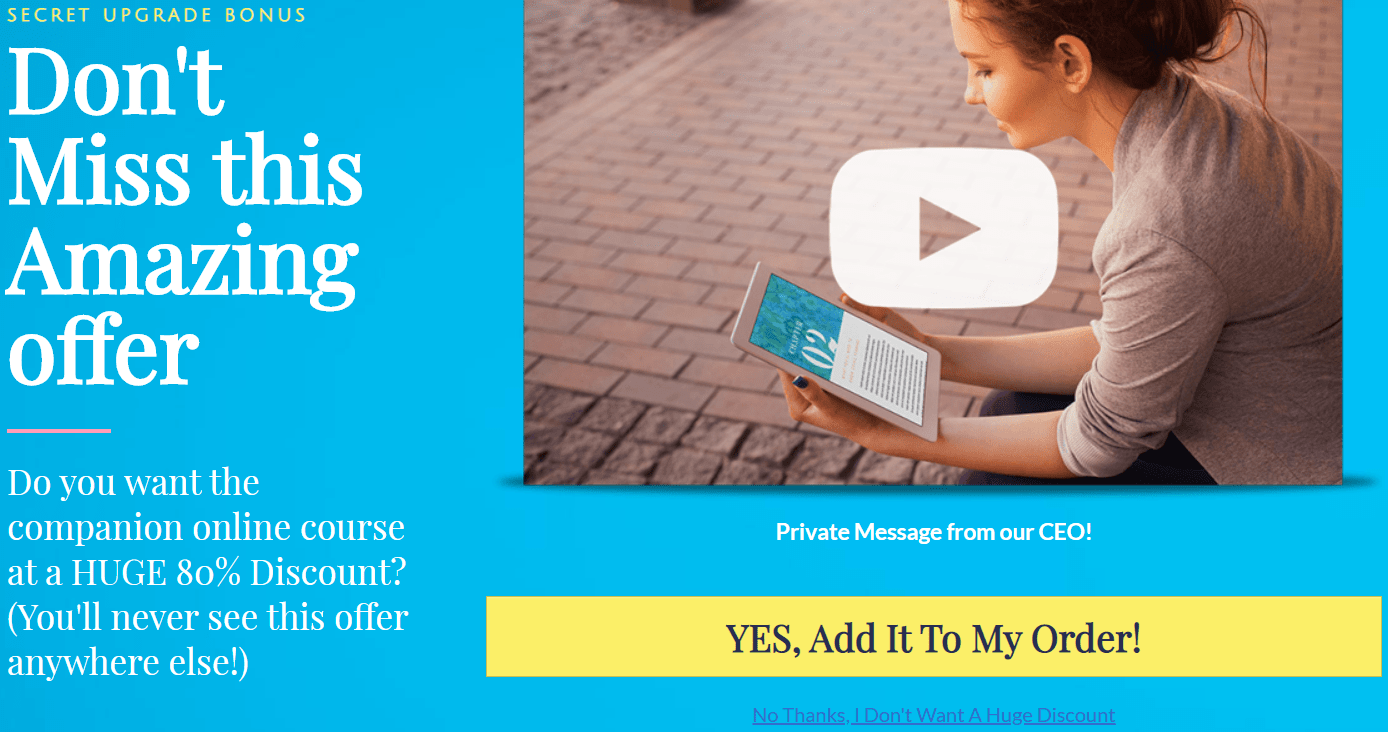
I chose the simple one called OTO Video because I like its simplicity.
You will now need to move your upsell page into the right spot (after the Order Form).
Here is how:
- Hover over the left part of the One-Click Upsell tab (it’s in green in the picture above).
- Drag and drop it after the order form.
If you did it properly, then here is what the order should look like (from this example):
- Squeeze page.
- Sales page.
- Order form.
- One-Click Upsell page.
- Order confirmation.
- Thank you page.
What matters the most is this: Your upsell page must come after the order form page.
Here is a related video from ClickFunnels in case you need more help with this section.
I believe that I explained it well enough, but you know, just in case 🙂
If you wanted to create a downsell page?
You would do the same thing which includes:
- Create a new step (name it One Click Downsell page).
- Give it a template from the One-Click Downsell section).
- Drag it AFTER the One-Click Upsell step on the left side of the page).
Here is what that would look like if you added both of those extra upsell pages:
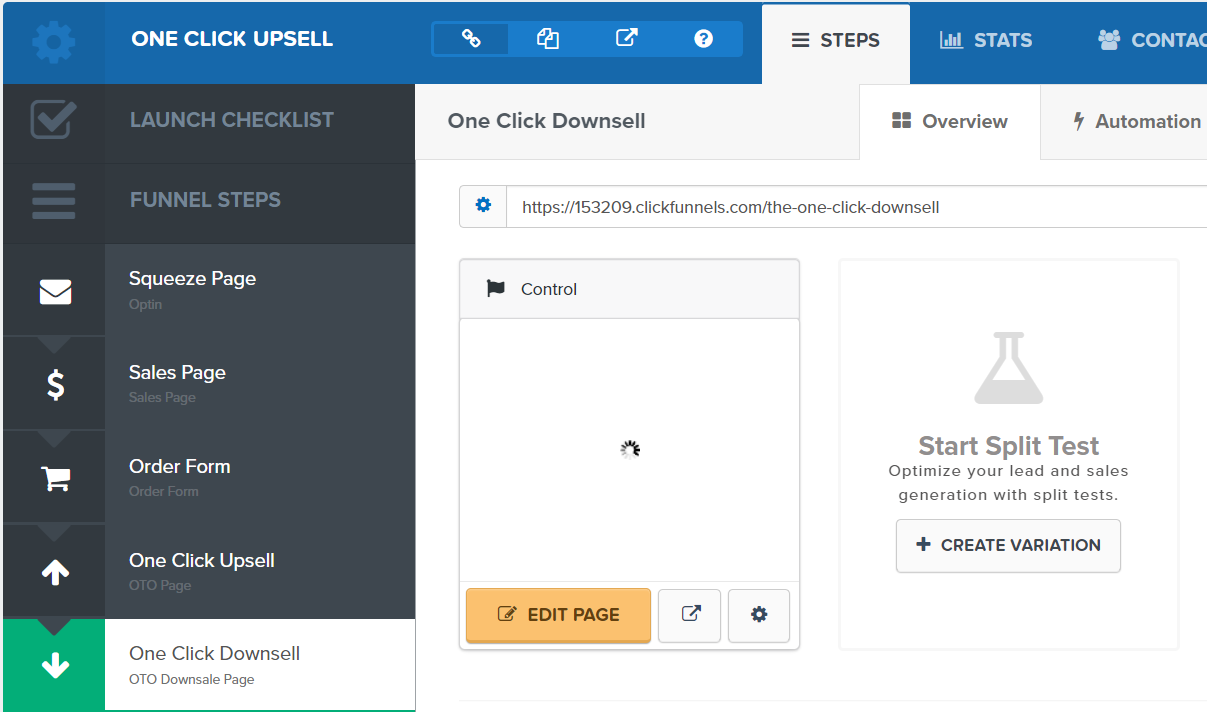
And answering the question:
Can you have multiple upsells and downsells in ClickFunnels?
The answer is yes.
Just make sure that you put the steps in order such as:
- Upsell page first.
- Downsell page after.
And then you can keep repeating the process as much as you want.
Just keep in mind that the more upsells you have the more you’ll probably annoy customers.
Let’s move onto the next section now.
Adding A OTO Product In ClickFunnels
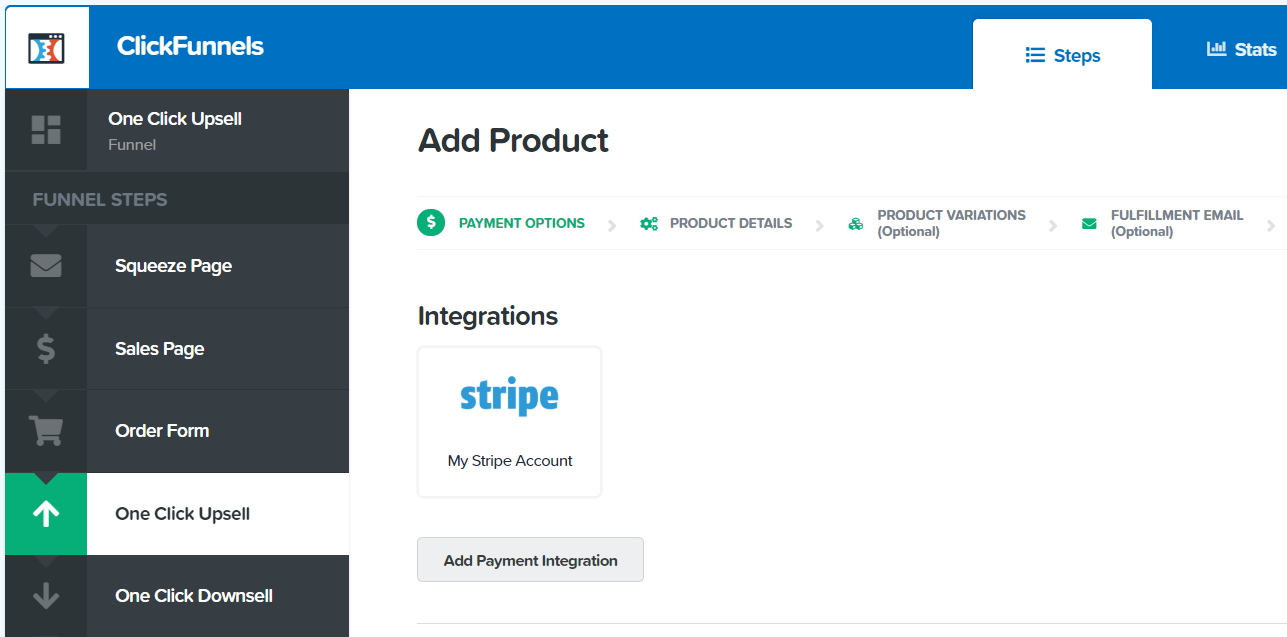
This is all about integrating your product with the appropriate upsell page.
So that when someone purchases?
- They will be charged and have their product ready for them.
- And of course, you will be paid (which is pretty important if you ask me).
Here are the first steps of the process:
- Click on the One-Click Upsell step on the left side of the page.
- Once you are there, click on the Products tab close to the right of the screen.
- Click on the button: + Add Product.
This will take you to the main section that is shown in the picture above.
On the first page:
- Add your integration (for payment).
- Select subscription or one-time (for payment).
- Scroll down and click on the Save and Next button.
Simply keep filling out the rest of the information (as it is self-explanatory).
So now that you’ve set up your product for your upsell or downsell pages?
Let’s move onto the last step of the process.
Adding Your Link To Upsell Or Downsell Pages In ClickFunnels

Now you want to stay on the One-Click Upsell step and click on Edit Page.
So there’s one important thing that you need to know when it comes to setting things up.
Here is it:
#yes-link
That is the magic link that allows people to purchase when they click on it.
You’ll want to add that to any text or button where you want someone to purchase.
Note: The example is shown above.
Also, don’t forget about adding a No Thanks link as well (usually at the bottom of the page).
For that, you will use this:
#no-link
So those are the two important lines of text that you will use for either scenario.
- If they say no then they get taken to the next step (downsell page if you have one).
- If they say yes they go to the next upsell page or their download page.
It’s a pretty simple process once you get used to it.
Now allow me to answer some of the most popular questions when it comes to this topic.
How Many Upsells (And Downsells) Can I Have In ClickFunnels?
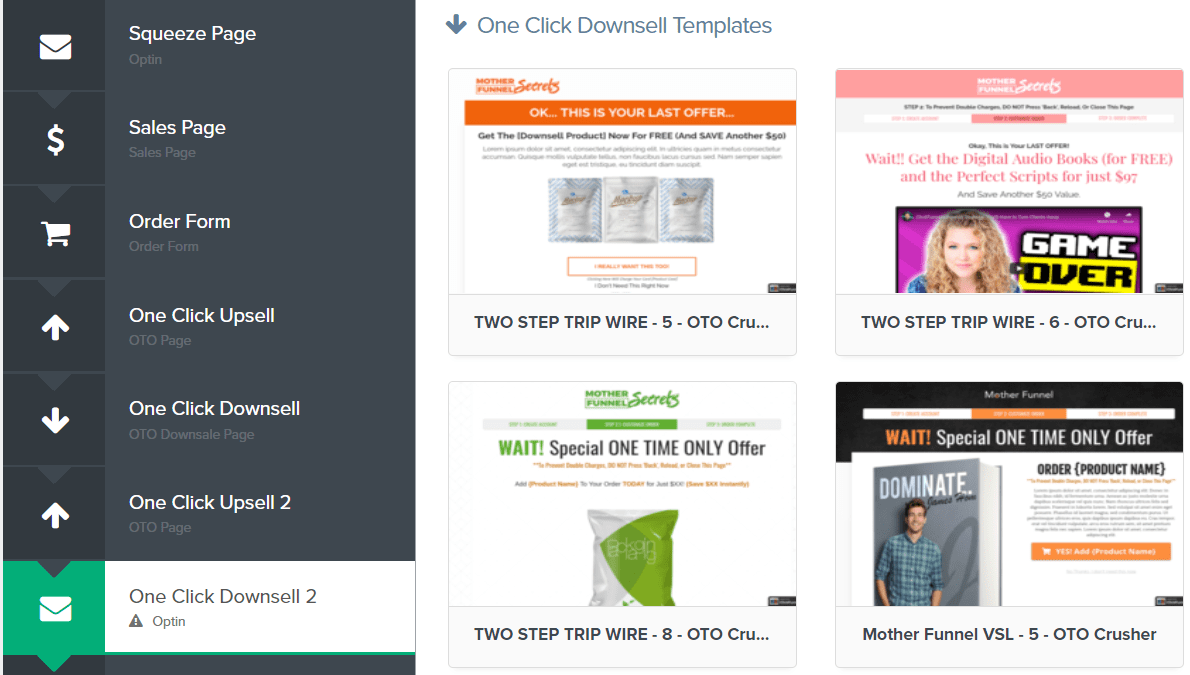
I mentioned this previously but I want to add more to this question.
You can have as many upsells and downsells as you like.
You can see in the image above that it follows a simple pattern:
- One-click upsell page followed by the one-click downsell page.
- You can then repeat the process as much as you like.
Here is the important part I want to emphasize (I’ll even bold it).
Important: Just because you can make a ton of OTOs doesn’t mean that you should.
I remember seeing a sales funnel that had around 15 or so one time offers.
It was pathetic.
There’s a fine line between having one or two upsells and having twenty.
With that being said, let’s move to the end of this tutorial post now.
ClickFunnels OTO, One-Click Upsell & Downsell Conclusion
I hope that this helped you when it comes to setting up your ClickFunnels OTO.
This is a great way to get more mileage out of your ClickFunnels account (so to speak).
Plus, it’s easy for the customers to use because all it takes is one simple little click.
And since you’re most likely a ClickFunnels customer?
I’ll leave you with a great way to save a bunch of money using ClickFunnels:
Highly Recommended Read: Go here to get all of the details.
It’s a great way to save money in the long-run.
I think you’ll really enjoy it.
Thanks again for stopping by and happy marketing!
About the Author James Canzanella
A former personal trainer who went from unemployment to online business success. He's been marketing since 2012 and (still) enjoys lifting weights, listening to rock music, and relentlessly quoting movie lines.
