
Vidnami Review (Content Samurai): Features & Demo
This is my in-depth Vidnami review, and in this post you’re going to see:
- A Vidnami demo of its best features.
- How to create high-quality videos fast.
- My thoughts about using this video software tool.
- Lastly, I’ll show you a few ways to save some money with Vidnami.
It’s true, most video tools nowadays come with some type of learning curve.
That’s why I wanted to go the extra mile in this review of Vidnami.
I also wanted to give you a walkthrough of the software tool and show you exactly how it works.
Let’s get this Vidnami review article started now.
What Is Vidnami Exactly? Features And Video Demo Introduction

Vidnami is a software tool that allows you to grow your business with video.
Vidnami can also help you:
- Generate more subscribers for your email list.
- Run your entire content marketing strategy.
- Increase your sales and make more money.
- Sell your product, offer, or service.
- Ramp up your visitors.
You might have already known that, but there’s something else you might not have known.
So I wanted to make sure that you were aware of this before we continue on:
Vidnami used to be called Content Samurai.There were only two things that changed in the process:
- The name.
- The overall brand.
It is still the same great software tool that allows you to grow your business with video.
So if you searched for a Content Samurai review and you ended up on this blog post?
You’re in the right spot.
So don’t be off-guard if I refer to Vidnami as Content Samurai now and then.
I also created a video review in case you wanted to watch over my shoulder.
Simply click on the play button below to roll the beautiful bean footage (so to speak):
Here is how you can use Vidnami/Content Samurai to quickly create high-quality video content.
Let’s review the Vidnami product now.
Getting Started With The Vidnami Software (Creating Multiple Types Of Stunning Videos)
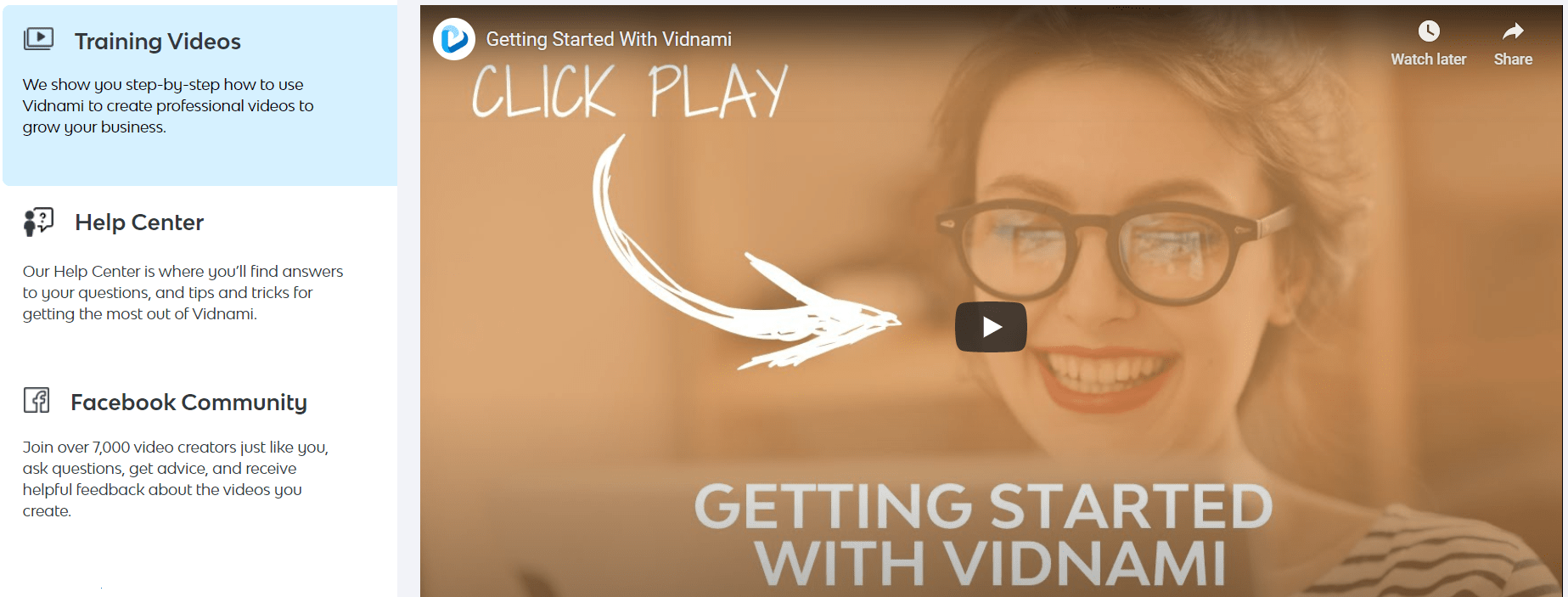
There are going to be a couple of things that happen after getting your free trial:
- You’ll get taken to a page with video instructions.
- You go to your inbox to confirm your account and get started.
After completing those two easy steps, you’ll arrive at the page which is shown up above.
You will see quite a few step-by-step tutorial videos for creating professional-looking videos.
You can create video content for a wide variety of different uses as well.
But if you combine those video tutorials with the review I have for you here?
You’ll be creating high-converting videos in no time flat.
These are the types of stunning videos that you can create when you use Vidnami:
- Sales videos.
- Content videos.
- Property videos.
- Influencer videos.
- Instant ad videos.
- Training or course videos.
And if you’re a consultant or run any type of digital marketing agency?
You can create any of the different types of videos mentioned above for clients.
Content Samurai/Vidnami makes it easy to do too.
You can even turn your blog posts into stunning videos if you like (it’s easy to use, too).
There are plenty of ways to make money and generate email subscribers with Vidnami.
Yes, you can create videos fast to promote affiliate offers like from Clickbank.
And if that’s what you’re looking for the most?
It’s you’re lucky day, as that’s what I’m going to be doing a full demo of in this post.
Creating Vidnami Content Videos (Picking The Perfect Royalty Free Templates)
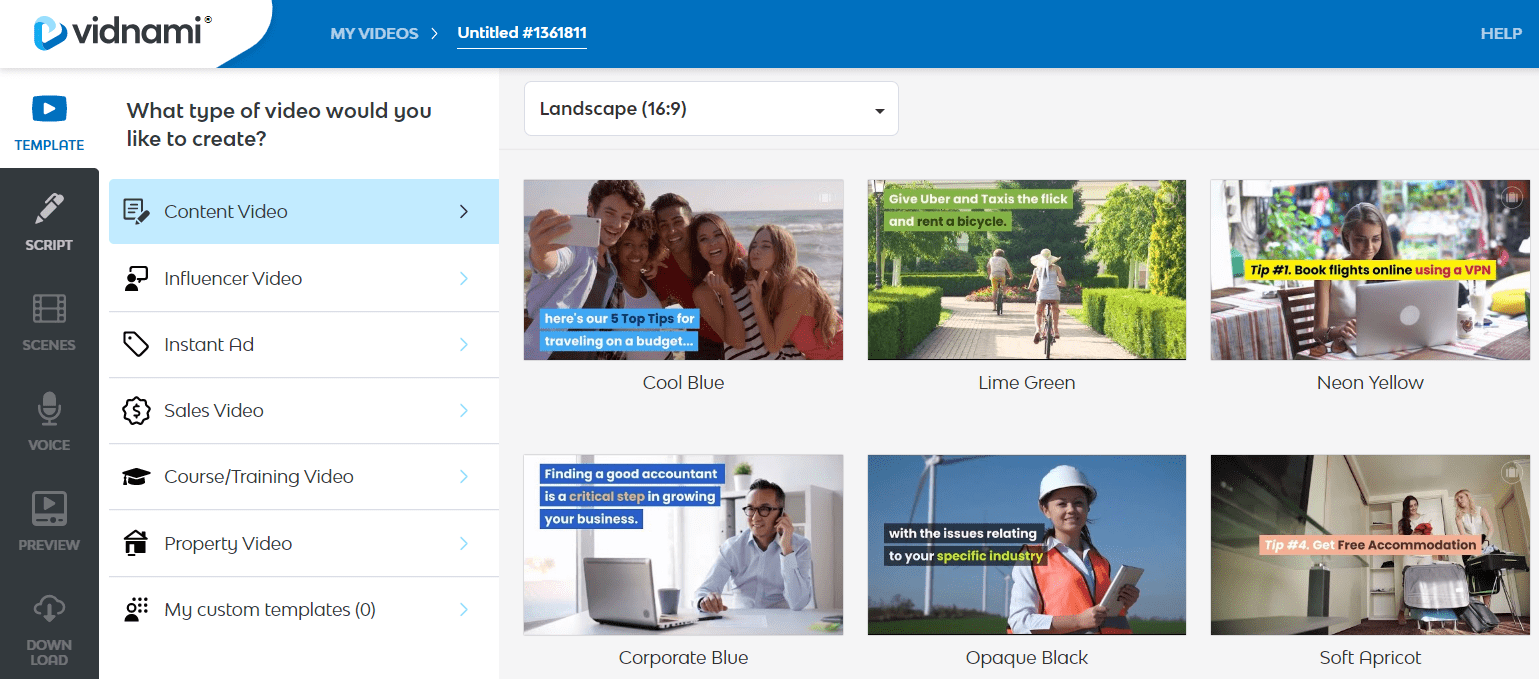
So after reaching your main My Videos section:
- You will want to click on the big + Create a new video button towards the top.
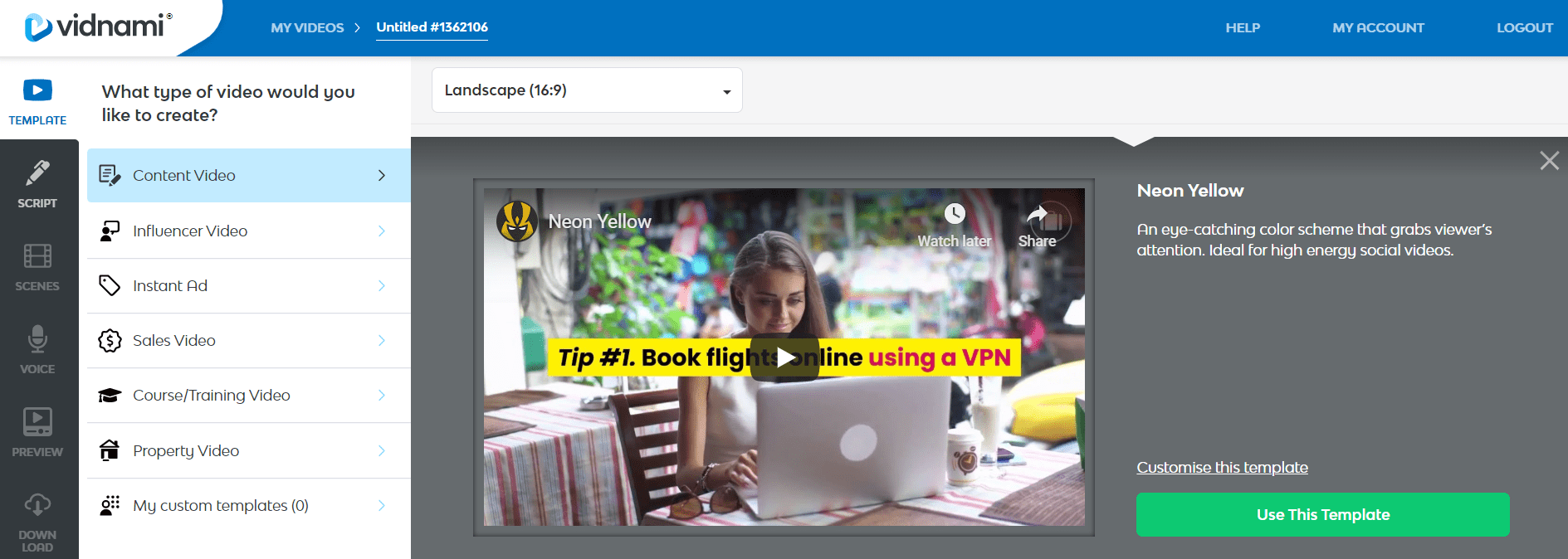
After doing so, you will access a screen that looks similar to the picture above.
Here is something that you’ll most likely notice:
Creating high-quality videos with Content Samurai/Vidnami is super simple.
The way Vidnami is set up is what makes the process even simpler as well.
So there are only 6 steps when it comes to creating your videos fast:
- Template.
- Script.
- Scenes.
- Voice.
- Preview video.
- Download video.
At least half of those steps only take a few seconds to initialize as well.
Since we are going to create a content video in this demo, I want to do 3 things:
- Click on Content Video (it’s highlighted in the image above).
- Choose the Landscape (16:9) format (everyone is used to it on YouTube).
- Lastly, pick one of the templates that you’d like to use for your new video.
Helpful Note: Don’t worry too much about what the video templates thumbnail.
You’re just focusing on color, as the background images will change when your video is created.
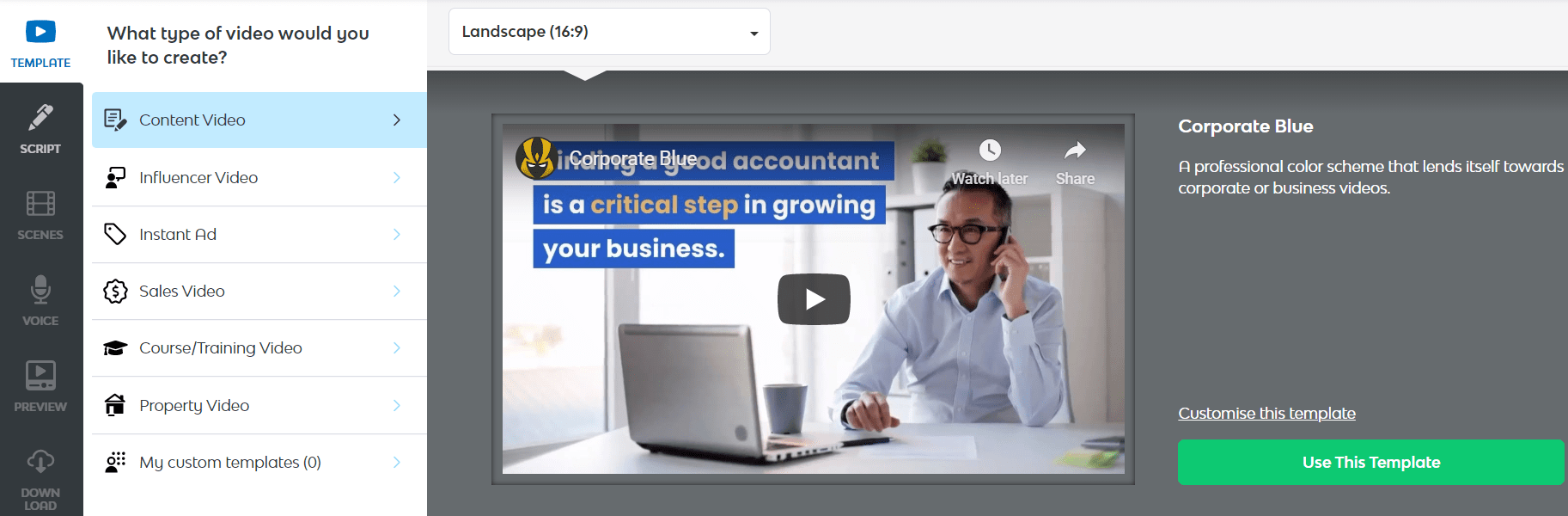
So once you find a template that you like, click on it, as I did in the picture above.
I went with the Corporate Blue template, here is the description of it:
A professional colo scheme that lends itself towards coroporate or business videos.
There is also the ability to customize the video templates if you like.
I like my video template the way it is.
So lastly, all you need to do is click on this Use This Template green button.
That concludes picking from the templates, which takes an entire 10 seconds or so.
Once again, it’s very easy to use and it only took was a few clicks on the mouse.
Let’s now move on to the next step for creating content marketing videos.
Adding Your Vidnami Script And Editing Many Of The Advanced Options

The next section is your content/sales script, where once again, it’s very easy to add.
There are only two sections for you to add to:
- The name of your video.
- As well as the script text.
I also wanted you to take a look at the Advanced Options as shown in the image above.
Look at all of the heavy-lifting that Content Samurai/Vidnami does for you.
There are plenty of other video software tools that make you do this manually (not cool).
Back to the script though, and here are a couple of ideas when using one:
- Use PLR.
- Use content from a blog post.
- You can also use email sales swipes from specific products.
Or there is the old-fashioned way of creating yourself, which once again, won’t take long.
Helpful Note: Make sure that you use one sentence per line (and keep them shorter).
As you can see from the image above, the name of the video will be:
What Is Video Marketing?
I added in my text and then hit the Create Scenes on the bottom right of the page.
Let’s continue on as we review Vidnami.
Making Sure That Your Vidnami Scenes Flow Nicely (Video Creator Example)
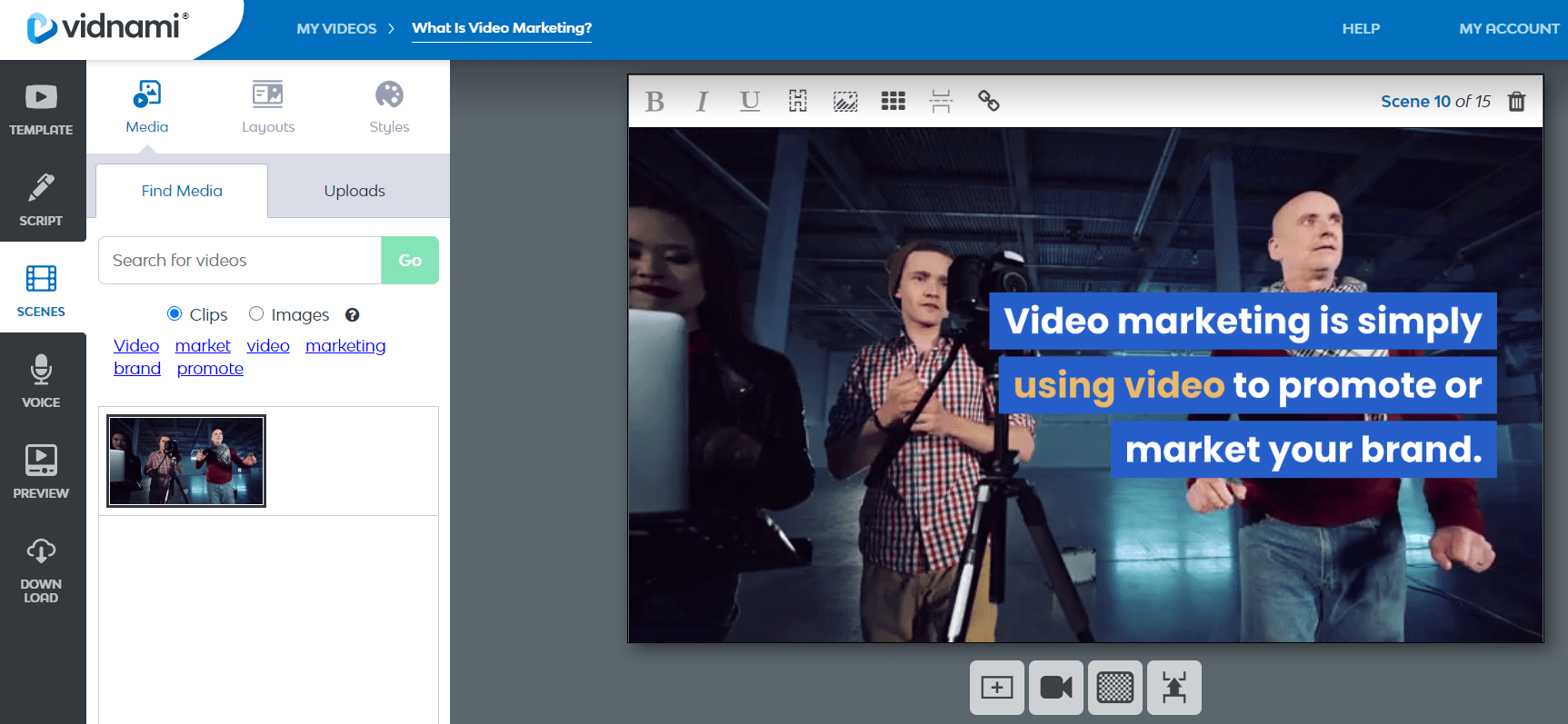
This section, Scenes, is going to be the 3rd step where we make sure that the video flows nicely.
Ironically enough?
All of the text matched up very nicely with the pictures that Content Samurai/Vidnami gave me.
So not a whole lot of video editing that needs to be done with this specific video.
Here is a quick list of some of the components that you can edit if you like:
- Text: You can use bold, italics, hide it, or even change the color or position.
- You can hide the media (video background), or even search for a new one.
You can also add scenes or merge scenes with transitions.
Here’s what surprised me the most though:
I didn’t need to make any further changes to my video slides.
That’s exactly what I’m looking for when it comes to video creation software.
I want to be such an easy process that even a caveman could figure it out.
Yes, even a caveman could figure out how to use Content Samurai/Vidnami.
So you won’t need to have any type of video editing experience.
Just keep in mind that there will be times where you will need to make some edits.
Down below is an example of when I needed to make a change for the slide:

So as you can see above, the slide was a simple phrase of: generate traffic.
This actually isn’t the worst slide in the world, but I want something better.
Here are the steps that you need to take:
- Search for your keyword in the “Search for videos” section.
- Click on the new video background that you’d like to replace it with.
For my example, I typed in “traffic” and there were plenty of high-quality backgrounds.
Down below is another screenshot of the process along with the background that I used:
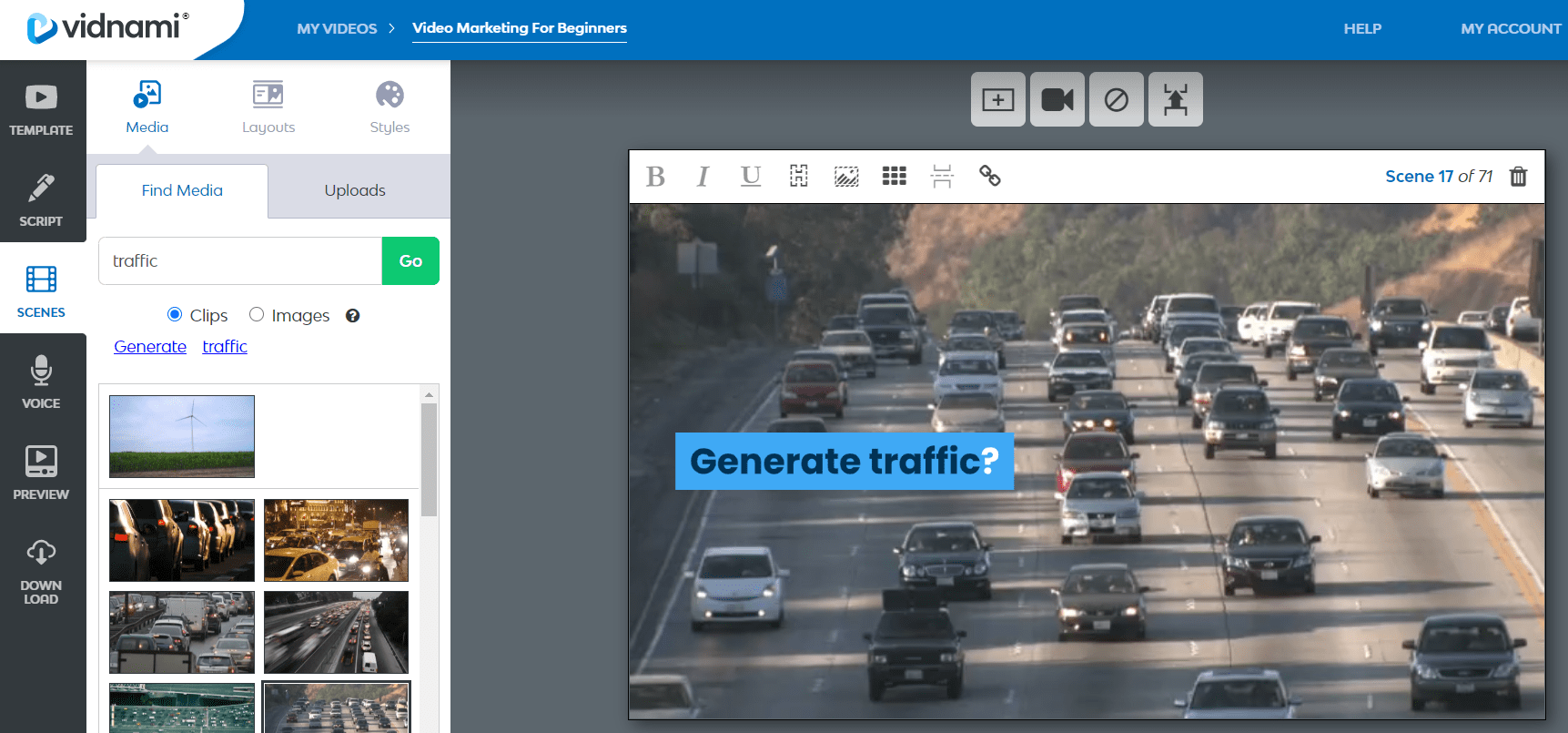
Much better, right?
You’ll notice that there are plenty of different “traffic” video backgrounds to choose from.
Pro Tip: Make sure that you use at least one big keyword in each of your slides.
This will make it easier for Vidnami to find the appropriate video background for you.
Examples Of Sentences With Good Keywords
- Video marketing is a great way to sell your products, offers, or services.
- A few helpful social media platforms include both Facebook and Instagram.
- Leave your links in the YouTube description to get more website visitors and views.
Examples Of Sentences With Lacking Keywords
- Just provide a great service.
- Be on the lookout for the newest course to come out soon.
Do you see what I mean though?
The more powerful and descriptive keywords that you use in your video script?
The more success you’ll have (and the quicker it will take to create your videos).
Keep in mind that Vidnami also comes along with 790,000+ story block video clips.
This will ensure that you get the majority of your content matched up properly.
Using Vidnami Voice Or Background Music Tracks To Improve Your Videos
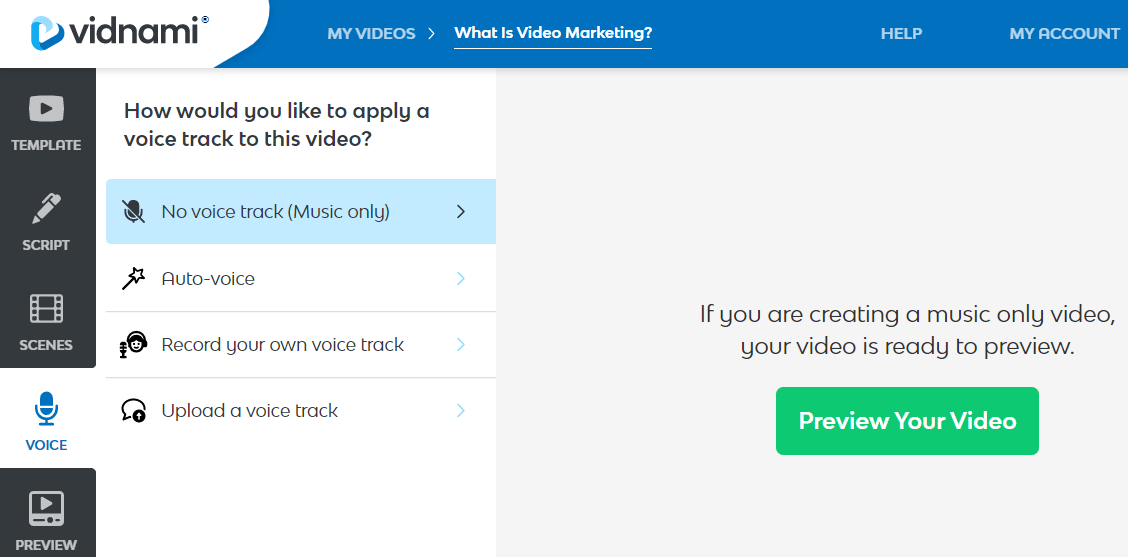
The 4th section, which is voice, is all about what your audience will hear.
Here are the options that you can choose from when using Vidnami:
- No voice (music only).
- Auto-voice.
- Record your voice.
- Upload your track.
Note: The auto-voice feature is only available for paid subscribers.
In other words, it’s not available when you’re going through the 14-day trial.
Don’t let that deter you from trying it though.
I think the best option here would be uploading a voice track.
You can do this by combining the power of Vidnami with Speechelo.
You can check out my Speechelo review down below later if you like
Related: Speechelo review.
For now, I’m going to be using the no speech option which means only music.
Previewing And Downloading Your Vidnami Video (The Last Easy Step)
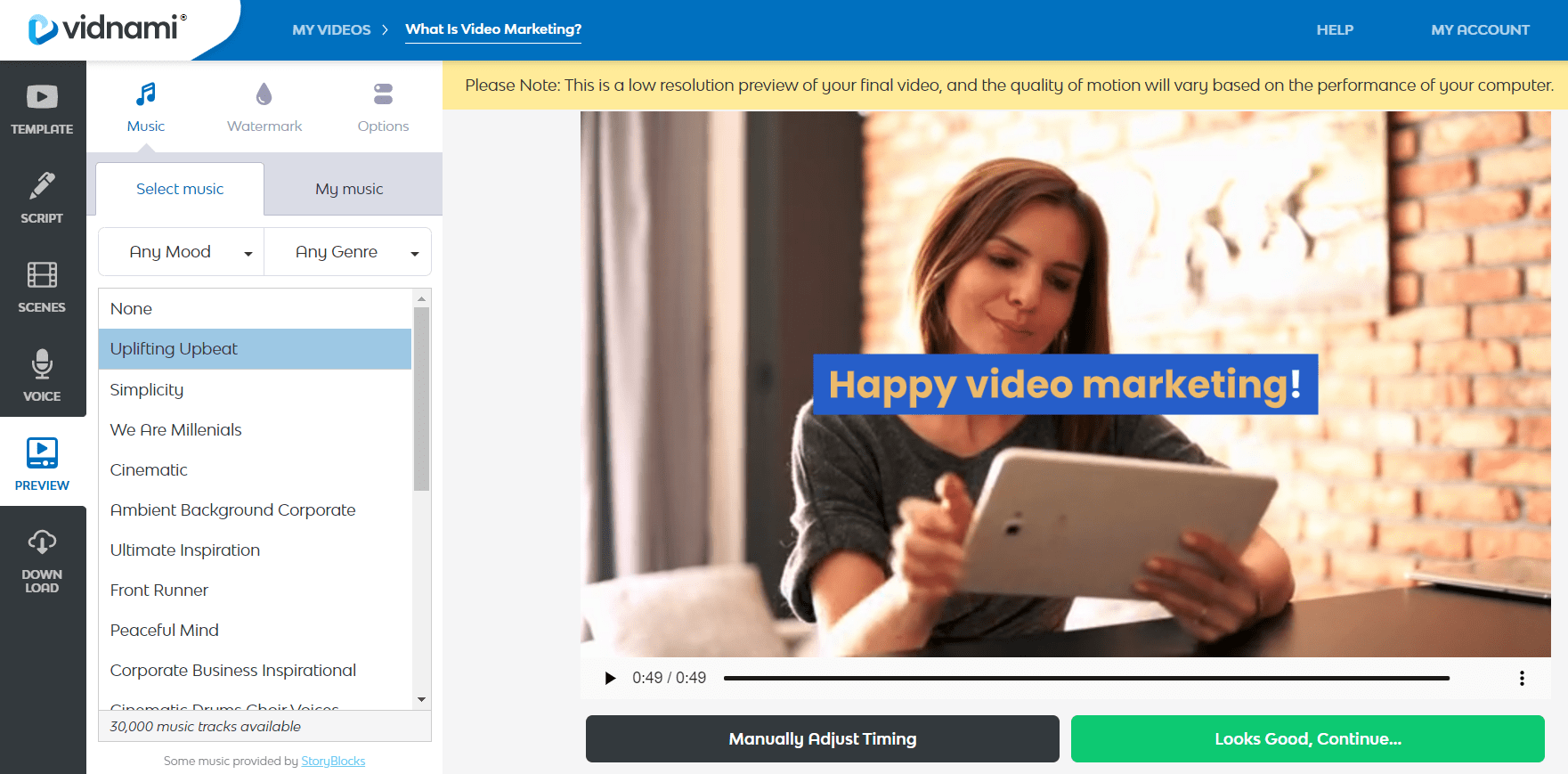
The last two steps are the easiest of them all: Preview and download.
As you can see from the screenshot above, there are a few settings to tweak:
- Music: There are plenty of different moods to choose from.
- Watermark: For people who want to rip your videos, they can think twice!
- Options: You can edit the music volume as well as how long you want the slides to last.
After messing around with the settings, you simply click on the Looks Good, Continue button.
And just like that?
You’ve created one of the fastest professional videos in your entire marketing career.
All you need are a few clicks of your mouse in order to download the finalized video.
Vidnami Video Example For Getting More Visitors To Your Website
Here is an example video that was created using Vidnami:
Here are a few important notes about the Vidnami video example above:
- The transitions are very smooth.
- The videos/images properly match the script.
- And the video doesn’t even need to be that long to be effective.
There’s certainly a lot to like about using Vidnami to create high-quality videos.
Just make sure that you have a video marketing strategy as well.
That will ensure that you’re in the best position to generate traffic and make money.
Allow me to address one of the most popular questions when it comes to Vidnami.
How Much Is This Video Creation Tool Going To Cost You?
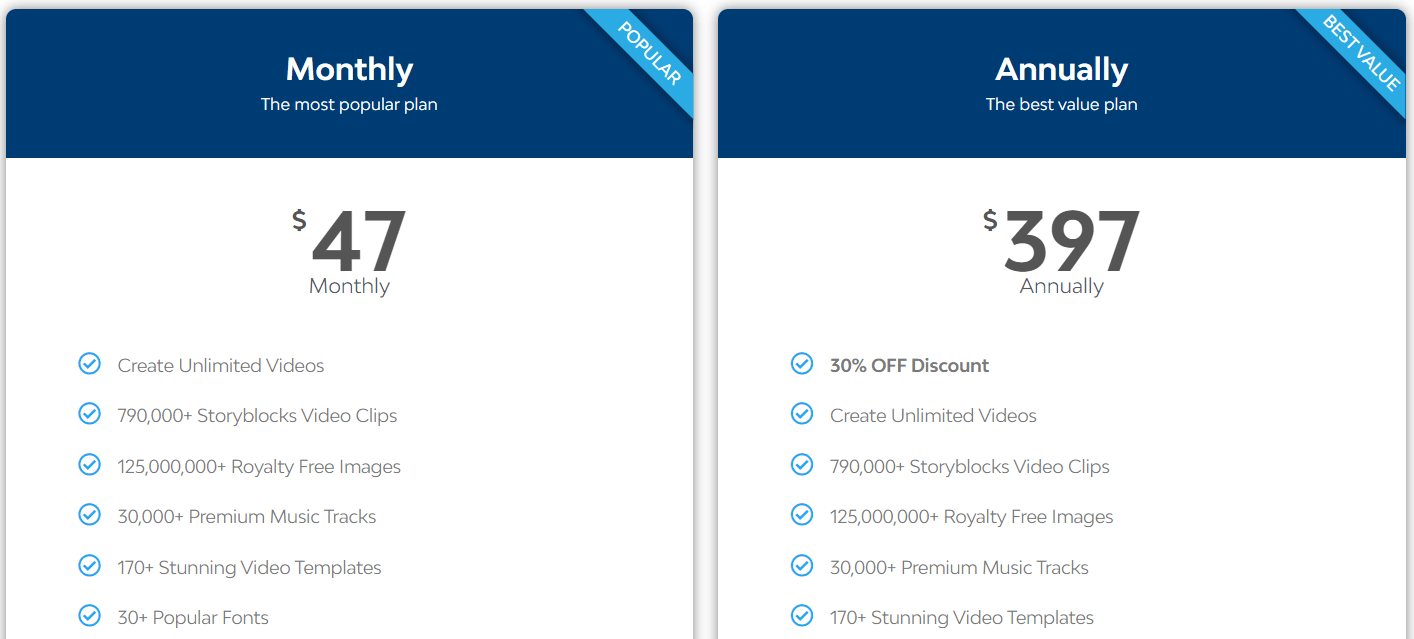
It’s safe to say that Vidnami has very straight-forward pricing options:
- Vidnami monthly is $47 per month (the most popular plan).
- Vidnami annually comes out to $397 per year (the best value).
So you’re either looking at a monthly subscription or paying annually to use Vidnami.
Not too bad when you consider how quickly you can crank out a professional video.
It gets better though.
It gets a lot better because you won’t have to spend as much money using Vidnami.
How To Get A Special Vidnami Deal (Saving Money With Vidnami)
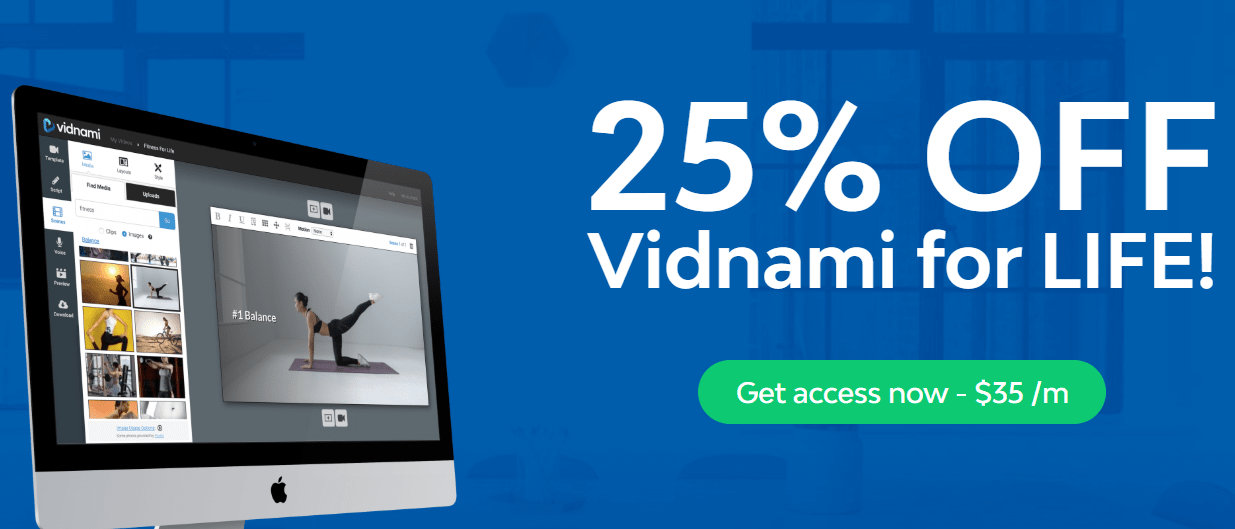
There’s a secret link that will allow you to get a 25% discount off of Vidnami for life.
That means that the monthly subscription fee moves down to $35 per month now.
All you need to do is click it and follow the instructions on the following page.
So when it comes to money?
You’re saving $12 per month and $120 per year with this specific discount.
That’s a decent amount of money.
I also did a post talking about this topic as well as both of the pricing plans.
Feel free to read that in case you need a little bit more information about Vidnami.
Related Money Post: Vidnami pricing discount.
Let’s get to the conclusion of this Vidnami review now.
Vidnami Review 2020 Summary: Is This Video Software Worth It?
Quick Vidnami review summary. This video marketing software tool has all of the tools that you need to quickly and easily create professional looking videos.
There is a LOT to love about this video software tool as well.
Let’s take a look at the list of the pros and cons after using Vidnami.
Vidnami Pros (What Most People Love)
- Great price.
- Simple to use.
- Lots of templates.
- You can create unlimited videos.
- The videos look very professional.
- You can use it to make money and sales.
- Plenty of helpful video tutorials (if you even need them).
- You can have your video completed in under 10 minutes.
- 125 million royalty-free images (yes, that’s million, with an M)!
- Almost 800,000 story block video clips that come with Vidnami.
- Vidnami will automatically create your video once you have a script.
This has to be one of the best video creation tools on the market right now.
As the possibilities are just endless with this video software.
Whether you want to:
- Make videos for YouTube.
- Make videos for courses or any social platform.
- Or maybe you just want to make some money as well.
Vidnami can certainly help you when it comes to any of those objectives.
Let’s take a look at the Vidnami cons now (there weren’t many).
Vidnami Cons (What Needs A Little Improvement)
- The auto-voices could be much better.
- You will need to edit your video backgrounds is your script is vague.
Those are the only “issues” that I could find with this video software tool.
The voices aren’t all that bad, but there are some moments where they sound like a robot.
Thankfully, there are multiple ways of completely avoiding this:
- Just use music.
- Record the speech yourself.
- Have someone else do the voice-overs.
- Or upload a speech file that you got elsewhere.
Then again, maybe I’m just nitpicking too much and maybe you’ll like what you hear.
Is Vidnami Worth Using For Your Video Creation Process?

Absolutely, and a lot of people would agree with me on that as well.
I haven’t been this excited about a software tool since around 2015.
To make matters even better?
Vidnami can help a lot of different types of business personas which include:
- Social media influencer: it’s perfect for YouTube and creating social media videos.
- Small business owner: sell your products and build your brand.
- Blogger/website owner: turn your blog posts into videos.
- Affiliate marketer: making affiliate commissions is nice.
- Internet marketer: get more people to your websites.
And any other type of business owner who is looking to leverage videos and sell:
- Offer.
- Product.
- Or service.
So regardless of who you are and what you do?
This software tool will certainly help you grow your business with video.
Don’t forget about being able to make money and capturing emails too.
Thank you for taking the time to learn more about this video marketing software.
Allow me to answer a few frequently asked questions in conclusion.
Do I Need To Install Anything On My Computer To Use Vidnami?
Nope, another great benefit of Vidnami is that it’s software in the cloud.
There’s nothing to download at all, except when your video is completed (of course).
All you need to do is sign in, and then you can access all of the videos that you created.
What Do I Need In Order To Start My Free Trial With Vidnami?
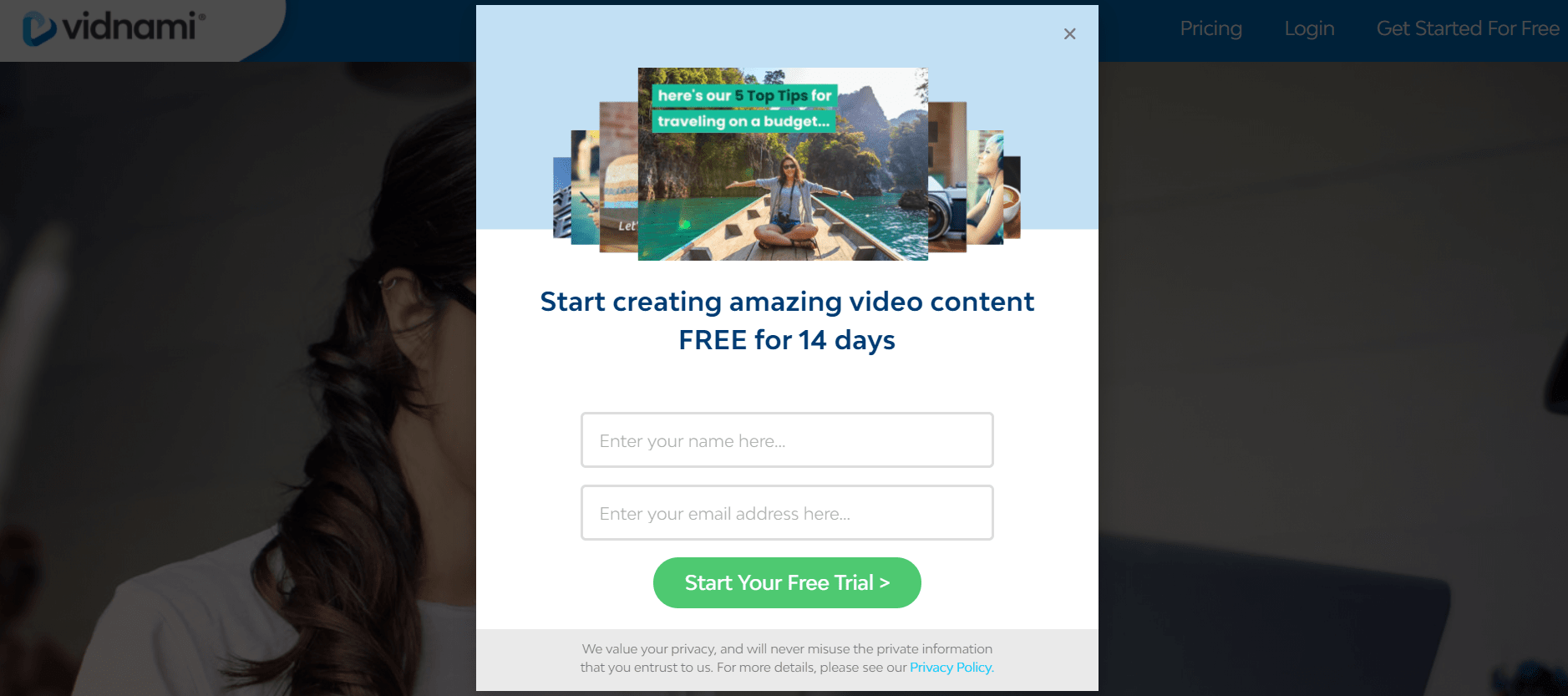
You only need two things to start your free trial:
- Your first name.
- Your email address.
After fourteen days, your free-trial duration will simply end.
However, anytime during that duration, you have the option to upgrade at a discount.
You won’t be charged unless you actually purchase Vidnami with a credit card (or PayPal).
Thanks again for taking the time to read about this powerful video tool.
I hope that you enjoy it as much as I did during this Content Samurai/Vidnami review process.
There’s a reason why people love this tool so much, as it’s very powerful.
You’ll certainly enjoy creating (YouTube) videos and getting lots of targeted traffic.
And if you need anything else?
Feel free to leave a comment down below and I’ll see what I can do.
About the Author James Canzanella
A former personal trainer who went from unemployment to online business success. He's been marketing since 2012 and (still) enjoys lifting weights, listening to rock music, and relentlessly quoting movie lines.
