
GetResponse Pricing Discount: Save Up To 30%
If you’re looking to find the best possible GetResponse pricing plan?
Then you have arrived in the perfect spot.
Here’s what I will be covering in this post for you:
- A list of the GetResponse pricing plans.
- Some of the best features and perks that come along with each.
- And don’t forget how to get a nice GetResponse discount (up to 30%).
Sounds good?
Then be sure to keep reading on (I’ll make sure I answer all your important questions).
GetResponse Pricing Introduction
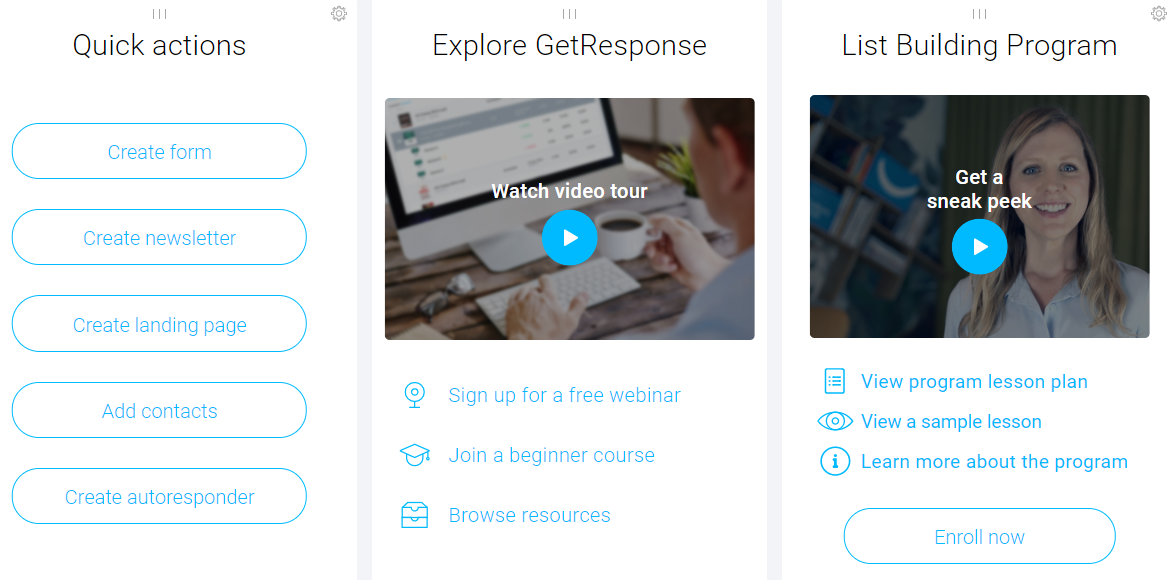
A Look Inside The GetResponse Dashboard
Before we begin, I want to address a few important topics related to this tool.
First, every plan comes with the base features such as:
- Email marketing.
- Ability to sell e-products.
- Autoresponder (my absolute favorite feature).
- One sales funnel (you get more with higher plans).
- Unlimited landing pages, lead funnels, and automation templates.
Next, if you’re more of a visual person and you prefer watching videos…
Here is a GetResponse pricing video that I did just in case you’d like to watch that as well:
You get to hear the soothing sounds of my deep voice (lol).
Lastly.
All of the plans come with a free trial so you can always give it a test-drive first.
Alright.
Now onto the good stuff starting with the first plan.
GetResponse Basic Plan

This pretty much includes everything that I mentioned above…
And is great for those who are just looking to utilize GetResponse mostly for email marketing.
Helpful Tip: That’s how I prefer using this tool (just for email marketing).
There are going to be multiple options when it comes to this plan based upon your subscribers.
Basic Plan Pricing
- $15 per month for up to 1,000 subscribers.
- $25 per month for up to 2,500 subscribers.
- $45 per month for up to 5,000 subscribers.
- $65 per month for up to 10,000 subscribers.
- $145 per month for up to 25,000 subscribers.
- $250 per month for up to 50,000 subscribers.
So those are the costs which end up fluctuation based upon how many subscribers you’ll have.
If you are starting from square one and don’t currently have any subscribers?
Then you would be at the $15 per month category after your free trial ends.
I don’t know about you?
But $15 per month to be able to start using an automated email platform is a steal of a deal.
GetResponse Plus Plan
You can consider this plan a much bigger upgrade compared to the previous one…
As you get everything in the Basic plan along with more perks which include:
- Sales funnels (5 total).
- Webinar funnels (5 total).
- Webinars that come along with 100 attendees.
Plus you get other unique perks which include:
- Contact scoring and tagging.
- Work together with 3 total users.
- An automation builder with 5 workflows.
If you’re looking to generate leads, sell products, and grow your revenue…
Then this just might be the plan for you (don’t forget about utilizing email marketing too).
Plus Plan Prices
- $49 per month for up to 1,000 subscribers.
- $59 per month for up to 2,500 subscribers.
- $79 per month for up to 5,000 subscribers.
- $95 per month for up to 10,000 subscribers.
- $179 per month for up to 25,000 subscribers.
- $299 per month for up to 50,000 subscribers.
You’re pretty much getting top-marketing tools worth more than $250 per month.
Let’s now move onto the next package which has many increased perks.
GetResponse Professional Plan
With the pro plan, you can expect more upgrades with automated and integrations.
Here is a look at some of the best perks and upgrades of the pro plan.
Remember: You also get everything from the previous plan too:
- Paid webinars.
- On-demand webinars.
- Unlimited sales funnels.
- Unlimited webinar funnels.
- Webinars that come along with 300 attendees.
Plus, here are some more perks that are also upgraded:
- Work together with 5 total users.
- An automation builder with now unlimited workflows.
There’s definitely a lot to like in terms of features, perks, and upgrades with this plan.
Professional Plan Costs
- $99 per month for up to 1,000 subscribers.
- $119 per month for up to 2,500 subscribers.
- $139 per month for up to 5,000 subscribers.
- $165 per month for up to 10,000 subscribers.
- $255 per month for up to 25,000 subscribers.
- $370 per month for up to 50,000 subscribers.
And we have more payment options to look at (even though there’s not as much info).
You’ll see why.
GetResponse Enterprise Plan
So this plan is only for the heavy-hitters…
As you will need to have a list of 100,000 subscribers or more.
First, here are the unique perks that come along with Enterprise.
Helpful Reminder: You also get everything from the previous plans too.
- Account manager.
- Deliverability consulting.
- Email campaign consulting.
- Your very own dedicated IP address.
- Transactional emails are a paid add-on.
Plus, here are some more perks that are also upgraded:
- Work together with 10 total users.
- Webinars that now come along with 500 attendees.
And here is the price reveal.
How Much Is The Enterprise Plan?
- $1,199 per month for 100,000 or more subscribers.
As previously stated…
This is only going to be for the grizzled veterans who have a massive list already.
So don’t worry about the price tag if it looks intimidating to you at the time.
But regardless of which plan that you’d like to go with?
Keep in mind that you can always try out this email marketing tool free for thirty days.

Just simply click the big picture above to get started.
Now.
I have one of the most popular questions when it comes to GetResponse pricing…
You’ll want to see this if you plan on using GetResponse for your email marketing.
Is There Any Type Of GetResponse Discount?
And here is your answer:
Absolutely.
In fact, you can save all the way up to 30% depending on how you want to pay.
Allow me to explain.
So there are three total ways to pay for GetResponse:
- Monthly (which I talked about above).
- One payment every year (annually).
- One payment every two years (biennially).
Down below is a screenshot of where you can choose what you’d like for your billing period:
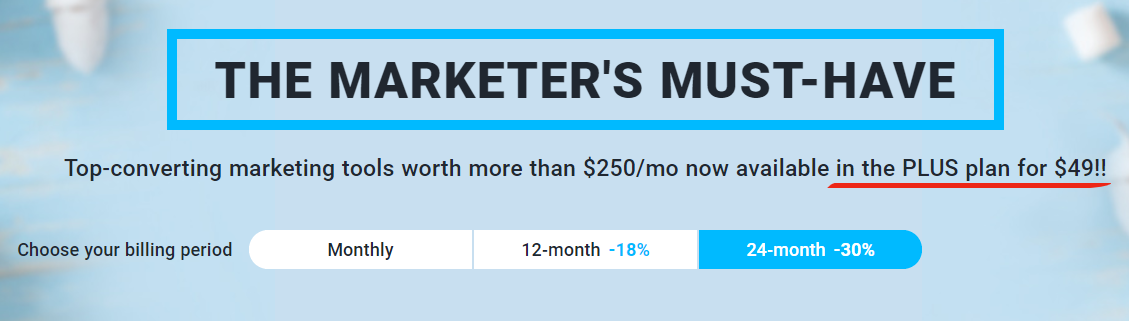
Helpful Note: Sometimes their pages can change so this is just an example.
All that’s important is that you know how to toggle between the different types of billing periods.
But as you can see from above?
- Monthly is the standard.
- 12-month allows you to get an 18% discount.
- 24-month allows you to get a hefty 30% discount.
As someone who has used, reviewed, and tested many software tools online…
I also recommend paying more upfront as it allows you to save more in the long run.
That is, of course, if you plan on using the tool for the longer term.
So that is how you can save a bunch of money when it comes to using this email tool.
Let’s wrap up this post now.
GetResponse Pricing Summary
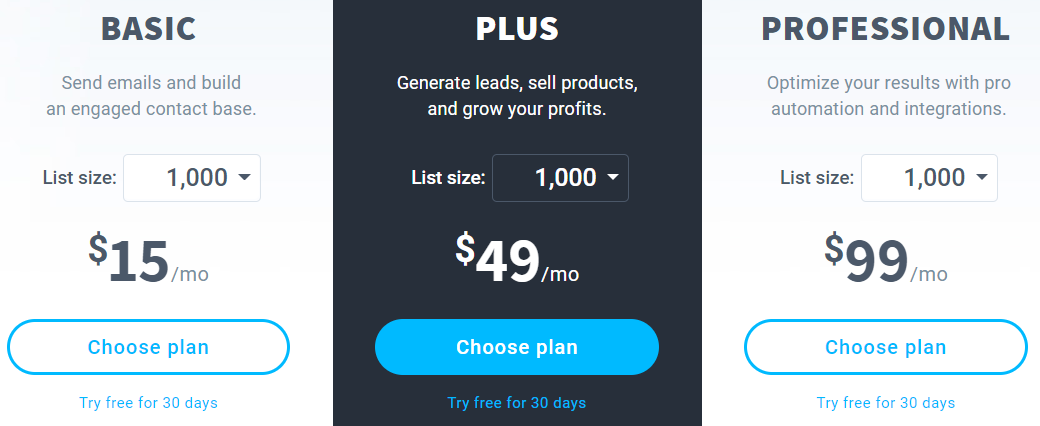
So here is one final look at the GetResponse pricing for just getting started:
- GetResponse Basic: $15 monthly (up to 1K subscribers).
- GetResponse Plus: $49 per month (up to 1K subscribers).
- GetResponse Professional: $99 per month (up to 1K subscribers).
And this is just for getting started…
I talked about the complete prices when it comes to having more subscribers above.
Anyway.
I hope that I provided enough information when it comes to the question:
Just how much does GetResponse cost?
One more time.
I will leave you with a link where you can get started trying this tool today:
Thank you for reading and enjoy.
About the Author James Canzanella
A former personal trainer who went from unemployment to online business success. He's been marketing since 2012 and (still) enjoys lifting weights, listening to rock music, and relentlessly quoting movie lines.
