
ConvertKit Review
Thanks for stopping by to check my ConvertKit review.
I know you’re busy so I’ll get right on into it.
What Is ConvertKit Anyway?
To sum it up in one simple sentence:
- ConvertKit is email marketing for online creators.
It comes equipped with many features you’ll really like (which I’ll cover soon).
But in the meantime?
You can see a great demo video down below (in case you’re a visual person):
Let’s get into what I really liked about this email marketing tool.
ConvertKit Review
Before I begin I do want to let you know one their great features:
Or you can check out the post down below if you need help with the signup process:
Related ConvertKit Post: Step by step walkthrough for the ConvertKit free trial.
Yup, it costs nothing to test them all.
After all.
Being able to test drive a tool is important so that you know it’s perfect for you.
Now let’s move onto some of the features that I think that you will really enjoy.
Automated Emails
Face it.
The word automation might as well be music to email marketer’s ears.
And when it comes to ConvertKit?
You can do all of the important automation tricks.
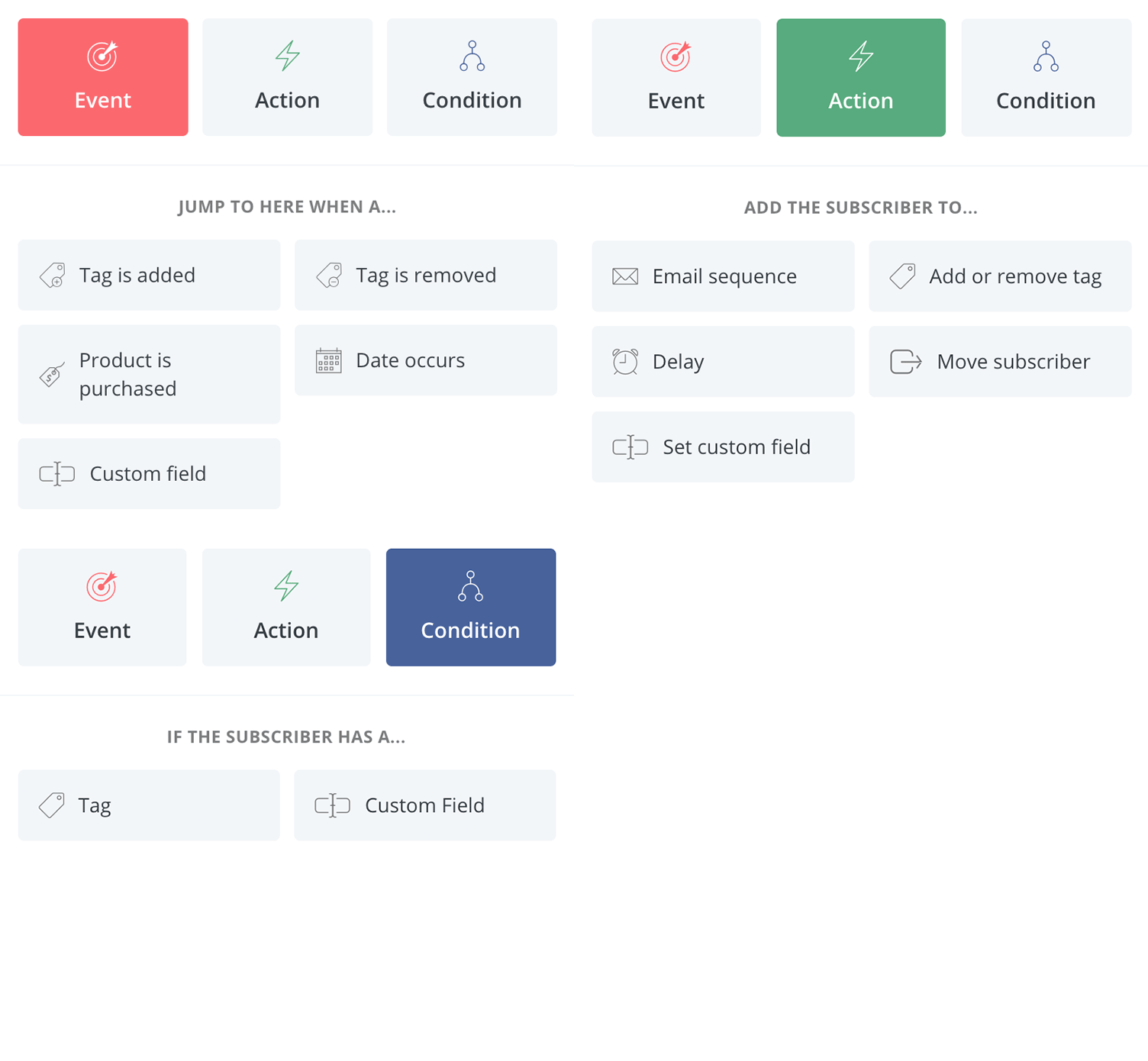
As you can see from the cool GIF above (Credit: ConvertKit page)…
There are 3 main automation sections that have more actions within them.
- Event
- Action
- Condition
So let’s look at each a little more.
Events
This is all about pulling a subscriber forward when something happens (like a purchase).
For example.
If someone purchases from you and you don’t want them seeing followup emails anymore…
This section can remove them from getting those emails.
Action
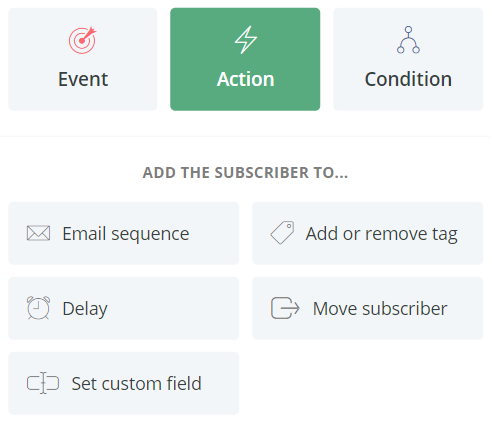
The action section is for making something in particular happen.
Examples include adding a subscriber to (shown in the picture below):
And the last aspect of course.
Condition
These will check is a subscriber has:
- A tag
- Or either a custom field
This is helpful because it allows your subscribers to see ONLY what you want them to.
Once again.
This is what automation is all about and I think you’ll find it very beneficial for email marketing.
Subscribers
As I talked about previously (in the Action section)…
You can add tags to specific subscribers based on what actions they do.
How else is this beneficial?
- You can send broadcasts to specific subscribers based on the tags they have.
If you’ve ever purchased a product and then still got emails for it?
Then you’ll know exactly what I’m talking about.
Now really easily you can:
- Send to subscribers with a specific tag
- Or you can even send to subscribers without a specific tag
This allows you to make your emails much more detailed and personalized…
Which can also allow you to have a much better ROI.
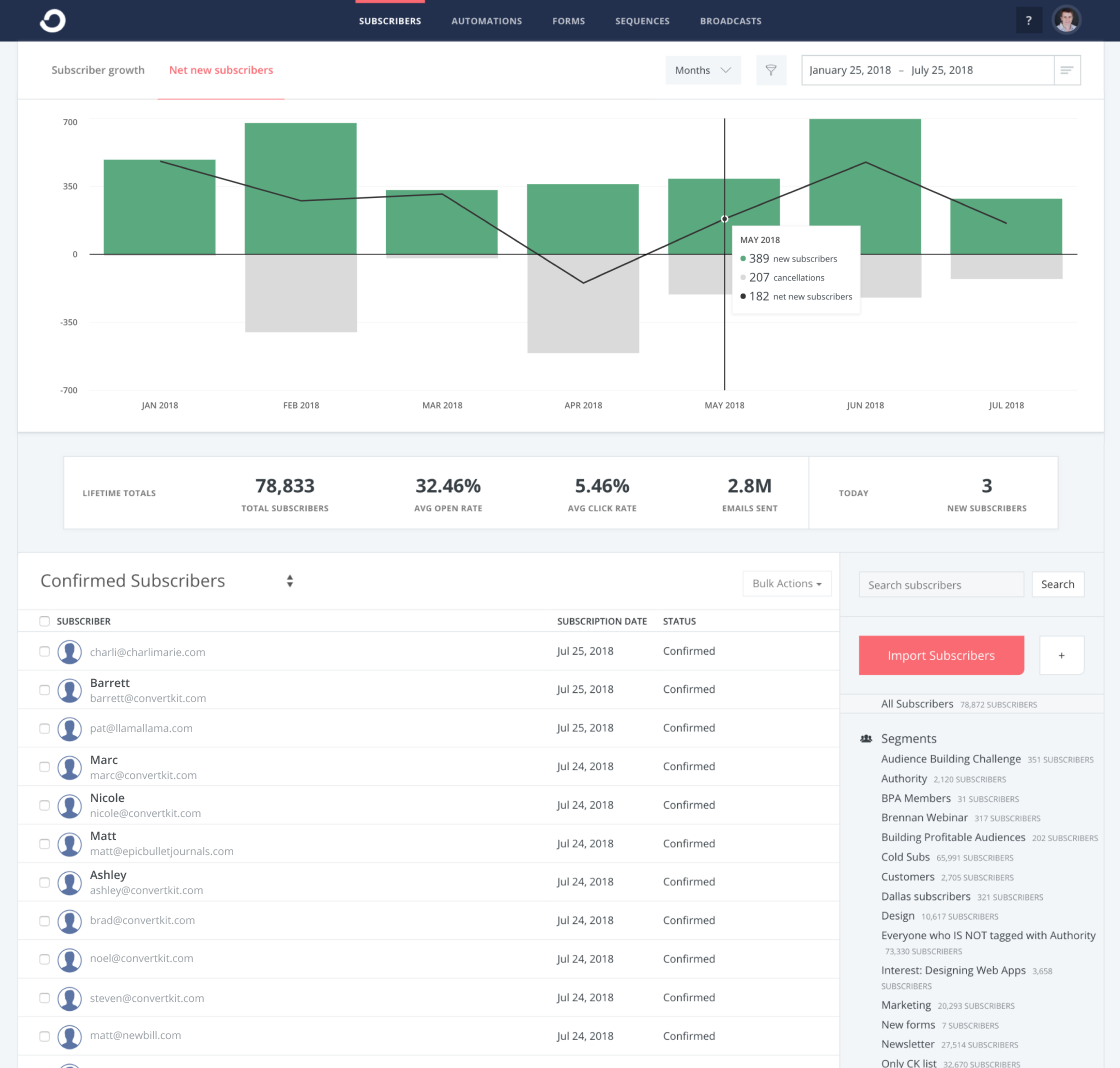
As shown in the picture above (Credit: ConvertKit Page)…
They also do a really great job when it comes to tracking your stats.
ConvertKit also comes with many more features (which you can see in the link above)…
But I just wanted to highlight a few things that really jumped out at me initially.
I also did a post above how much they cost which you can see down below too.
Related: The complete ConvertKit pricing post.
Now.
Let’s move onto the end of this analysis.
ConvertKit Conclusion
It didn’t take too long to realize that this email marketing tool can be quite powerful.
Here’s what I really loved about it.
Pros
- Advanced automations
- Easy to set up followup sequences
- Ability to integrate with many different tools
- Detailed analytics (in case you love numbers like me)
- Being able to have more control of what message your subscribers get
And on the other hand (there weren’t too many).
Cons
- Despite being simple there is still a slight learning curve (as expected)
- Not the cheapest email marketing tool out there (which isn’t always a bad thing)
At the end of the day…
Is ConvertKit the best marketing tool for online creators?
They just might be (but I have more testing to do).
They certainly pack some heavy automation punches…
And since they have a free trial you should really test them out yourself.
You can click the button down below to see just how much you like them.


And that should do it.
I want to say thank you for coming by and reading this quick ConvertKit review…
And I hope you enjoy it as much as everyone else does.
About the Author James Canzanella
A former personal trainer who went from unemployment to online business success. He's been marketing since 2012 and (still) enjoys lifting weights, listening to rock music, and relentlessly quoting movie lines.
